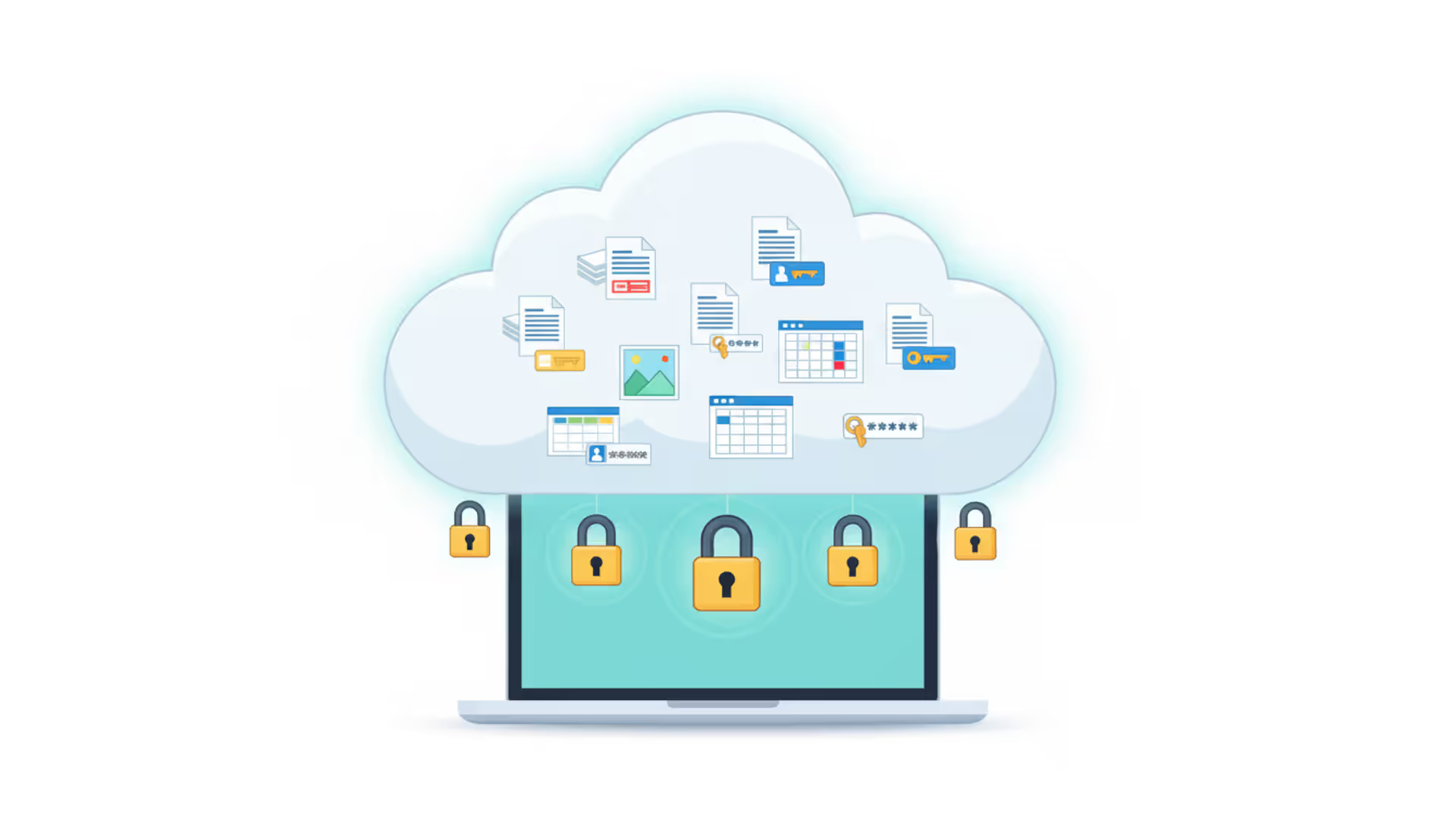
Tax documents from 2019. Your daughter's baby photos. Scanned copies of your passport. That spreadsheet tracking every password you've ever created. These files sit in cloud storage accounts that most of us set up in about three minutes, clicking "agree" without reading a single privacy policy.
Here's what bothers me: millions of Americans trust their most sensitive files to services they've never actually evaluated for security. The marketing all sounds the same—"military-grade encryption," "bank-level security," "your privacy matters." But these phrases hide massive differences in who can access your data.
You don't need to become a cybersecurity expert. You just need to understand which specific features actually protect your files versus which ones just sound impressive in advertisements. Let's figure out what actually matters when you're trusting someone else's servers with your personal life.
What Makes Cloud Storage Secure for Personal Files
Think of cloud security like home security. A deadbolt on your front door doesn't help much if you leave your windows wide open. Real protection comes from multiple defenses working together, and weaknesses in one area can undermine everything else.
Encryption standards are your baseline—the absolute minimum acceptable. AES-256 encryption is what you're looking for. If someone managed to steal the encrypted version of your files (incredibly difficult already), current computers would need billions of years to break the code. Every reputable provider uses AES-256, so the real question isn't whether they encrypt, but who controls the keys that unlock that encryption.
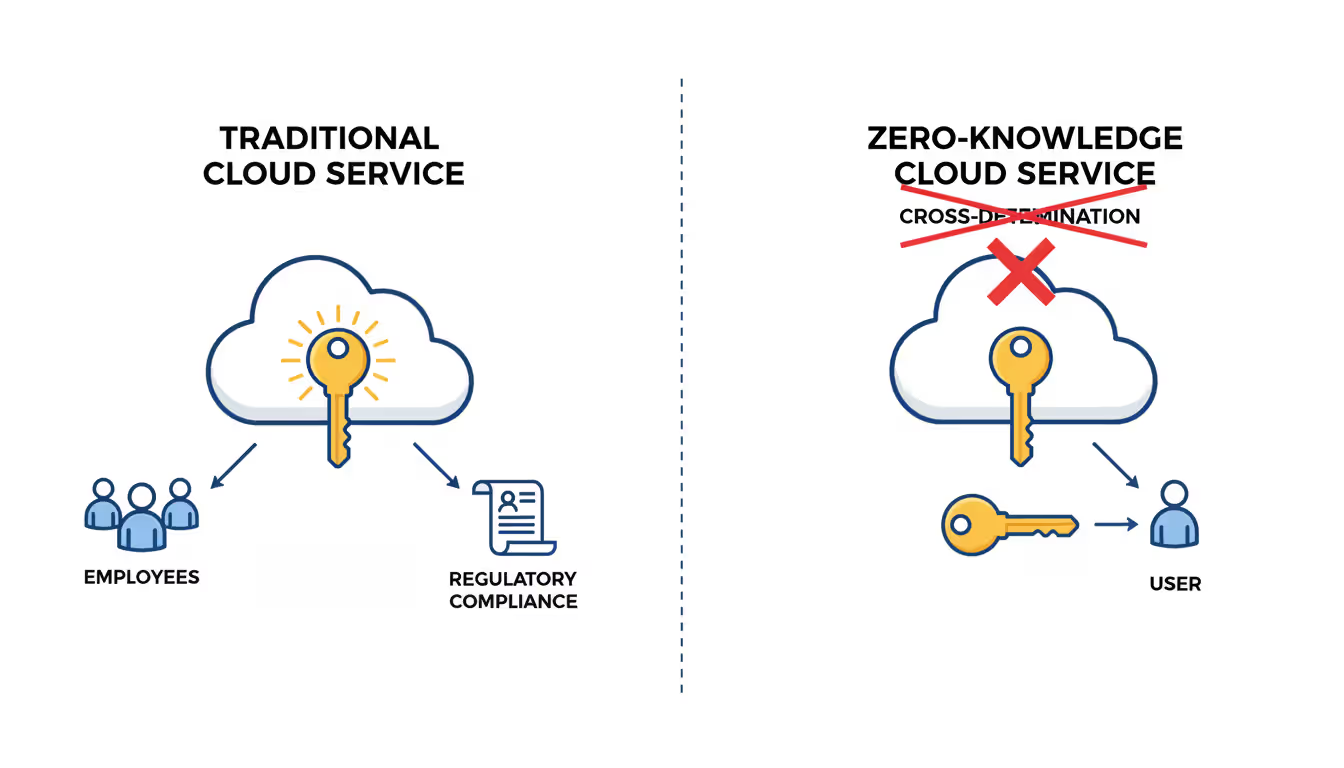
Here's where it gets interesting. Zero-knowledge architecture means files get encrypted on your laptop or phone before they ever leave your device. The company storing your files never receives the key. They couldn't read your files even if their CEO personally wanted to snoop. Even a court order wouldn't help—the provider physically cannot decrypt what you've uploaded.
Compare this to traditional cloud storage, where the company keeps a copy of your encryption key "for your convenience." They can unlock your files anytime for features like searching inside documents or showing thumbnail previews. Convenient? Absolutely. Private? Not really.
The assumption that cloud providers can't see your files is dangerously wrong with traditional services. They hold the keys to your digital life. Zero-knowledge encryption flips this entirely—you become the only person with access, period. The provider becomes just a storage locker, not a file clerk who can rifle through your stuff
— Dr. Sarah Chen
Two-factor authentication creates a second hurdle after passwords. Someone who steals your password still can't get in without that second factor. But not all second factors work equally well. Text messages can be intercepted through SIM-swapping (where attackers convince your phone company to transfer your number to their device). Authenticator apps like Authy or Google Authenticator work better. Hardware security keys—small USB devices you plug in—work best of all because they're immune to phishing attacks.
Compliance certifications prove that outsiders have verified a company's security claims. SOC 2 Type II certification means auditors spent months examining security controls and confirming they actually work as advertised. ISO 27001 indicates international security management standards. GDPR compliance matters even if you're American because it grants specific rights: you can demand to see what data they've collected, request deletion, and even object to certain types of processing.
Server location determines which government can demand access to your files. Swiss providers operate under privacy laws that frequently refuse foreign data requests. American companies fall under the CLOUD Act—U.S. authorities can access data these companies store anywhere globally, whether it's on servers in Ireland or Singapore. European providers must follow GDPR, which restricts data transfers to countries with weaker privacy protections.
Author: Evan Crossfield;
Source: milkandchocolate.net
Security Features That Matter Most
Marketing language makes everything sound equally secure. Dig into the technical details and you'll find enormous differences between services claiming similar protection.
End-to-End Encryption vs. At-Rest Encryption
Every cloud storage provider will tell you they "encrypt your files." Technically true. Meaningfully different in practice.
At-rest encryption scrambles files sitting on the provider's servers. If someone physically broke into a data center and stole hard drives, they'd find only encrypted gibberish. Sounds great until you realize the provider keeps the decryption keys. When you log in and view files, the provider decrypts them for you. Which means the provider can decrypt them for anyone—themselves, advertisers, law enforcement, hackers who breach their systems.
End-to-end encryption protects files from the moment they leave your device until you decrypt them yourself. The file stays encrypted during upload, during storage, and during download to your other devices. The provider never possesses the ability to decrypt.
Here's the trade-off: if you forget your master password with true end-to-end encryption, your files are gone forever. The provider can't help because they can't access your files. This seems like a bug but it's actually proof the system works as designed. Convenient password recovery means someone (the provider) can access your files, which defeats the purpose of end-to-end encryption.
Some services split the difference—standard encryption by default, with an option to enable zero-knowledge protection for specific folders. This gives flexibility but requires you to remember which files actually have maximum protection.
Privacy Policies and Data Ownership Rights
Privacy policies reveal what actually happens to your files beyond just storing them. Most people never read these documents, which is unfortunate because the differences are striking.
Questions that matter: Does the provider scan file contents? Some do this for content moderation (blocking illegal material), some for targeted advertising, some to train AI models on your data. What metadata gets collected—just file sizes and dates, or also file names, folder structures, who you share with, and when you access specific documents?
When do they share data with third parties? "We only share when legally required" differs vastly from "we may share with partners for marketing purposes." How long does data persist after deletion? Some services keep files in backups for 90 days. Others retain data indefinitely in redundant systems.
For creative professionals especially, check data ownership clauses. Some providers' terms grant them licenses to use uploaded content. Your family photos might seem irrelevant to this, but it becomes significant if you store original writing, artwork, or video projects. The strongest privacy policies explicitly state you retain complete ownership and they claim zero rights to your content—just a narrow license to store and display files back to you.
Top Secure Cloud Storage Providers Compared
The secure cloud storage market has matured significantly in recent years. You've got legitimate options now beyond just trusting Google or Microsoft with everything.
Provider
Encryption Method
Authentication Options
Legal Jurisdiction
Entry Price
Security Highlights
Sync.com
Zero-knowledge, client-side
App-based codes, text messages
Canada
$8/month for 2TB
Keys never leave your device, SOC 2 audited, unlimited versioning
Tresorit
Zero-knowledge, client-side
App codes, physical security keys
Switzerland
$10.42/month for 500GB
Operates under Swiss privacy law, security-focused sharing, business-grade compliance
ProtonDrive
Zero-knowledge, client-side
App codes, physical security keys
Switzerland
$3.99/month for 200GB
Publicly auditable code, integrates with ProtonMail ecosystem, Swiss data protection
MEGA
Zero-knowledge, user-controlled keys
App codes, backup recovery keys
New Zealand
$5.63/month for 400GB
You control encryption keys completely, includes 20GB free tier, court-tested privacy stance
SpiderOak
Zero-knowledge architecture
App-based authentication
United States
$6/month for 150GB
Pioneered "no knowledge" storage, blockchain verification available, forensic-grade protection
Icedrive
Opt-in client encryption
App-based codes
United Kingdom
$4.17/month for 150GB
Twofish cipher option, mount as virtual drive, transparent GDPR practices
Sync.com makes zero-knowledge encryption straightforward without requiring technical knowledge. Canadian privacy laws provide solid protection without the premium Swiss pricing. Their versioning system keeps unlimited file history, which has saved me personally when I accidentally overwrote an important document.
Tresorit costs more because you're paying for Swiss jurisdiction and enterprise-grade security. If you're storing documents that absolutely cannot be compromised—estate planning files, business contracts, medical records—the extra cost buys meaningful additional protection. Their sharing features maintain encryption even when collaborating with people outside your account.
ProtonDrive makes sense particularly if you already use ProtonMail or ProtonVPN. The ecosystem integration creates a cohesive privacy environment, and the open-source approach means security researchers worldwide can examine the code for vulnerabilities. At under $4 monthly, it's remarkably affordable for Swiss-based zero-knowledge storage.
MEGA offers the most storage per dollar while maintaining genuine zero-knowledge encryption. The company's founder has a controversial history (it grew from the ashes of Megaupload), but the current encryption implementation is solid. New Zealand courts have historically supported digital privacy, though it's not as bulletproof as Swiss jurisdiction.
SpiderOak built its entire brand around the "no knowledge" principle before zero-knowledge became fashionable. They've stuck to privacy principles for over a decade. Storage allocations run smaller than competitors because truly zero-knowledge infrastructure costs more to operate.
Icedrive provides a middle ground—you can enable client-side encryption if you want it, or use standard encryption for easier file sharing and recovery. The Twofish encryption algorithm offers an alternative to ubiquitous AES, though it's less extensively tested simply because fewer systems use it.
Author: Evan Crossfield;
Source: milkandchocolate.net
How Secure Cloud Hosting Differs from Personal Storage
People mix up these terms constantly, but they describe completely different services with different security responsibilities.
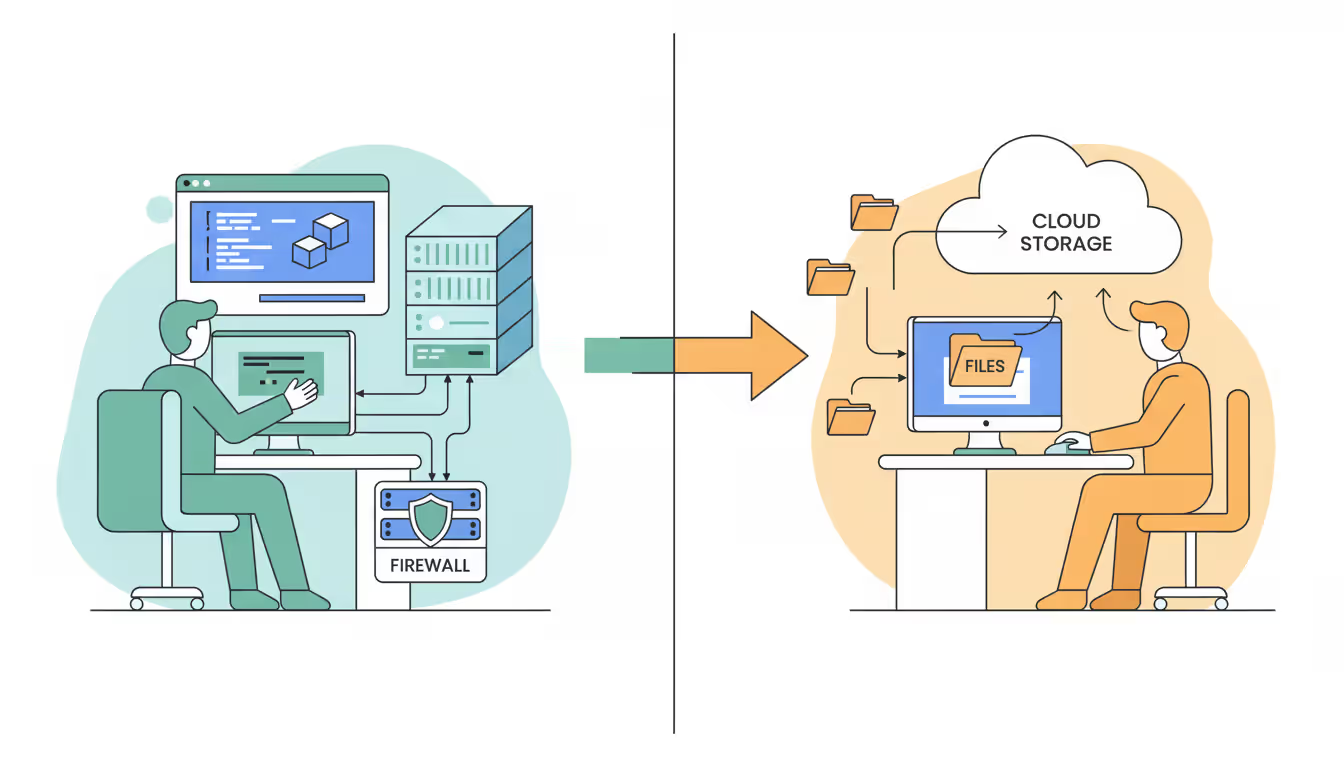
Cloud storage gives you space to keep files. You upload documents and photos, sync across devices, maybe share some folders. The provider handles all infrastructure, security patches, and server maintenance. Your job is choosing good passwords and deciding what to upload.
Cloud hosting rents you server resources to run your own applications. You might host a personal website, run a password manager server, or deploy a custom photo gallery. The provider secures the physical infrastructure, but you're responsible for configuring firewalls, installing security updates, and hardening whatever software you run.
Most people need storage, not hosting. You'd need hosting if you want to run a WordPress blog, host game servers for friends, or self-host services like Nextcloud or Bitwarden. These scenarios put you in the driver's seat for security—which sounds great until you realize you need to understand Linux security, web server configuration, and SSL certificate management.
A misconfigured web application can expose not just your files but your entire hosting account to attackers. I've seen people set up personal cloud hosting with default passwords still active, no firewall rules configured, and software six months out of date. Storage services handle this complexity for you; hosting hands you the controls and expects you to know what you're doing.
Some technically-minded users choose hosting specifically for total control. Running your own Nextcloud instance means you control encryption, storage location, and every security setting personally. This eliminates trust in third-party providers but requires skills most people don't have (or want to develop).
Author: Evan Crossfield;
Source: milkandchocolate.net
Additional Security Measures to Protect Your Data
Even Tresorit or ProtonDrive won't protect you from certain mistakes. Layering additional security practices reduces your vulnerability when any single defense fails.
Using Secure File Transfer Protocols
How files travel between your device and cloud storage matters as much as how they're stored.
SFTP wraps file transfers in SSH encryption. Unlike ancient FTP (which broadcasts your password in plain text for anyone monitoring the network to grab), SFTP encrypts authentication and file contents. Some advanced providers offer SFTP access as an alternative to web browsers—useful for automated backups or working with large file collections.
FTPS adds SSL/TLS encryption to traditional FTP. Less common than SFTP but equally secure when properly configured. The encryption certificates verify you're connecting to the legitimate service, not an imposter.
HTTPS with TLS 1.3 is what most cloud storage interfaces use. TLS 1.3 eliminated vulnerable older encryption methods and speeds up connections. Verify your provider supports TLS 1.3 and has disabled ancient versions like TLS 1.0—some budget providers still allow these outdated protocols.
Avoid accessing cloud storage over coffee shop Wi-Fi without extra protection. Yes, HTTPS encrypts your connection, but compromised networks enable attacks that HTTPS alone doesn't prevent. Either wait until you're on a trusted network or use additional protection (which brings us to VPNs).
Pairing Cloud Storage with VPN Protection
VPNs create encrypted tunnels for all internet traffic, concealing your activity from your internet provider and anyone monitoring the network you're using.
WireGuard represents the current state-of-the-art in VPN protocols. It uses modern cryptography and contains roughly 4,000 lines of code compared to OpenVPN's 100,000+ lines. Smaller codebase means fewer places for bugs to hide and easier security audits. OpenVPN remains solid, particularly recent versions using TLS 1.3, but WireGuard is technically superior.
Using a VPN when accessing cloud storage prevents your internet provider from seeing which service you're using and building a profile of your access patterns. Even though file contents are encrypted, metadata about when you access cloud storage and how much data you transfer reveals information about your activities.
Traveling internationally or using hotel Wi-Fi? A VPN becomes essential rather than optional. Public networks in airports and coffee shops are notorious for man-in-the-middle attacks.
One caveat: VPNs shift trust from your internet provider to your VPN provider. The VPN company can potentially monitor your traffic, so choose carefully. Look for providers with independently verified no-logs policies and preferably based in privacy-respecting jurisdictions. Combining a Swiss VPN with Swiss cloud storage creates overlapping privacy protections.
Author: Evan Crossfield;
Source: milkandchocolate.net
Implementing Secure Remote Access Practices
Accessing cloud storage securely from anywhere requires building some consistent habits.
Full-disk encryption on every device that syncs with cloud storage. FileVault on Mac, BitLocker on Windows, LUKS on Linux. If someone steals your laptop from a coffee shop, they shouldn't gain access to your cloud account through saved credentials or cached files.
Session management gets ignored by most people but matters tremendously. Log out of cloud storage on shared computers (always). Enable automatic session timeouts that log you out after 30 minutes of inactivity. Review active sessions monthly and revoke access from devices you don't recognize. I found an active session from a hotel computer in Las Vegas six months after my trip—I hadn't logged out properly.
Dedicated devices for sensitive data if you're serious about security. Use your main laptop for general browsing and a separate tablet exclusively for accessing financial documents and tax records. This segregation limits exposure if your primary device gets compromised.
Keep everything updated—operating systems, apps, browsers. Updates frequently patch security vulnerabilities that attackers actively exploit. Enable automatic updates if you can trust yourself not to postpone them indefinitely.
Biometric authentication (fingerprint readers, face recognition) works well on phones and laptops as a convenience layer, not a sole security measure. Maintain strong backup passwords because biometrics can't be changed if compromised.
Common Security Mistakes to Avoid
Even with secure providers and solid protocols, certain user mistakes create vulnerabilities that undermine everything else.
Password reuse across multiple services remains the number one security failure. Attackers breach some random shopping website, grab the email and password combinations, then systematically try those credentials on banking sites, email providers, and cloud storage. Use a password manager (Bitwarden, 1Password, or KeePassXC) to generate unique 20+ character passwords for every account. The mild inconvenience of learning a password manager pales compared to recovering from a compromised account containing years of personal files.
Skipping two-factor authentication because it seems annoying. I get it—entering a six-digit code every time you log in feels tedious. Do it anyway. Enable 2FA on your cloud storage and on the email account associated with it. Attackers who compromise your email can often reset your cloud storage password, so both need 2FA protection.
Sharing login credentials with family instead of using legitimate sharing features. Giving your spouse your password means you can't revoke their access later without changing passwords everywhere, they're not protected by their own 2FA, and you can't track who accessed which files. Most providers offer family plans or folder-specific sharing that maintains security while enabling collaboration.
Believing marketing language without independent verification. "Military-grade encryption" means nothing specific—AES-256 is used by militaries, but so is ROT13 technically a military cipher (a very old, very broken one). Read independent security audits from organizations like the Electronic Frontier Foundation or reviews from security researchers, not just the provider's marketing site.
Forgetting about account recovery until you desperately need it. With zero-knowledge encryption, losing your master password means permanent data loss. The provider cannot help you. Set up recovery codes immediately after creating your account and store them somewhere secure offline—written on paper in a safe, not in a file on the cloud account they're meant to recover.
Uploading highly sensitive documents without additional encryption layers, even to zero-knowledge providers. For tax returns, medical records, legal documents, and financial information, consider encrypting files locally with VeraCrypt or Cryptomator before upload. This adds a second encryption layer independent of your cloud provider.
Accepting default privacy settings without review. After signing up for any cloud service, spend 15 minutes reviewing settings. Disable unnecessary sharing features, restrict metadata collection where possible, turn off third-party integrations you don't use, and verify deletion policies.
Frequently Asked Questions
Is free cloud storage secure enough for personal use?
Free services typically offer basic encryption (files are scrambled on their servers) but rarely provide zero-knowledge protection where only you control the keys. Providers like MEGA actually do offer zero-knowledge encryption on their free 20GB tier, making them suitable for personal files that aren't extremely sensitive. Most free services monetize through ads, data analysis, or hoping you'll eventually upgrade. Google Drive and Dropbox's free tiers provide reasonable security against random hackers but offer no privacy from the provider itself—they can and do scan file contents. For truly sensitive documents (tax records, legal papers, medical files), paying $4-10 monthly for a zero-knowledge provider makes sense. Free works fine for non-sensitive files you could tolerate losing or having exposed.
What's the difference between encrypted and zero-knowledge cloud storage?
Regular encrypted storage scrambles your files using strong cryptography, but the provider keeps a copy of the decryption key. They need this key to provide convenient features like searching inside documents, showing thumbnail previews, and virus scanning. The provider can technically read your files, though reputable companies claim they don't routinely browse user data. Zero-knowledge storage encrypts files on your device before upload, and you never share the decryption key with the provider. The company literally cannot access your file contents under any circumstances—court orders, hacking attempts, or curious employees make no difference because the provider doesn't possess the technical capability to decrypt. The downside? Forget your password and your files are permanently gone. No password recovery process exists because that would require the provider having access, which defeats zero-knowledge protection.
Can cloud storage providers see my files?
With traditional services like Google Drive, Dropbox, and OneDrive—yes, absolutely. These companies can access file contents because they hold your encryption keys. They use this access for legitimate purposes (showing thumbnails, indexing for search, scanning for malware and illegal content) and comply with legal requests from law enforcement. Most providers state they don't casually browse your files, and you have to trust those claims. Zero-knowledge providers (Sync.com, Tresorit, ProtonDrive, MEGA, SpiderOak) genuinely cannot see your files because the encryption happens on your device using keys they never receive. This technical limitation protects your privacy but means these services can't offer features that require examining file contents.
How do I migrate to a more secure cloud storage provider?
Start by signing up for the new service and testing it thoroughly before canceling your existing provider—you want to verify everything works correctly before cutting ties with your old storage. Download your files from the current provider using their bulk export tool (most services offer this in account settings). For large file collections, this might take several days depending on your internet connection speed. Upload everything to the new provider, ideally maintaining the same folder structure for easier navigation. Run both services simultaneously for at least one billing cycle while you update sharing links, verify all files transferred correctly, and confirm important permissions work on the new platform. Some providers offer migration tools that automate transfers between services, though these work best when moving between mainstream providers. Before canceling the old service, triple-check that everything critical made the journey successfully.
Do I need a VPN when accessing cloud storage?
Strictly speaking, no—if your cloud provider uses HTTPS encryption (which all reputable services do), the connection itself is encrypted against eavesdropping. However, VPNs add meaningful privacy protection even with HTTPS. Without a VPN, your internet provider sees which cloud storage service you're accessing, exactly when you access it, and how much data you transfer. They can't see file contents, but this metadata reveals behavior patterns. On public Wi-Fi at airports, hotels, or coffee shops, VPNs protect against network-based attacks that exploit vulnerabilities. The combination of VPN encryption (securing your internet connection) and cloud storage encryption (securing your files) creates overlapping defenses. If you regularly access sensitive files over public networks or want to hide your cloud storage usage patterns from your internet provider, use a VPN. For home network access to zero-knowledge storage, a VPN provides less critical but still valuable additional privacy.
What happens to my data if the cloud provider shuts down?
Legitimate providers include data retrieval procedures in their terms of service and typically announce shutdowns months in advance. Most companies provide 30-90 days for users to download files before servers go offline permanently. This exact scenario is why maintaining local backups of critical files remains important—cloud storage should supplement your backup strategy, not replace it entirely. Zero-knowledge providers can't hold your data hostage because they can't access it anyway, but you still need sufficient time to download everything before shutdown. Check whether your provider publishes a documented shutdown plan or belongs to industry associations with data portability requirements. For maximum protection, follow the 3-2-1 backup principle: maintain three copies of important data on two different storage types (like external drives and cloud) with one copy stored offsite. Cloud storage fills the offsite role perfectly, but it shouldn't be your only copy.
Protecting personal files in cloud storage requires cutting through marketing nonsense to understand which technical features actually safeguard privacy. Zero-knowledge encryption, robust authentication, and privacy-respecting legal jurisdictions form the foundation—everything else is window dressing.
Choosing the most secure cloud storage for personal use means balancing technical protection against usability. For most people, that points toward zero-knowledge providers like Sync.com, Tresorit, or ProtonDrive rather than convenient mainstream services that treat your privacy as negotiable. Combine your storage choice with complementary practices—password managers generating unique credentials for every service, two-factor authentication on everything important, VPNs when using untrusted networks, and periodic security reviews of your accounts.
Your specific situation determines how aggressively you need to protect files. Someone storing family vacation photos needs less stringent security than someone maintaining legal documents or business contracts. But regardless of your threat model, understanding what genuinely makes cloud storage secure empowers you to make informed decisions rather than blindly trusting marketing claims.
The investment in secure cloud storage—whether paying $5 monthly for a privacy-focused provider or spending an afternoon properly configuring security settings—pays dividends when your data remains accessible only to you. With data breaches becoming routine and surveillance expanding constantly, controlling access to your personal files isn't paranoia. It's basic digital hygiene.
A reliable wireless connection has become as essential as electricity. This comprehensive guide covers wifi network design, installation, monitoring, and troubleshooting. Learn how to choose equipment, optimize performance, and decide between DIY and professional installation for your home or business
A virtual network is a software-defined networking environment that replicates physical network infrastructure without dedicated hardware. This guide covers core components, virtual network functions, gateways, security best practices, cloud provider services, and a practical 6-step setup process
MQTT brokers route messages between IoT devices using publish-subscribe architecture. This guide covers selecting the right broker, comparing free options like Mosquitto and EMQX, testing online brokers, and avoiding security and scalability mistakes that derail IoT projects
Network visibility isn't optional anymore—it's essential. Whether you manage corporate infrastructure or a home network, knowing how to map your network gives you control, security, and troubleshooting power. This comprehensive guide covers network mapping tools, step-by-step processes, and platform-specific instructions
The content on this website is provided for general informational purposes only. It is intended to offer insights, commentary, and analysis on cloud computing, network infrastructure, cybersecurity, and IT solutions, and should not be considered professional, technical, or legal advice.
All information, articles, and materials presented on this website are for general informational purposes only. Technologies, standards, and best practices may vary depending on specific environments and may change over time. The application of any technical concepts depends on individual systems, configurations, and requirements.
This website is not responsible for any errors or omissions in the content, or for any actions taken based on the information provided. Users are encouraged to seek qualified professional advice tailored to their specific IT infrastructure, security, and business needs before making decisions.