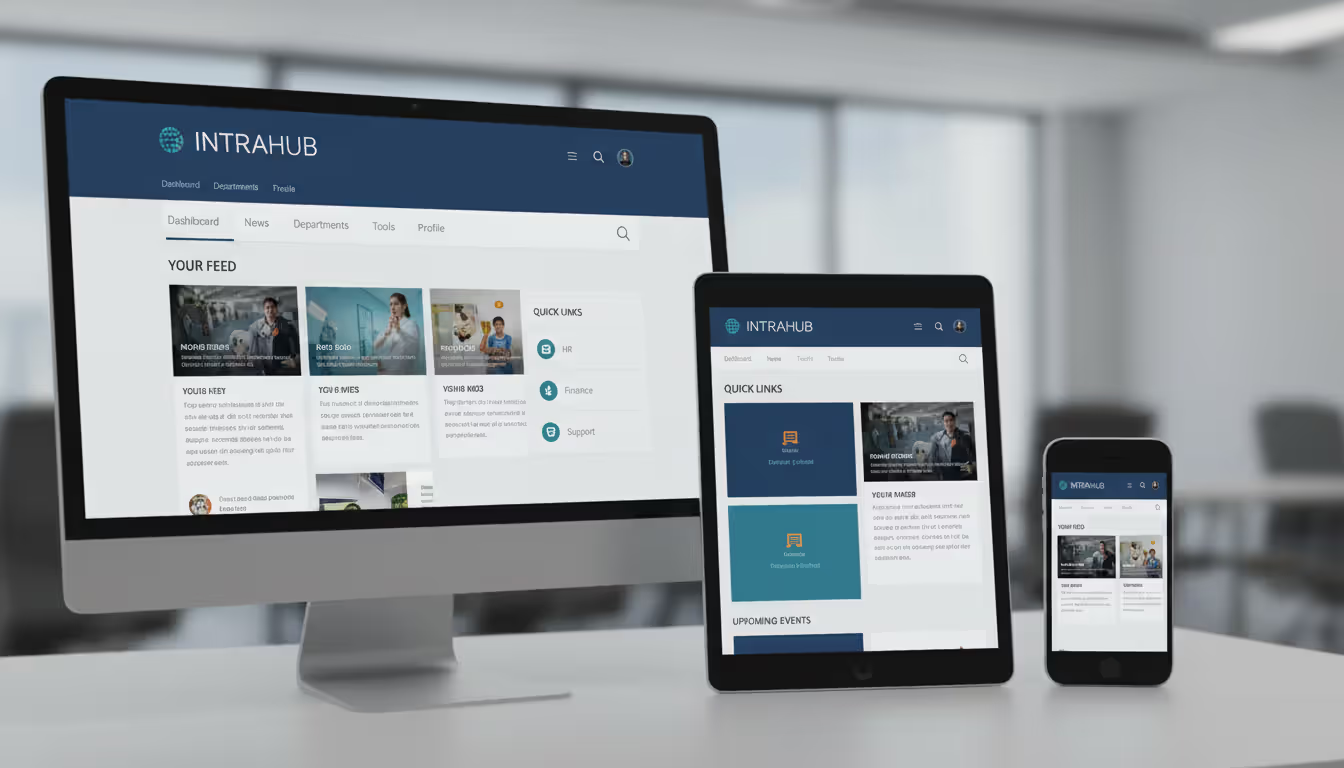
An intranet that employees ignore is worse than having no intranet at all. It represents wasted budget, lost productivity, and a missed opportunity to connect your workforce. The difference between a thriving digital workplace and a digital ghost town often comes down to design—not just how it looks, but how it works for the people who need it every day.
Creating an effective intranet design requires understanding your employees' actual workflows, anticipating their needs, and building an interface that makes finding information faster than asking a colleague. This guide walks through the practical steps, proven principles, and common pitfalls that separate successful intranets from expensive failures.
What Makes Intranet Design Different from Website Design
Designing an intranet isn't simply applying your public website's design to an internal platform. The audiences, goals, and usage patterns differ fundamentally.
Your public website targets prospects and customers who arrive with specific questions or purchase intent. They're often first-time visitors who need clear calls-to-action and persuasive content. An intranet serves repeat users—your employees—who return multiple times daily to complete tasks, find documents, or access tools. They already know your brand; they need efficiency, not persuasion.
Functionality trumps marketing appeal in intranet design. Employees need quick access to HR forms, project management tools, company policies, and team directories. A beautiful homepage means nothing if finding the expense reimbursement form takes five clicks and a search. The design must prioritize utility: robust search functionality, logical information architecture, and integration with daily workflow tools like email, calendars, and collaboration platforms.
Internal audiences also have different tolerance levels. External visitors might forgive a confusing navigation menu and simply leave. Employees forced to use a poorly designed intranet daily will complain, create workarounds, or simply stop using it—then blame IT when they can't find critical information. This creates a cycle of low adoption that undermines the intranet's purpose.
Privacy and permissions add another layer of complexity. Unlike public websites where all content is visible to everyone, intranets must manage role-based access, departmental content, and sensitive information. The design needs to accommodate personalized views where sales teams see different content than HR, while maintaining a consistent experience.
Author: Rachel Denholm;
Source: milkandchocolate.net
Core Principles of Successful Intranet Design
Effective intranet design rests on principles that prioritize user needs over aesthetic trends or executive preferences. Following intranet design best practices means building a system that employees actually want to use.
Usability comes first. Every design decision should reduce friction. If employees need three clicks to reach frequently accessed content, redesign to make it two. If the search function requires exact keyword matches, upgrade to natural language search. Small usability improvements compound over time into significantly higher adoption rates.
Mobile responsiveness isn't optional anymore. Remote workers, field staff, and employees checking information outside office hours access intranets from phones and tablets. A design that works beautifully on desktop but breaks on mobile excludes a significant portion of your workforce. Responsive design ensures the intranet adapts to any screen size without losing functionality.
Personalization increases relevance. Generic homepages that show the same content to everyone create noise. Employees in accounting don't need to see manufacturing safety updates, and vice versa. Role-based content, customizable dashboards, and intelligent content recommendations help employees see what matters to them without wading through irrelevant information.
Author: Rachel Denholm;
Source: milkandchocolate.net
Navigation and Information Architecture
Navigation structure makes or breaks intranet usability. The best practice intranet design uses clear, predictable navigation that reflects how employees think about information, not how departments are organized.
Flat information architecture works better than deep hierarchies. If employees must click through five levels to reach a document, they'll give up and email someone instead. Aim for no more than three clicks to reach any piece of content. This requires ruthlessly prioritizing what deserves top-level navigation placement.
Consistent navigation across all pages helps employees build mental models. The main menu, search bar, and key links should appear in the same location on every page. When navigation elements move or disappear, users feel disoriented and lose confidence in the system.
Multiple navigation pathways accommodate different user preferences. Some employees prefer browsing category menus; others go straight to search. Effective designs support both approaches plus contextual links that suggest related content. For example, the benefits enrollment page should link directly to the health insurance FAQ, not force users to navigate back to HR and search again.
Visual Hierarchy and User Interface
Visual hierarchy guides attention to the most important elements first. Not all content deserves equal prominence. Use size, color, contrast, and positioning to create clear priority levels.
The homepage should answer "what's new and what do I need to do?" within seconds. Feature urgent announcements at the top, followed by quick links to frequently used tools, then personalized content feeds. Push less critical information below the fold or into secondary pages.
White space prevents cognitive overload. Cramming too much content onto a page creates visual clutter that makes everything harder to process. Strategic white space around elements improves readability and helps important content stand out. If executives push to "use all available space," push back—empty space has functional value.
Consistent design patterns reduce learning curves. When buttons, forms, and interactive elements behave predictably across the intranet, employees don't waste mental energy figuring out how each page works. Establish a design system with standardized components and stick to it.
Common Intranet Design Mistakes to Avoid
Even organizations that invest significantly in intranet projects make predictable mistakes that undermine adoption. Learning from these common failures helps you avoid them.
Cluttered homepages try to satisfy every department's demand for visibility. The result: a chaotic page where nothing stands out and employees can't quickly find what they need. The best intranet design treats homepage real estate as precious. Limit featured content to truly important items and provide clear pathways to everything else.
Poor search functionality frustrates employees immediately. If search returns irrelevant results, doesn't handle typos, or can't search within documents, employees will stop using it. Invest in robust search with filters, suggested results, and the ability to search across file types. Test search with actual employee queries, not just ideal keywords.
Outdated content destroys trust. When employees find old policies, broken links, or information that contradicts what they heard in meetings, they lose confidence in the entire intranet. Establish content governance with clear ownership, review schedules, and automated alerts for stale content. Make it someone's job to maintain accuracy.
Lack of mobile optimization excludes increasingly mobile workforces. Designs that require pinching, zooming, or horizontal scrolling on phones create terrible user experiences. Test your intranet design on actual mobile devices, not just browser simulators, and fix issues before launch.
Ignoring user feedback means designing in a vacuum. Executives and IT teams often have different priorities than front-line employees. Conduct user research before designing, test prototypes with actual employees, and establish feedback mechanisms after launch. The employees who use the intranet daily know what's broken—listen to them.
Intranet Design Templates and Starting Points
Starting from scratch isn't always necessary or wise. Intranet design templates provide tested frameworks that you can customize for your organization's needs.
Template-based approaches use pre-designed layouts and components from your intranet platform or third-party providers. Modern platforms like SharePoint, Confluence, and specialized intranet solutions offer template libraries with common page types: homepages, department pages, project spaces, and document libraries. These templates incorporate usability best practices and responsive design out of the box.
Templates work well when your needs align with common patterns. If your organization requires standard intranet features—news feeds, document management, employee directories, event calendars—templates provide faster implementation at lower cost. Customizing colors, logos, and content within template frameworks still creates a branded experience without custom development.
Custom design makes sense when your organization has unique workflows, complex integrations, or specific requirements that templates can't accommodate. Healthcare organizations with HIPAA compliance needs, manufacturing companies with equipment maintenance workflows, or global enterprises with multilingual requirements might need purpose-built solutions.
The middle path—starting with templates then customizing strategically—balances speed and specificity. Use template frameworks for standard sections while custom-designing high-impact pages or unique features. This approach reduces costs and timeline while still addressing your organization's particular needs.
Consider platform-native design patterns too. If your organization already uses Microsoft 365, SharePoint-native designs integrate seamlessly with existing tools. Fighting against your platform's natural patterns usually creates more problems than it solves.
Step-by-Step Process for Designing Your Intranet
Author: Rachel Denholm;
Source: milkandchocolate.net
Successful intranet design follows a structured process that keeps users central while managing technical and organizational constraints.
Start with clear objectives. What problems should the intranet solve? Reducing time spent searching for information? Improving communication between departments? Streamlining onboarding? Specific goals guide design decisions and provide metrics for measuring success.
Audit existing content and tools. Before designing, understand what you're working with. Catalog current intranet content, identify redundant or outdated materials, and map the tools employees currently use. This audit reveals content gaps, consolidation opportunities, and integration requirements.
Define your information architecture. Based on user research, organize content into logical categories that match employee mental models. Create a sitemap showing page hierarchy and relationships. Test this structure with card sorting exercises where employees organize content categories—their groupings often differ from what leadership expects.
Develop visual design and branding. Create mood boards, color palettes, and typography systems that reflect your organization's culture while prioritizing readability and accessibility. Design key page templates: homepage, department page, article page, and search results. Ensure designs meet WCAG accessibility standards for users with disabilities.
Build iteratively. Don't try to launch everything at once. Start with core functionality and high-priority content, then expand. This approach lets you learn from real usage and adjust before investing in less critical features. Phased rollouts also reduce change management challenges.
Conducting User Research and Needs Assessment
User research transforms assumptions into evidence. Too many intranets fail because designers assumed they knew what employees needed without actually asking.
Interviews with diverse employees uncover real workflows and pain points. Talk to people in different roles, departments, and locations. Ask about their daily tasks, information needs, and current frustrations. A customer service representative's needs differ dramatically from an accountant's—your design must accommodate both.
Usage analytics from current systems reveal actual behavior. Which pages do employees visit most? Where do they get stuck? What do they search for? Analytics expose gaps between intended use and reality. If employees constantly search for the same document, it's not prominent enough in your navigation.
Competitive analysis shows what's possible. If your budget allows, research other organizations' intranets through case studies or industry networks. What features drive engagement? What mistakes should you avoid? You're not copying, but learning from others' experiments.
Surveys gather quantitative data from broader populations. After interviews identify key issues, surveys measure how widespread those problems are. Keep surveys short—10 questions maximum—and focus on priorities, not preferences. "What information do you need most frequently?" matters more than "What color should the homepage be?"
Prototyping and Testing with Employees
Prototypes catch problems before they become expensive mistakes. Testing with actual employees validates that your design works for real people, not just design theory.
Low-fidelity wireframes sketch page layouts and navigation without visual design details. These rough drafts help stakeholders understand structure and flow without getting distracted by colors or fonts. Wireframes are cheap to change, so iterate quickly based on feedback.
Interactive prototypes simulate the actual user experience. Tools like Figma or Adobe XD let employees click through realistic mockups, testing whether they can complete common tasks. Watch them navigate without guidance—where do they get confused? What do they expect to happen that doesn't?
Usability testing involves observing employees complete specific tasks while thinking aloud. "Find the parental leave policy" or "Submit a help desk ticket" reveals whether your navigation makes sense. Users often fail tasks that designers thought were obvious. Each failure is valuable data for improving the design.
Pilot launches with small groups test the real system under actual conditions. Select a diverse pilot group representing different roles and technical comfort levels. Monitor their usage, gather feedback, and fix issues before rolling out organization-wide. Pilots also create champions who can help train other employees during full launch.
Author: Rachel Denholm;
Source: milkandchocolate.net
Measuring Intranet Design Success
Launching your intranet isn't the finish line—it's the starting line. Measuring success helps you improve continuously and justify continued investment.
Adoption metrics show whether employees actually use the intranet. Track unique visitors, return visit frequency, and what percentage of employees log in regularly. Low adoption signals design or content problems that need attention. Compare adoption rates across departments to identify where the intranet works well and where it doesn't.
Engagement metrics reveal how employees interact with content. Page views, time on site, and bounce rates indicate whether content meets needs. High bounce rates on key pages suggest content isn't relevant or navigation isn't working. Track which content gets shared or bookmarked—that's what employees find valuable.
Task completion rates measure whether employees can actually do what they came to do. Set up analytics to track completion of common tasks: finding documents, submitting forms, accessing tools. If only 40% of employees who start a benefits enrollment form complete it, your design creates friction.
Search analytics expose gaps in content and navigation. What are employees searching for? Are they finding it? High search volumes for specific terms indicate that content should be more prominent in navigation. Failed searches reveal missing content or poor search functionality.
User feedback provides qualitative context for quantitative metrics. Implement easy feedback mechanisms throughout the intranet. Simple "Was this helpful?" buttons on pages, suggestion boxes, and periodic surveys capture employee perspectives. Respond to feedback publicly to show you're listening.
Business impact metrics connect intranet success to organizational goals. If your objective was reducing time spent searching for information, survey employees about time saved. If improving onboarding was the goal, measure new hire time-to-productivity. Connecting intranet metrics to business outcomes demonstrates ROI and secures continued support.
Establish baseline metrics before launch, then track changes over time. Monthly reporting keeps stakeholders informed and creates accountability for continuous improvement. Share wins broadly—when adoption increases or employees report time saved, celebrate those successes to maintain momentum.
The most successful intranet redesigns I've seen aren't about making things prettier—they're about removing friction from employees' daily work.When you reduce the time it takes to find a policy document from five minutes to thirty seconds, you're not just improving user experience—you're giving employees back hours every week that they can spend on meaningful work. That's when organizations see real ROI from intranet investment, and that's when employees become advocates instead of skeptics
— Jennifer Martinez
Frequently Asked Questions About Intranet Design
What is the average cost of intranet design?
Costs vary dramatically based on approach and scale. Template-based designs using existing platform features might cost $15,000–$50,000 for small to mid-sized organizations, primarily covering customization, content migration, and training. Custom-designed intranets for larger enterprises typically range from $100,000 to $500,000 or more, depending on complexity, integrations, and unique features. Ongoing costs for maintenance, content management, and platform subscriptions add 15–25% of initial costs annually. Organizations with internal IT resources can reduce costs by handling some work in-house, while those outsourcing everything to agencies or consultants pay premium rates.
How long does it take to design and launch an intranet?
Timeline depends on scope and organizational readiness. Simple template-based implementations take 2–4 months from planning to launch. This includes user research, content preparation, customization, testing, and training. Custom-designed intranets for larger organizations typically require 6–12 months or longer. Complex integrations with existing systems, extensive content migration, or organizational change management challenges extend timelines. Phased rollouts—launching core functionality first, then adding features—can shorten time to initial value while spreading work over longer periods. Realistic timeline planning accounts for stakeholder review cycles, which often cause delays.
Should we use an intranet design template or build from scratch?
Choose templates when your needs align with common patterns and budget or timeline constraints exist. Templates work well for organizations under 500 employees with standard intranet requirements. Build custom when your workflows, compliance needs, or integrations require unique solutions that templates can't accommodate. The hybrid approach—starting with templates and customizing strategically—offers the best balance for many organizations. Consider your internal technical expertise too. Templates require less specialized knowledge to maintain, while custom solutions may need dedicated developers. Evaluate templates from your chosen platform first before assuming you need custom development.
What are the most important features in modern intranet design?
Robust search functionality tops the list—employees need to find information quickly regardless of where it lives. Mobile responsiveness is essential now that remote and hybrid work are standard. Personalized content feeds that show relevant information based on role, department, or interests reduce noise. Integration with daily tools (email, calendar, collaboration platforms) keeps the intranet central to workflows rather than a separate destination. Social features like commenting, liking, and following create engagement and community. Clear, intuitive navigation prevents the frustration that kills adoption. Analytics capabilities help you measure success and improve continuously. Single sign-on eliminates password friction that discourages use.
How often should intranet design be updated?
Content needs continuous updates, but design refresh cycles vary. Plan minor design updates annually to keep the interface current and address usability issues identified through analytics and feedback. These updates might adjust navigation, refine homepage layouts, or improve mobile experiences. Major redesigns typically happen every 3–5 years to incorporate new technologies, respond to significant organizational changes, or overhaul outdated designs. However, continuous improvement beats big-bang redesigns. Regularly iterate based on user feedback and usage data rather than waiting for complete overhauls. Technology platform updates may force design changes on their own schedule—factor platform roadmaps into your planning.
Do employees actually use intranets if they're well-designed?
Yes, when intranets solve real problems and integrate into daily workflows. Organizations with well-designed intranets report 70–90% regular usage among employees. Success factors include making the intranet the default source for essential information, integrating with tools employees already use, providing mobile access for flexible workers, and maintaining current, relevant content. Poorly designed intranets see 20–30% adoption at best. The difference isn't whether employees will use intranets—it's whether your intranet is worth using. Treat your intranet as a product that must continuously prove its value to users, not a project you launch once and forget.
Effective intranet design requires balancing competing priorities: leadership vision and employee needs, aesthetic appeal and functional utility, comprehensive features and simple interfaces. Organizations that succeed treat their intranet as a product that must continuously earn users' attention rather than a project with a finish line.
Start with genuine user research to understand actual needs rather than assumed requirements. Follow proven best practices for navigation, mobile design, and usability while customizing for your organization's unique context. Avoid common mistakes like cluttered homepages and poor search that undermine adoption. Choose the right balance between templates and custom design based on your requirements, budget, and timeline.
Launch iteratively, measure continuously, and improve based on real usage data and employee feedback. The best intranet design isn't the one that wins awards—it's the one employees open first thing Monday morning because it makes their work easier. Build that, and you've created something truly valuable.
A reliable wireless connection has become as essential as electricity. This comprehensive guide covers wifi network design, installation, monitoring, and troubleshooting. Learn how to choose equipment, optimize performance, and decide between DIY and professional installation for your home or business
A virtual network is a software-defined networking environment that replicates physical network infrastructure without dedicated hardware. This guide covers core components, virtual network functions, gateways, security best practices, cloud provider services, and a practical 6-step setup process
MQTT brokers route messages between IoT devices using publish-subscribe architecture. This guide covers selecting the right broker, comparing free options like Mosquitto and EMQX, testing online brokers, and avoiding security and scalability mistakes that derail IoT projects
Choosing secure cloud storage requires understanding encryption types, privacy policies, and security features that actually protect your personal files. This guide compares top zero-knowledge providers and explains the technical differences between genuine privacy protection and basic security
The content on this website is provided for general informational purposes only. It is intended to offer insights, commentary, and analysis on cloud computing, network infrastructure, cybersecurity, and IT solutions, and should not be considered professional, technical, or legal advice.
All information, articles, and materials presented on this website are for general informational purposes only. Technologies, standards, and best practices may vary depending on specific environments and may change over time. The application of any technical concepts depends on individual systems, configurations, and requirements.
This website is not responsible for any errors or omissions in the content, or for any actions taken based on the information provided. Users are encouraged to seek qualified professional advice tailored to their specific IT infrastructure, security, and business needs before making decisions.