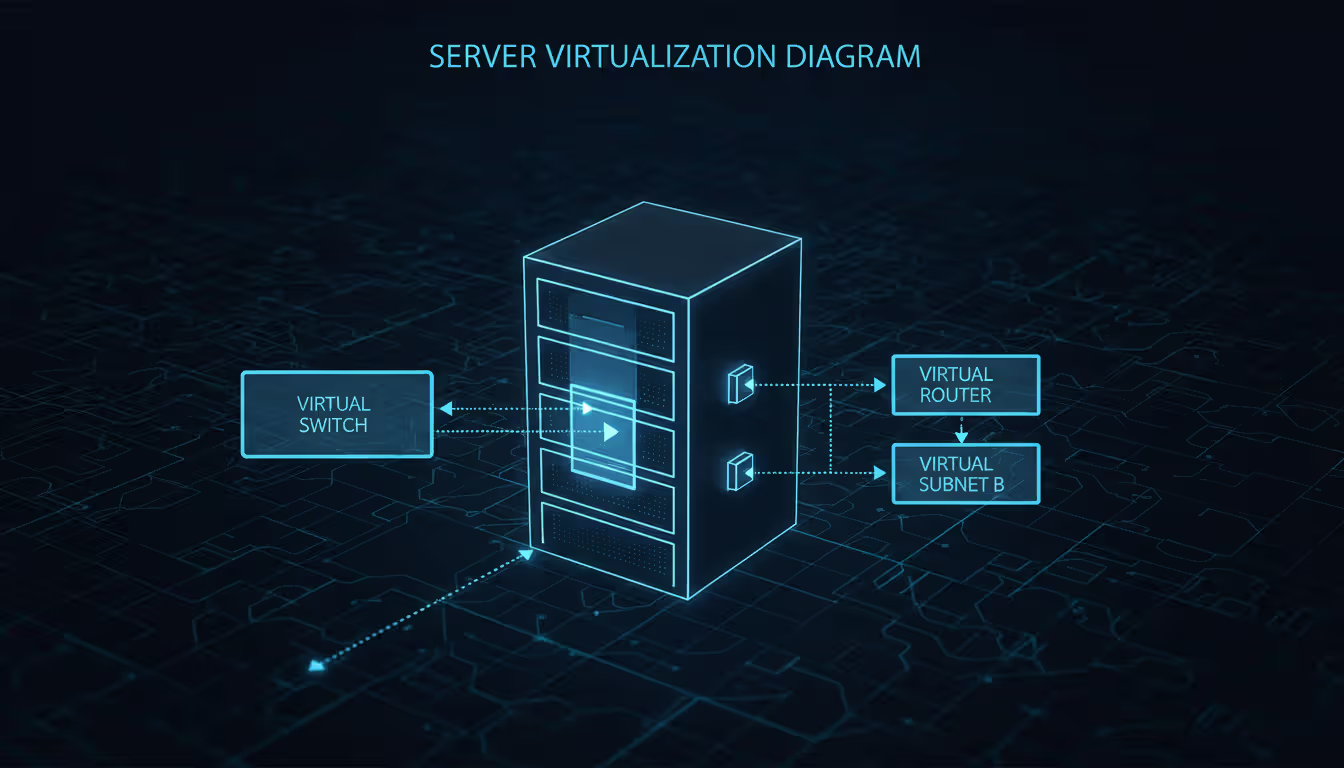
A virtual network recreates traditional network infrastructure—switches, routers, firewalls—entirely in software, eliminating physical hardware dependencies. Rather than managing racks of equipment, you're configuring code that creates isolated communication channels between servers, applications, and end users across data centers or cloud environments.
Here's what actually happens: hypervisor software or cloud orchestration tools partition physical infrastructure into logical network segments. Each segment operates as an independent network with unique IP ranges, routing tables, and security rules. Traffic moves through software-based switches and routers running as processes on standard servers. If a virtual machine in subnet A needs to reach a VM in subnet B, routing rules must explicitly permit that connection—identical to physical VLAN behavior, except you're configuring everything through APIs instead of connecting console cables.
Why does this matter? Creating a new network segment used to mean purchasing equipment, enduring shipping delays, installing rack hardware, and running physical cables. Now? An engineer defines a subnet, sets firewall rules, and deploys workloads in under ten minutes. That speed advantage multiplies when you're managing hundreds of applications spanning multiple geographic regions.
Core Components of Virtual Networks
Several software-defined building blocks form the foundation of virtual networks, mirroring physical networking concepts but executing entirely through code.
Virtual switches link virtual machines within the same host or subnet. They examine packet headers, track MAC address tables, and route traffic between connection points. Unlike their physical counterparts limited by port counts, a virtual switch handles thousands of connections because it scales with available CPU and memory. Implementation varies—VMware uses vSphere Standard Switch and Distributed Switch, while KVM depends on Linux Bridge or Open vSwitch.
Virtual routers transfer packets between subnets and handle network address translation. They maintain routing tables determining whether traffic stays local, moves to another subnet, or exits through a gateway. Cloud providers usually manage these routers as invisible infrastructure, though some platforms like Google Cloud expose them for custom route configuration.
Subnets split the virtual network address space into smaller chunks, typically organized around application tiers or security zones. Standard practice uses separate subnets for web servers, application logic, and databases. Each subnet receives a CIDR block—10.0.1.0/24 might provide 256 addresses for front-end servers while 10.0.2.0/24 serves the application tier.
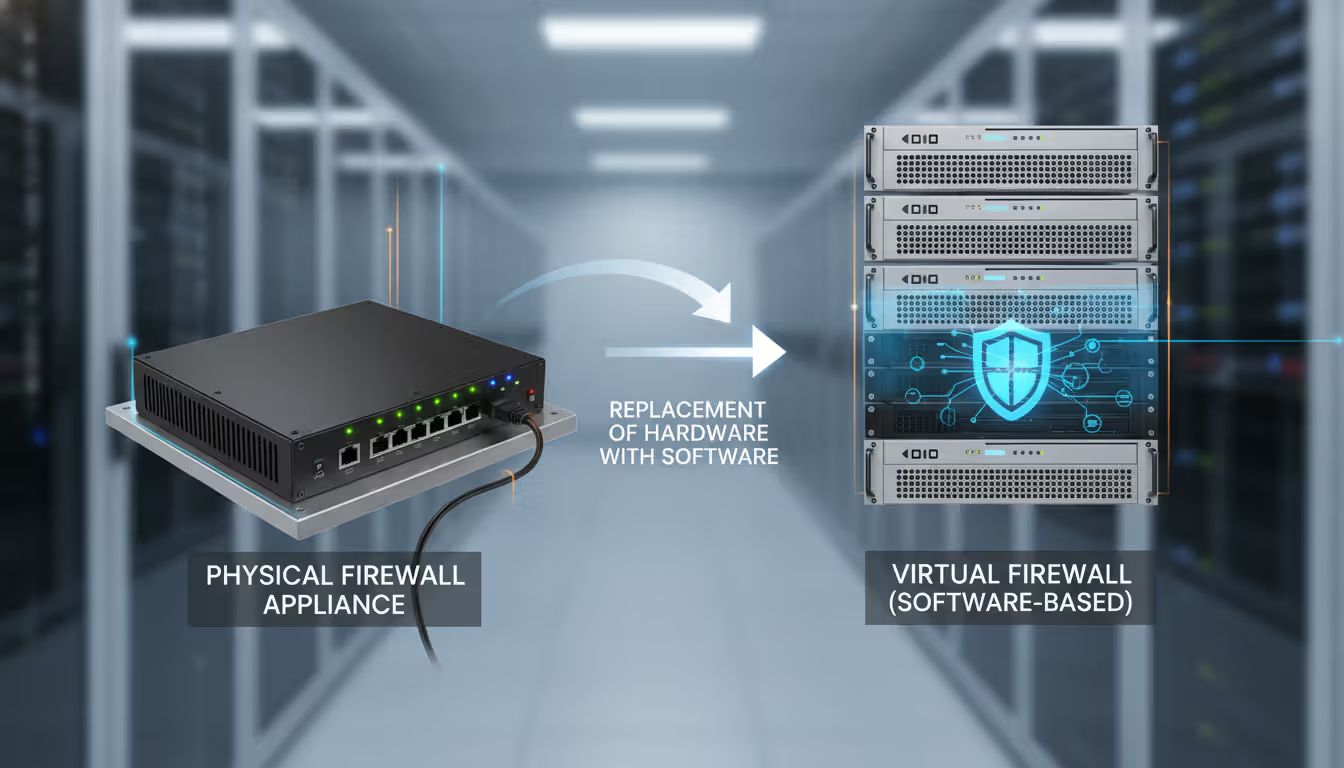
Network security groups act as stateful firewalls attached to subnets or individual virtual machines. They specify permitted traffic by protocol, port, and source/destination. A common rule allows inbound HTTPS (TCP 443) from the internet to web servers while blocking everything else. These groups handle the workload previously managed by physical firewall appliances.
Virtual NICs attach virtual machines to virtual switches. Each VM can have multiple NICs connected to different subnets, supporting scenarios like database servers with one interface for application traffic and another for backup operations on an isolated network.
Virtual networks have fundamentally changed how enterprises think about infrastructure—they've turned months-long hardware deployments into minutes-long software configurations
— Marcus Chen
Interconnection flows through the hypervisor's networking stack. When VM-A transmits a packet to VM-B, the virtual NIC hands data to the virtual switch, which examines its forwarding table. Both VMs sharing a subnet means the switch delivers the packet directly. Different subnets? The packet goes to the virtual router, which checks routing tables and either forwards it to the destination subnet's switch or pushes it through a gateway for external delivery.
One mistake catches people constantly: assuming virtual networks offer unlimited bandwidth. The physical NICs on host servers still create bottlenecks. Fifty VMs sharing a 10 Gbps physical uplink creates contention. Proper planning accounts for aggregate bandwidth requirements, not just what individual VMs need.
Author: Trevor Langford;
Source: milkandchocolate.net
Virtual Network Function and Its Role in Modern Infrastructure
Virtual network functions (VNFs) substitute software running on standard servers for dedicated hardware appliances. Instead of deploying a physical firewall, load balancer, or WAN optimizer as a separate metal box, organizations install equivalent functionality as a virtual machine or container.
The economics are straightforward: hardware appliances demand upfront capital expenditure, consume data center space, draw power, and become obsolete as traffic expands. A $50,000 hardware load balancer might process 10 Gbps throughput, but scaling to 20 Gbps means purchasing another unit. VNFs scale by allocating more compute resources or launching additional instances behind a load balancer.
Common virtual network functions include:
Virtual firewalls examine packets and apply security policies without physical appliances. Palo Alto VM-Series and Fortinet FortiGate-VM execute the same threat detection engines as hardware versions but deploy wherever a VM can run.
Load balancers spread incoming requests across backend servers. F5 BIG-IP Virtual Edition and open-source HAProxy deliver session persistence, health checks, and SSL termination through software.
Virtual routers manage BGP peering, OSPF routing, and MPLS label switching. Cisco CSR 1000V and VyOS provide complete routing protocol support for complex network topologies.
WAN optimizers compress and cache traffic traveling between branch offices and data centers. Riverbed SteelHead and Silver Peak (now HPE Aruba EdgeConnect) cut bandwidth consumption for file shares and application traffic.
Intrusion detection systems study traffic patterns for malicious activity. Suricata and Snort run as VNFs monitoring east-west traffic between subnets.
The role extends beyond cost savings. VNFs enable network function chaining—directing traffic through a sequence of functions in specific order. A packet entering the network might flow through a firewall, then a load balancer, then a WAN optimizer before reaching its destination. Software-defined networking controllers orchestrate these chains without manual cable management.
Telecom operators lean heavily on VNFs for 5G networks. Rather than installing proprietary hardware at every cell tower, they run virtualized packet gateways, session border controllers, and charging systems on commodity servers in regional data centers. This cuts deployment time from months to days and permits capacity adjustments based on demand.
The catch? VNFs consume CPU cycles and memory that could otherwise run application workloads. A virtual firewall inspecting 40 Gbps of traffic might need eight CPU cores and 32 GB of RAM. Organizations balance security and networking overhead against application performance requirements.
Author: Trevor Langford;
Source: milkandchocolate.net
How Virtual Network Gateway Connects Cloud and On-Premises Systems
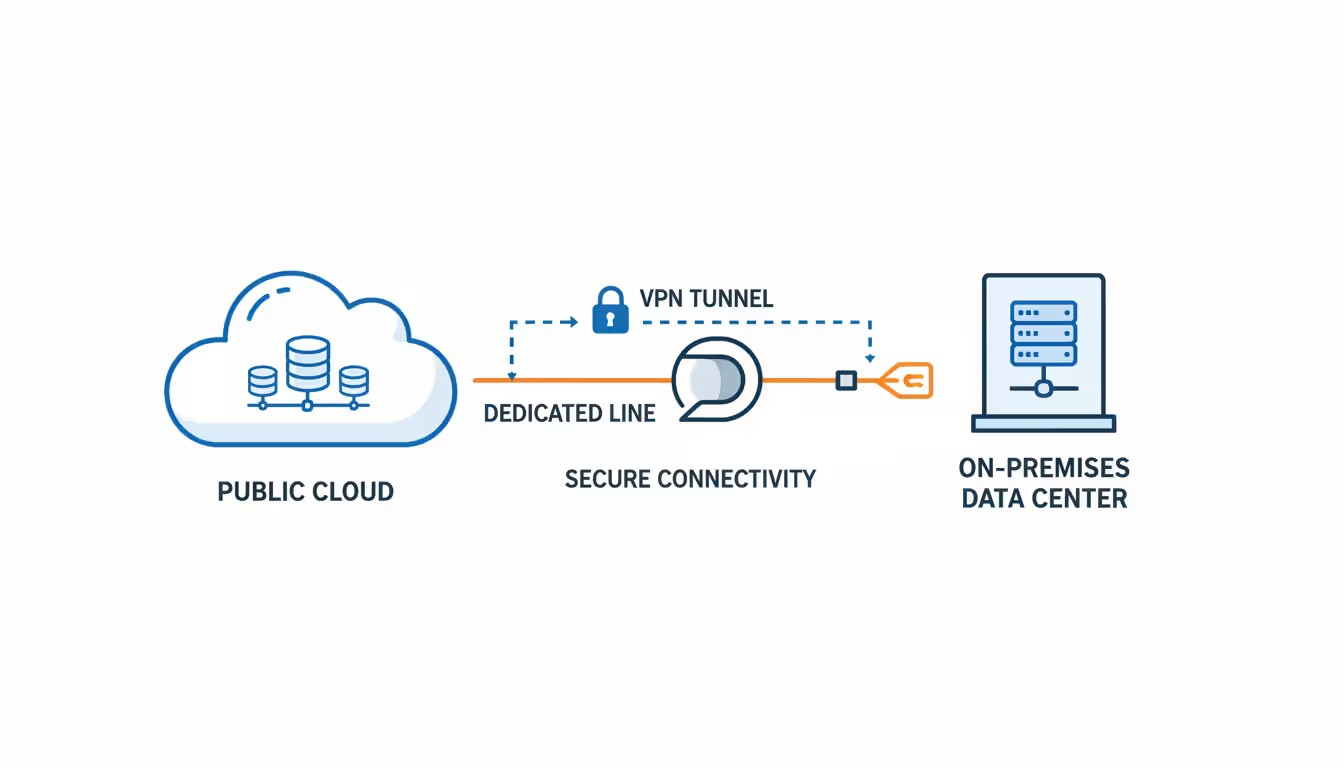
Virtual network gateways bridge cloud-based virtual networks and external environments—on-premises data centers or other cloud regions. They manage encrypted tunnels, routing between different address spaces, and bandwidth aggregation for hybrid infrastructure.
VPN gateways establish IPsec or SSL tunnels over the public internet. An on-premises VPN device connects to the cloud gateway, encrypting all traffic between sites. Azure VPN Gateway and AWS Virtual Private Gateway support site-to-site tunnels with throughput ranging from 100 Mbps to 10 Gbps depending on SKU selection. These gateways run $0.05 to $0.50 per hour plus data transfer charges.
Configuration requires matched encryption parameters on both ends. A frequent stumbling block: mismatched IKE (Internet Key Exchange) versions or cipher suites prevent tunnel establishment. Always verify both sides support identical Phase 1 and Phase 2 parameters—AES-256 encryption, SHA-2 hashing, and Diffie-Hellman group 14 or higher represent current best practices in 2025.
Dedicated connection gateways offer private circuits that bypass the internet completely. AWS Direct Connect and Azure ExpressRoute establish dedicated fiber links between on-premises networks and cloud provider edge locations. These connections deliver predictable latency, higher throughput (up to 100 Gbps), and avoid the public internet entirely.
Pricing follows a port-hour model plus data transfer. A 10 Gbps Direct Connect port runs approximately $2.25 per hour ($1,620 monthly) regardless of utilization. ExpressRoute pricing varies by bandwidth tier and peering location but follows similar economics. The business case works when consistent high-bandwidth needs justify the fixed cost—typically above 5 Gbps sustained usage.
Use cases split by gateway type:
VPN gateways fit branch offices with modest bandwidth needs (under 1 Gbps) and tolerance for internet-dependent reliability.
Dedicated connections support data center migrations, disaster recovery replication, and latency-sensitive applications like real-time analytics or VoIP.
Gateway redundancy eliminates single points of failure. Deploy dual VPN gateways in active-passive or active-active configurations. Most cloud providers guarantee 99.95% SLA for multi-gateway deployments versus 99.9% for single gateways—the difference between 4.4 hours and 8.8 hours of downtime annually.
Routing complexity increases with multiple gateways. BGP (Border Gateway Protocol) dynamically advertises routes between on-premises and cloud networks, automatically failing over when a path becomes unavailable. Static routing demands manual updates when topology changes—acceptable for simple environments but unmanageable at scale.
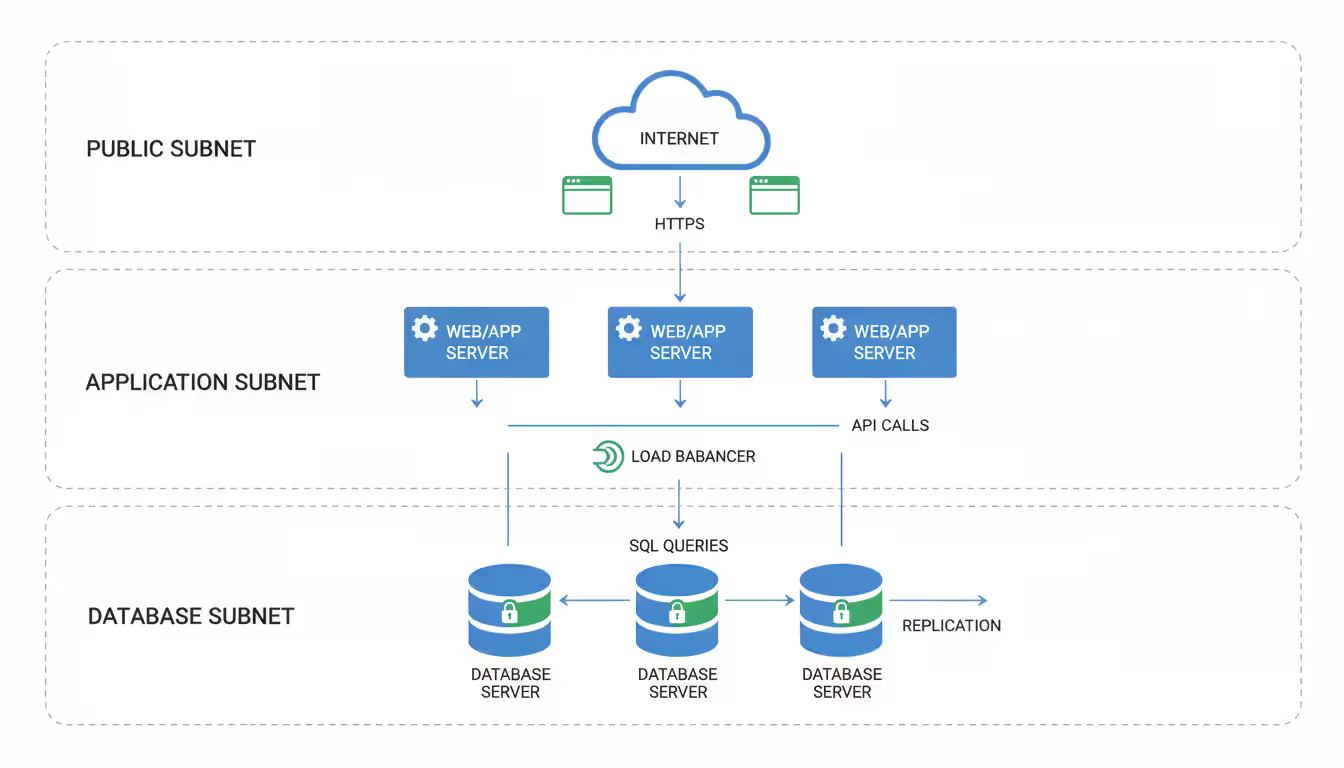
Network isolation blocks lateral movement after an initial compromise. Segment workloads into separate subnets based on trust levels and communication patterns. Web servers accessible from the internet occupy a DMZ subnet with restrictive outbound rules. Application servers sit in a middle tier accepting traffic only from the web tier. Databases reside in a back-end subnet reachable solely from application servers.
Micro-segmentation takes this concept further by applying firewall rules at individual VM level rather than subnet boundaries. Each workload receives a dedicated security group defining exactly which ports and protocols it can send or receive. This approach limits blast radius—compromising one web server doesn't grant access to all web servers if each has unique rules.
Encryption in transit safeguards data moving between endpoints. TLS 1.3 should encrypt all application traffic, even within the virtual network. The "encrypted perimeter" model assuming internal traffic is safe no longer holds—insider threats and VM escape vulnerabilities make intra-network encryption essential.
Cloud providers offer transparent network encryption for traffic between virtual machines in the same region. Azure enables this through accelerated networking with MACsec encryption. AWS uses AES-256-GCM encryption for traffic between instances in the same VPC when enhanced networking is enabled. Performance impact is negligible on modern CPUs with AES-NI instruction support.
Access controls restrict who can modify network configurations. Role-based access control (RBAC) grants network engineers permission to create subnets and security rules without full administrative privileges. Separation of duties prevents a single compromised account from both deploying malicious VMs and opening firewall rules to allow their communication.
Service endpoints and private links restrict access to cloud services without traversing the public internet. Instead of connecting to Azure Storage via its public IP, a service endpoint routes traffic through the virtual network backbone. Private Link goes further by injecting a private IP address into your virtual network for exclusive access to a service instance.
Threat monitoring catches anomalous behavior through flow logs and traffic analysis. Virtual network flow logs capture metadata about every connection—source and destination IPs, ports, protocols, byte counts, and allow/deny decisions. Feeding these logs into a SIEM (Security Information and Event Management) system enables detection of port scanning, data exfiltration, or command-and-control traffic.
Network-based intrusion detection systems (NIDS) analyze packet contents for known attack signatures. Deploying a VNF-based NIDS in a mirrored port configuration allows inspection of east-west traffic without introducing latency in the data path.
Compliance considerations vary by industry and geography. Healthcare organizations need HIPAA-compliant encryption protecting patient information during transmission and storage. PCI DSS mandates network segmentation between cardholder data environments and other systems. GDPR restricts EU citizen data transfers outside the European Economic Area—virtual network gateways linking EU and US regions need careful configuration to prevent violations.
Regular security group audits prevent rule sprawl. A common anti-pattern: adding "temporary" rules that never get removed, gradually expanding the attack surface. Quarterly reviews should identify and eliminate unnecessary rules, especially those allowing broad source ranges (0.0.0.0/0) on non-public services.
Common Virtual Network Services Offered by Cloud Providers
The three major cloud providers—AWS, Microsoft Azure, and Google Cloud Platform—deliver similar virtual networking capabilities with different naming conventions and implementation details.
AWS Virtual Private Cloud (VPC) creates isolated network environments within AWS regions. Each VPC receives a private IP address range (10.0.0.0/16 is common) subdivided into subnets across availability zones. Internet Gateways provide outbound connectivity, NAT Gateways allow private subnets to reach the internet, and Transit Gateway connects multiple VPCs and on-premises networks in a hub-and-spoke topology.
AWS-specific services include VPC Peering for direct connections between VPCs, PrivateLink for accessing services without internet exposure, and Route 53 Resolver for DNS query forwarding between on-premises and cloud environments. Pricing centers on data transfer—the first 10 TB outbound costs $0.09/GB, decreasing with volume.
Azure Virtual Network delivers similar functionality with different terminology. Virtual networks contain subnets, Network Security Groups act as firewalls, and Azure Bastion provides secure RDP/SSH access without exposing VMs to the internet. Azure's strength lies in integration with on-premises Active Directory through Azure AD Domain Services and seamless hybrid identity.
Azure Virtual WAN simplifies multi-site connectivity by aggregating VPN and ExpressRoute connections into a single managed service. This reduces configuration complexity when connecting dozens of branch offices to Azure resources.
Google Virtual Private Cloud spans all regions within a project automatically—a single VPC accommodates subnets in us-east1, europe-west1, and asia-southeast1 without peering or gateways. This global VPC model simplifies multi-region deployments but requires careful firewall rule management since all subnets share the same network.
Google Cloud Armor provides DDoS protection and web application firewall capabilities at the network edge. Cloud NAT enables outbound internet access for private instances without public IPs, and Private Service Connect allows private consumption of Google APIs and third-party services.
DNS services resolve names for virtual networks across all providers. AWS Route 53 offers public and private hosted zones, Azure DNS provides similar functionality, and Google Cloud DNS supports split-horizon configurations where internal and external queries for the same domain return different results.
Load balancing comes in multiple flavors. Layer 4 (TCP/UDP) load balancers route traffic based on IP and port, while Layer 7 (HTTP/HTTPS) load balancers make decisions based on URL paths, headers, or cookies. AWS Application Load Balancer, Azure Application Gateway, and Google Cloud Load Balancer all support SSL termination, WebSocket connections, and HTTP/2.
Peering links virtual networks without traversing the public internet. Within the same cloud provider, peering is straightforward—AWS VPC Peering, Azure VNet Peering, and GCP VPC Peering establish private connections with low latency and no bandwidth charges beyond standard data transfer. Cross-cloud peering requires VPN gateways or third-party solutions like Aviatrix or Megaport.
Cost optimization matters when selecting services. A frequent oversight: routing all traffic through a NAT Gateway when only a few instances need internet access. NAT Gateway pricing includes per-hour charges ($0.045/hour on AWS) plus data processing fees ($0.045/GB). For workloads with minimal outbound traffic, assigning public IPs directly to instances costs less.
Author: Trevor Langford;
Source: milkandchocolate.net
How to Set Up a Virtual Network in 6 Steps
Implementing a virtual network requires planning network topology, allocating address space, configuring connectivity, and establishing security controls.
Step 1: Plan the network topology
Map application components to network tiers. A three-tier web application usually needs public subnets for load balancers and bastion hosts (accepting internet traffic), private subnets for application servers (no direct internet access), and isolated subnets for databases (reachable only from application tier).
Document traffic flows between tiers. Which components talk to each other? What protocols and ports do they use? This information drives security group configuration in later steps.
Step 2: Allocate IP address ranges
Select a private address space that won't conflict with on-premises networks or other cloud environments. RFC 1918 defines three ranges: - 10.0.0.0/8 (16.7 million addresses) - 172.16.0.0/12 (1 million addresses) - 192.168.0.0/16 (65,536 addresses)
A growing organization might grab 10.0.0.0/16 for the first virtual network, reserving 10.1.0.0/16, 10.2.0.0/16, etc. for future expansion. Break the /16 into /24 subnets—10.0.1.0/24 for public resources, 10.0.2.0/24 for applications, 10.0.3.0/24 for databases.
Don't over-subnet. A /28 subnet delivers only 16 addresses (11 usable after cloud provider reserved IPs). This works for a small database cluster but leaves zero room for growth. Use /24 as the default unless address conservation is critical.
Step 3: Create the virtual network and subnets
In AWS, navigate to the VPC console, create a VPC with your chosen CIDR block, then add subnets across different availability zones for high availability.
In Azure, create a Virtual Network resource, specify the address space, then add subnets with appropriate address ranges.
In GCP, create a VPC network in custom mode, then add subnets in desired regions with specific CIDR blocks.
Enable flow logs during creation. The marginal cost (roughly $0.50 per GB ingested) delivers valuable troubleshooting and security monitoring data.
Step 4: Configure gateways and routing
For internet-facing workloads, attach an internet gateway (AWS) or verify subnets have internet access enabled (Azure/GCP). Create route tables pointing 0.0.0.0/0 traffic to the gateway.
For hybrid connectivity, provision a VPN gateway or dedicated connection. Configure BGP if using dynamic routing, or define static routes for on-premises address ranges.
To let instances in private subnets reach the internet for updates and API calls, create NAT gateways in public subnets and update private subnet route tables to send outbound traffic through them.
Step 5: Implement security rules
Build security groups for each application tier:
Public tier (web servers): - Permit inbound TCP 443 from anywhere (0.0.0.0/0) - Permit inbound TCP 80 from anywhere (0.0.0.0/0) - Permit outbound to application tier on TCP 8080 - Block everything else
Application tier: - Permit inbound TCP 8080 from public tier security group - Permit outbound to database tier on TCP 3306 - Permit outbound HTTPS for package updates
Database tier: - Permit inbound TCP 3306 from application tier security group - Block all other inbound - Permit outbound for replication if needed
Reference security groups instead of IP addresses wherever possible. Pointing to the application tier security group as a source automatically includes all current and future members without manual updates.
Step 6: Test connectivity and failover
Deploy test instances in each subnet. Verify: - Public subnet instances reach the internet - Private subnet instances reach the internet through NAT - Application tier connects to database tier - Database tier can't initiate connections to application tier (return traffic works due to stateful rules) - On-premises systems reach cloud resources through VPN/dedicated connection
Simulate failures by disabling a gateway or route. Confirm failover to redundant paths happens within expected timeframes (usually under 60 seconds for BGP convergence).
Virtual Network vs. Physical Network: Cost and Performance Comparison
Feature
Virtual Network
Physical Network
Setup Time
10-30 minutes through API or console
2-8 weeks for equipment orders, installation, cabling
Scalability
Add subnets and capacity within minutes; constrained by hypervisor resources
Demands purchasing and installing new hardware; weeks to months
Initial Cost
$0-500 (gateway and NAT charges start immediately)
$10,000-100,000+ for switches, routers, firewalls
Maintenance
Cloud provider handles it; zero hardware replacement
Demands network engineers, spare parts inventory, firmware updates
Security Flexibility
Modify firewall rules instantly; microsegmentation at VM level
Physical firewall reconfigurations; VLAN changes need switch access
Geographic Reach
Global deployment across regions within minutes
Demands physical presence or carrier circuits in each location
The cost comparison shifts depending on scale. A small deployment (10 servers, 1 Gbps bandwidth) costs less on virtual networks—roughly $500-1,000 monthly versus $15,000+ in hardware amortization and labor for physical infrastructure. At enterprise scale (1,000+ servers, 100 Gbps), physical networks can be more cost-effective if the organization already has data center space and networking expertise.
Performance differences matter for specific workloads. Physical networks deliver consistent microsecond-level latency because packets traverse dedicated hardware. Virtual networks introduce overhead from hypervisor processing—typically 50-200 microseconds additional latency. High-frequency trading or real-time control systems may require physical infrastructure, while most business applications tolerate virtual network latency without issue.
Bandwidth oversubscription affects both models. Physical networks might oversubscribe 48 server ports (each 10 Gbps) to a 100 Gbps uplink, betting that not all servers transmit simultaneously. Virtual networks do the same—a host with a 25 Gbps physical NIC might support twenty VMs, each allocated "up to 10 Gbps" bandwidth that's actually shared.
Frequently Asked Questions About Virtual Networks
What is the difference between a virtual network and a VPN?
A virtual network represents the complete software-defined networking environment including subnets, routing, and security controls. A VPN (Virtual Private Network) is a specific technology creating encrypted tunnels between endpoints—frequently used to connect an on-premises network to a virtual network through a virtual network gateway. Consider the virtual network as the house and the VPN as the locked front door.
Can virtual networks span multiple cloud providers?
Not natively. Each cloud provider's virtual network exists within their infrastructure. Linking AWS VPC to Azure Virtual Network requires a VPN gateway on each side or a third-party multi-cloud networking platform like Aviatrix, Alkira, or Megaport. Some organizations deploy software-defined WAN solutions that overlay connectivity across multiple clouds, treating each provider's virtual network as a spoke in a larger mesh topology.
How much does it cost to run a virtual network?
Basic virtual network infrastructure (subnets, routing tables, security groups) is free on AWS, Azure, and GCP. Costs come from gateways ($0.05-0.50/hour), NAT services ($0.045/hour plus data processing), load balancers ($0.025-0.40/hour depending on type), and data transfer ($0.01-0.12/GB). A typical small deployment with VPN gateway, NAT gateway, and moderate data transfer runs $200-400 monthly. Enterprise deployments with dedicated connections and high bandwidth reach $5,000-50,000+ monthly.
Do virtual networks require special hardware?
Cloud providers run virtual networks on commodity servers with standard CPUs and NICs—no specialized hardware needed on their side. On-premises equipment for hybrid connectivity needs a VPN-capable router or firewall (most enterprise models support IPsec) or a cross-connect to a dedicated connection provider's facility. Organizations can typically use existing network equipment rather than purchasing cloud-specific hardware.
What happens if a virtual network gateway fails?
A single gateway deployment goes down until the cloud provider detects the failure and spins up a replacement—usually 10-30 minutes. Dual gateway configurations in active-passive mode automatically fail over in 30-90 seconds as BGP routing converges. Active-active gateways split traffic across both instances, so a single failure cuts capacity but maintains connectivity. Cloud provider SLAs cover gateway availability: 99.95% for redundant configurations, 99.9% for single gateways.
How do virtual network functions improve scalability?
VNFs scale horizontally by launching additional instances behind a load balancer, rather than vertically by upgrading to more powerful hardware. When traffic climbs, orchestration platforms automatically spin up new firewall or load balancer instances and distribute connections across them. This approach scales more granularly (add one instance at a time versus replacing an entire appliance) and handles traffic spikes through auto-scaling policies that deploy capacity in minutes rather than weeks.
Virtual networks have become the standard networking model for cloud-based infrastructure and increasingly for on-premises environments through software-defined networking platforms. The ability to provision isolated network segments in minutes, scale capacity dynamically, and implement security controls programmatically provides operational advantages that physical infrastructure cannot match.
Success with virtual networks requires understanding the building blocks—subnets, routing, gateways, and security groups—and how they interact to create isolated environments for applications. Virtual network functions extend capabilities by replacing hardware appliances with software, while gateways bridge cloud and on-premises systems for hybrid deployments.
Security demands layered controls combining network isolation, encryption, access management, and threat monitoring. Cloud providers offer comprehensive virtual network services, but organizations must configure them properly to achieve desired security and performance outcomes.
The economic case for virtual networks strengthens as organizations adopt multi-region and multi-cloud strategies. The alternative—managing physical network infrastructure across global locations—requires capital expenditure, specialized staff, and operational complexity that few organizations can justify. Virtual networks shift networking from a hardware procurement problem to a software configuration challenge, enabling the infrastructure agility that modern applications demand.
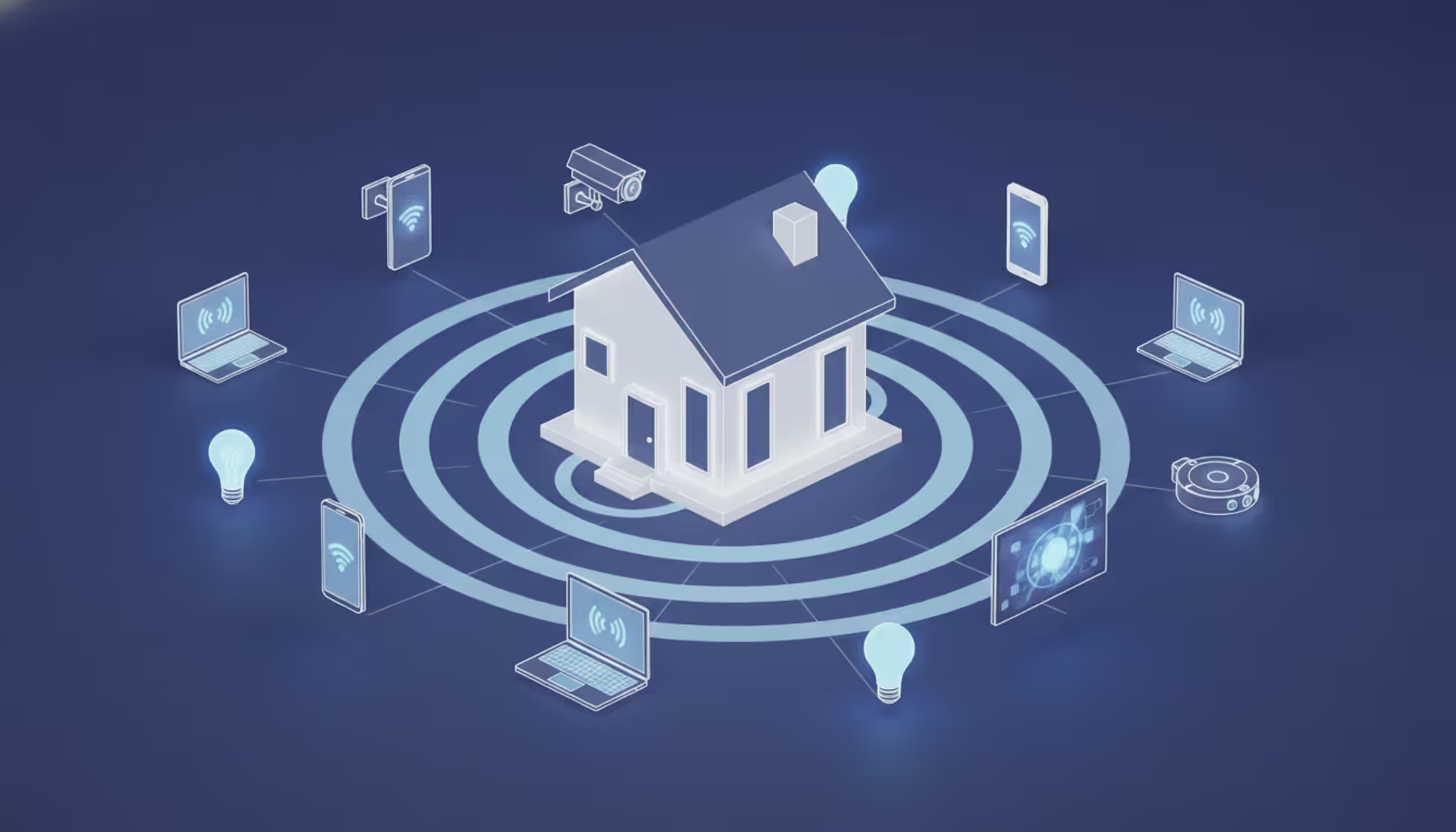
A reliable wireless connection has become as essential as electricity. This comprehensive guide covers wifi network design, installation, monitoring, and troubleshooting. Learn how to choose equipment, optimize performance, and decide between DIY and professional installation for your home or business
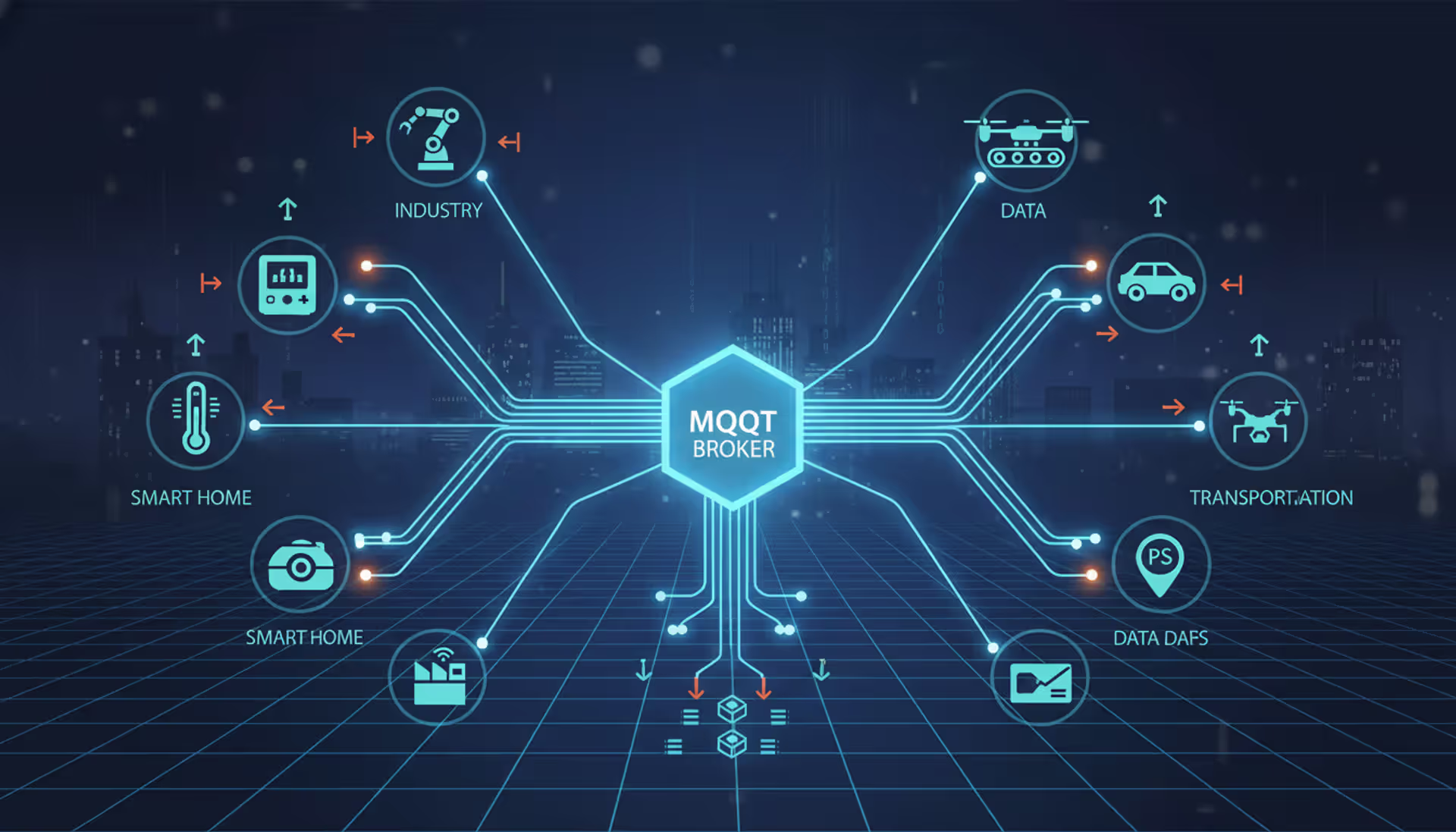
MQTT brokers route messages between IoT devices using publish-subscribe architecture. This guide covers selecting the right broker, comparing free options like Mosquitto and EMQX, testing online brokers, and avoiding security and scalability mistakes that derail IoT projects
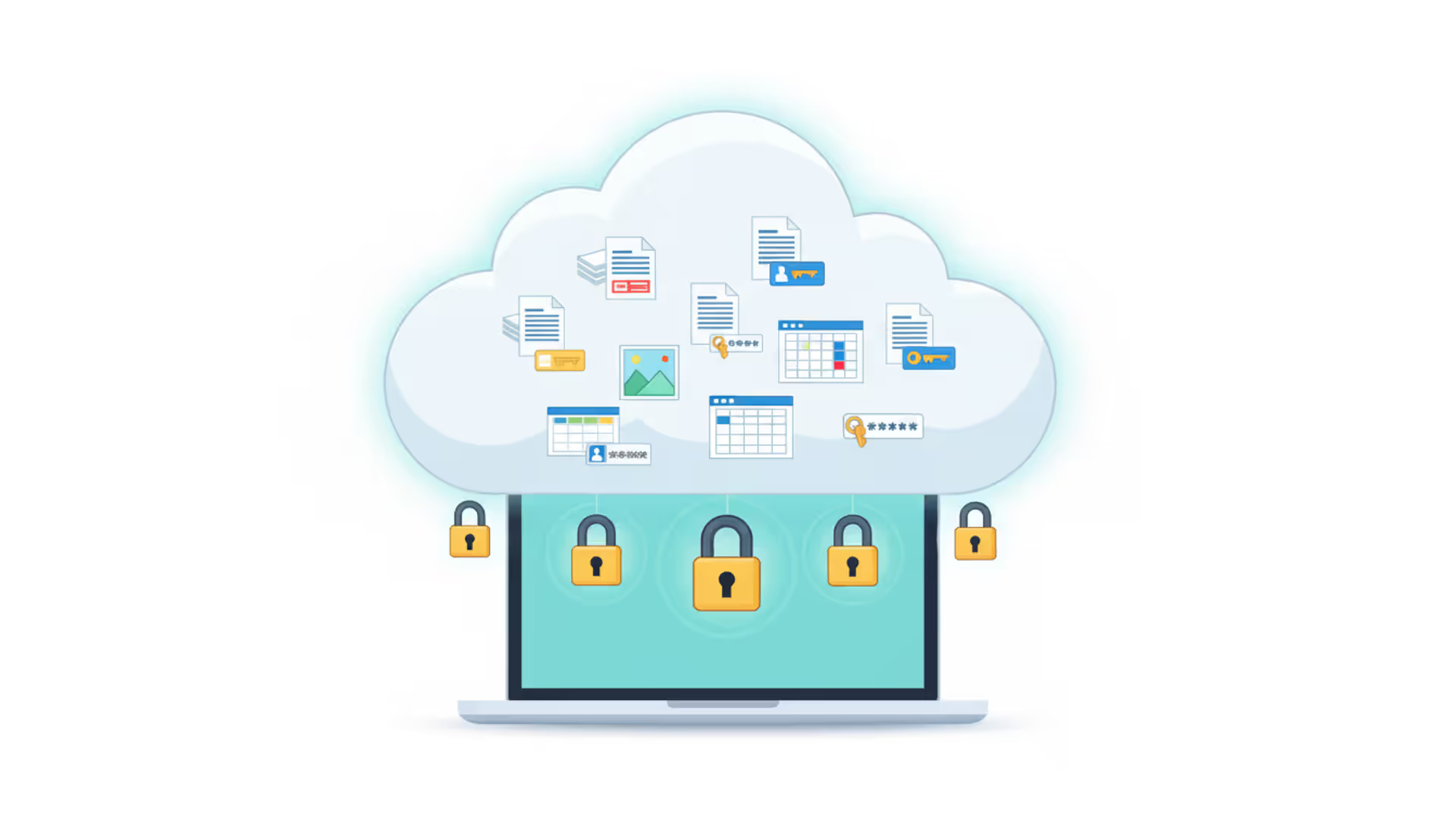
Choosing secure cloud storage requires understanding encryption types, privacy policies, and security features that actually protect your personal files. This guide compares top zero-knowledge providers and explains the technical differences between genuine privacy protection and basic security
Network visibility isn't optional anymore—it's essential. Whether you manage corporate infrastructure or a home network, knowing how to map your network gives you control, security, and troubleshooting power. This comprehensive guide covers network mapping tools, step-by-step processes, and platform-specific instructions
The content on this website is provided for general informational purposes only. It is intended to offer insights, commentary, and analysis on cloud computing, network infrastructure, cybersecurity, and IT solutions, and should not be considered professional, technical, or legal advice.
All information, articles, and materials presented on this website are for general informational purposes only. Technologies, standards, and best practices may vary depending on specific environments and may change over time. The application of any technical concepts depends on individual systems, configurations, and requirements.
This website is not responsible for any errors or omissions in the content, or for any actions taken based on the information provided. Users are encouraged to seek qualified professional advice tailored to their specific IT infrastructure, security, and business needs before making decisions.