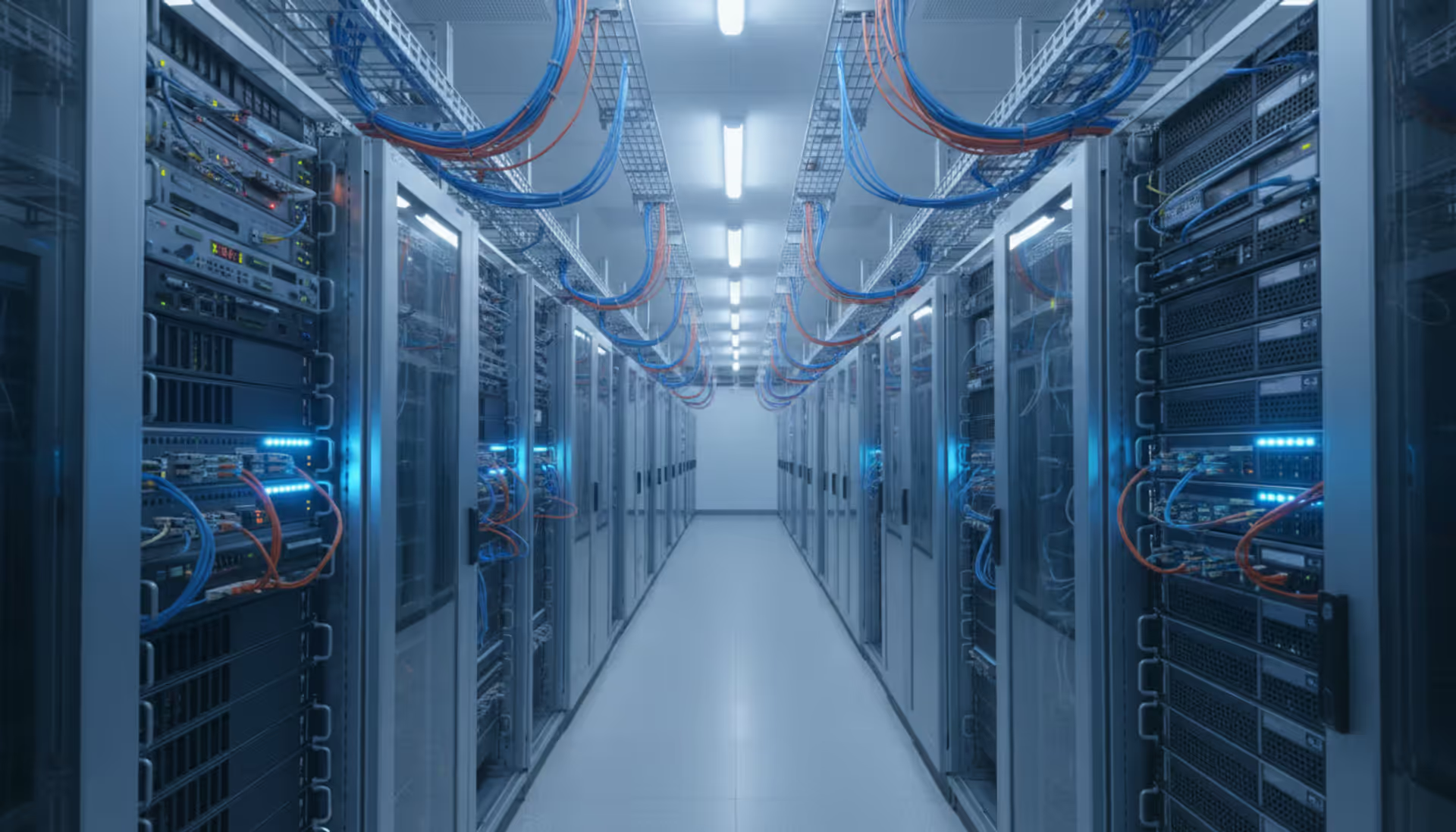
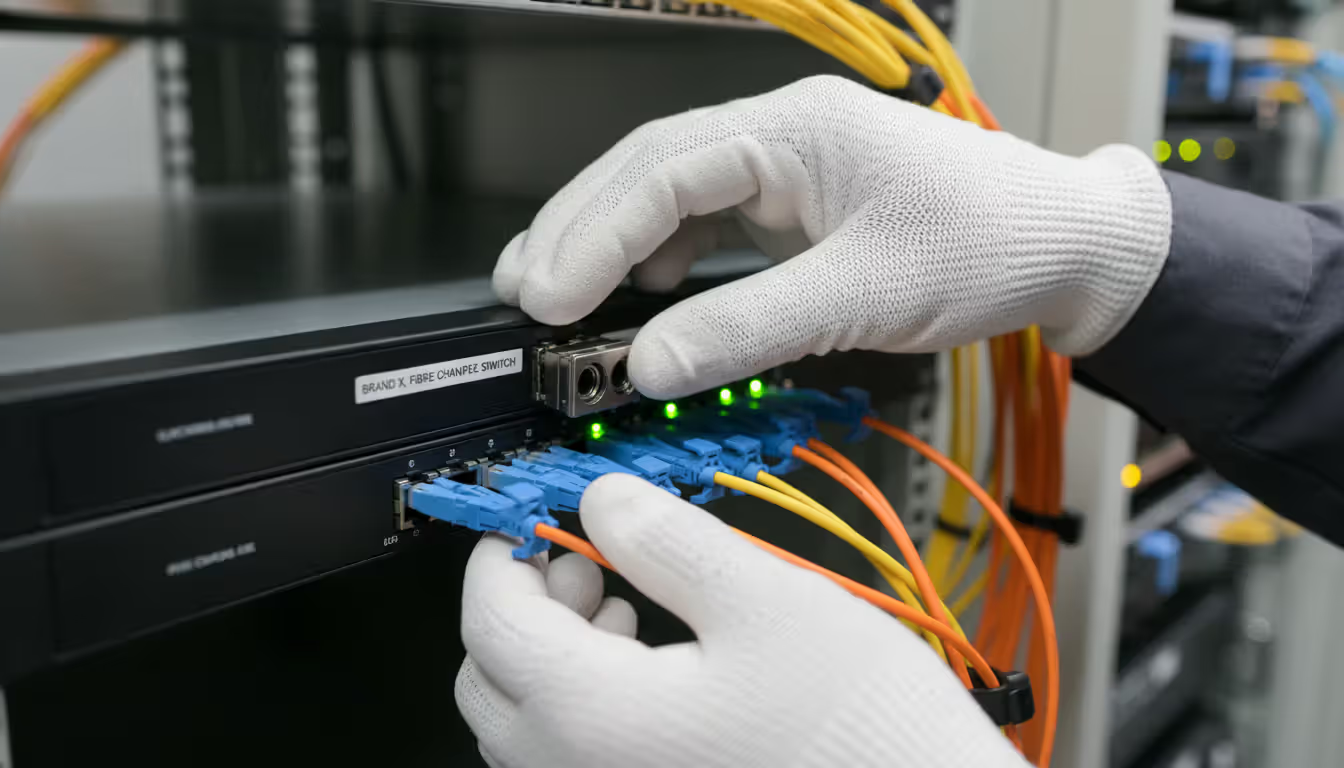
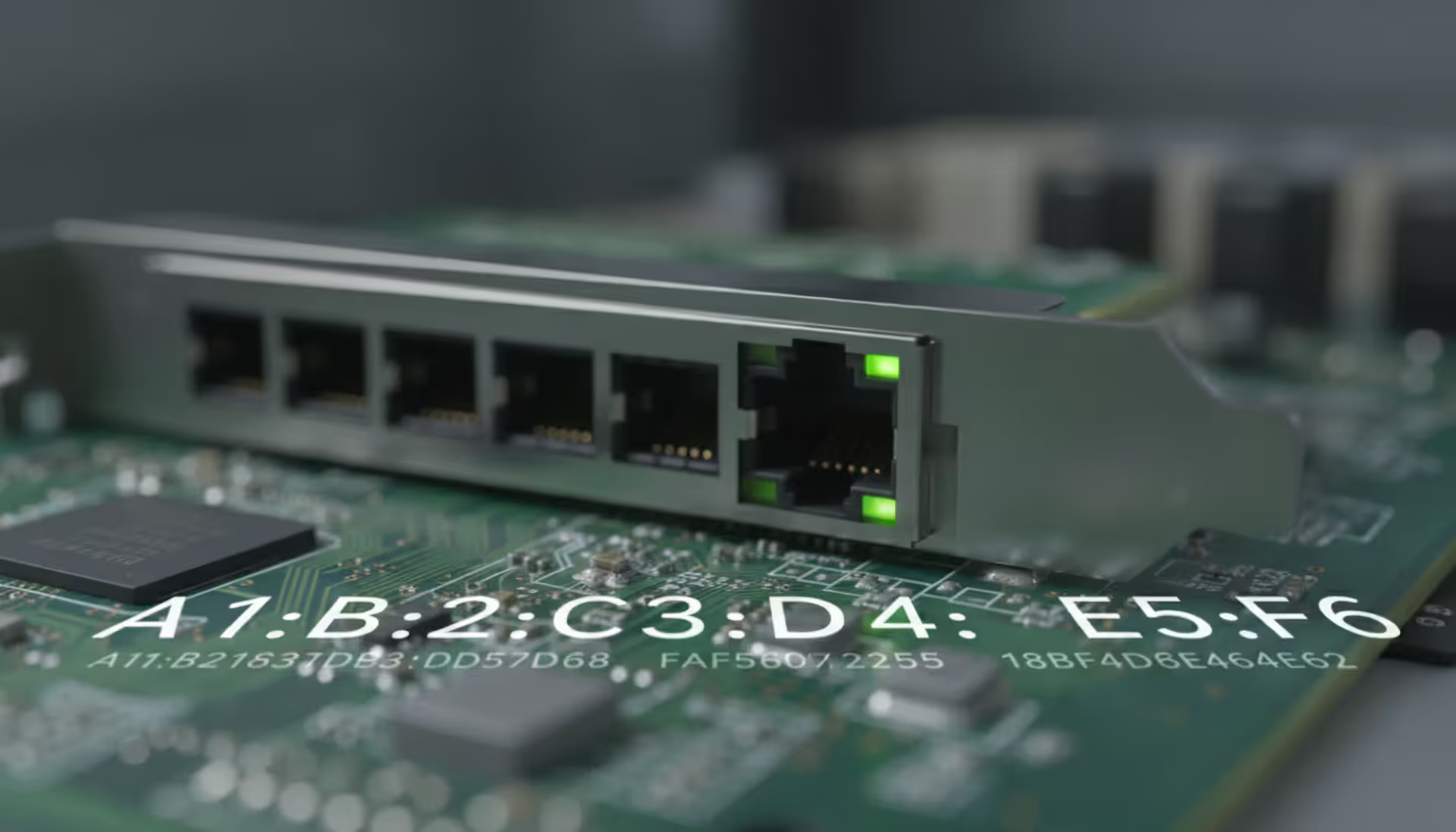
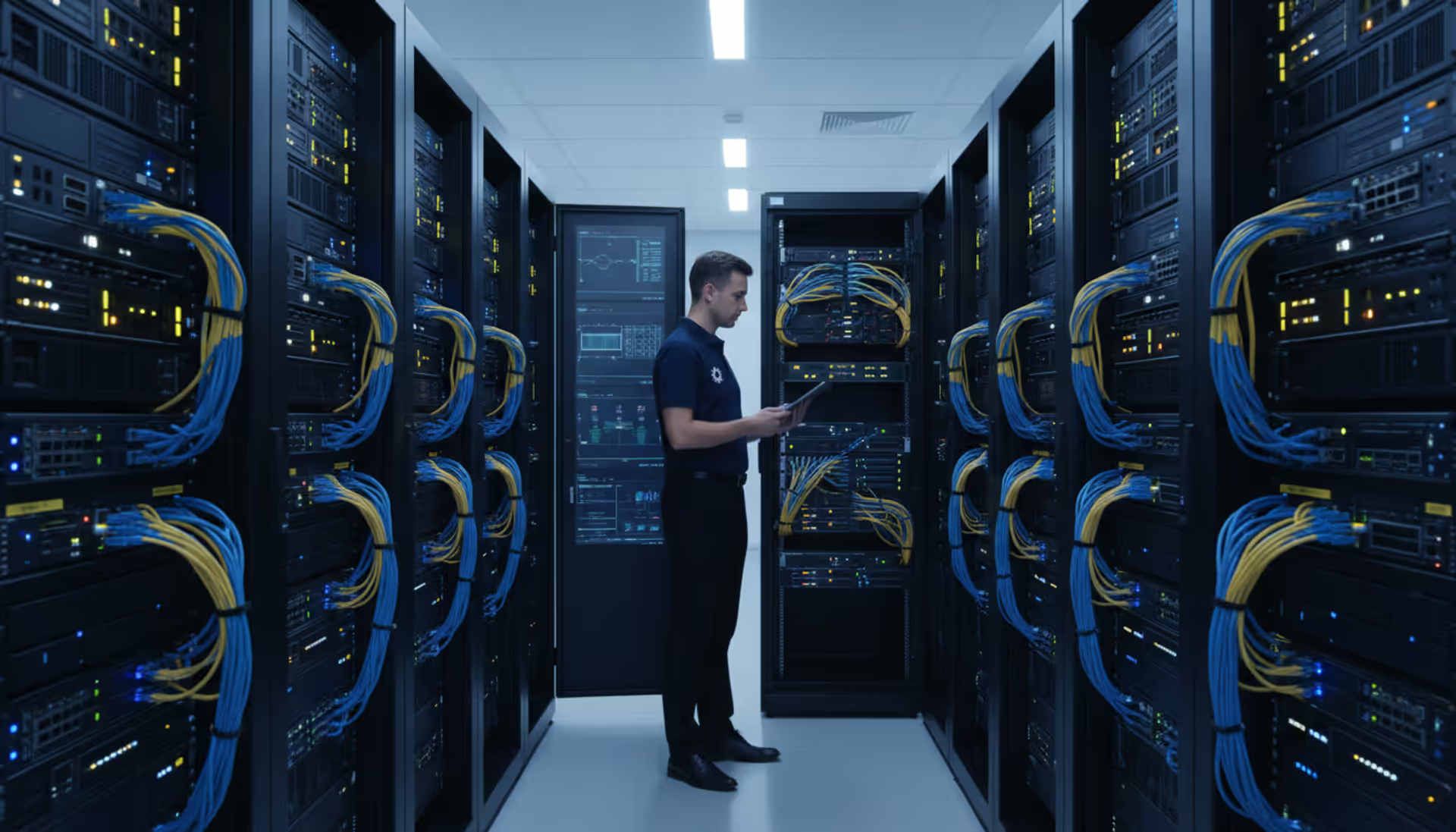
Enterprise data center server room with Fibre Channel switches and neatly organized fiber optic cables in blue and orange running through cable trays between server racks
Fibre Channel remains a cornerstone technology for enterprise storage despite decades of competition from IP-based alternatives. Organizations running mission-critical databases, virtualized workloads, and high-transaction applications continue to rely on this dedicated storage protocol for predictable, low-latency performance. Understanding Fibre Channel architecture, protocol mechanics, and deployment considerations helps IT teams make informed decisions about storage network design.
What Is Fibre Channel and How Does It Work
Fibre Channel is a high-speed network technology designed specifically for storage area networks (SANs). Unlike general-purpose networking protocols, fibre-channel delivers block-level storage access with minimal overhead and predictable latency characteristics. The technology uses a dedicated infrastructure—separate from Ethernet networks—to connect servers to storage arrays.
The basic architecture operates in two primary topologies. Point-to-point configurations directly connect a single initiator (typically a server) to a single target (storage device), though this setup appears rarely in modern deployments. Switched fabric topology dominates enterprise environments, where fibre channel switches create a mesh network allowing any-to-any connectivity between multiple servers and storage systems.
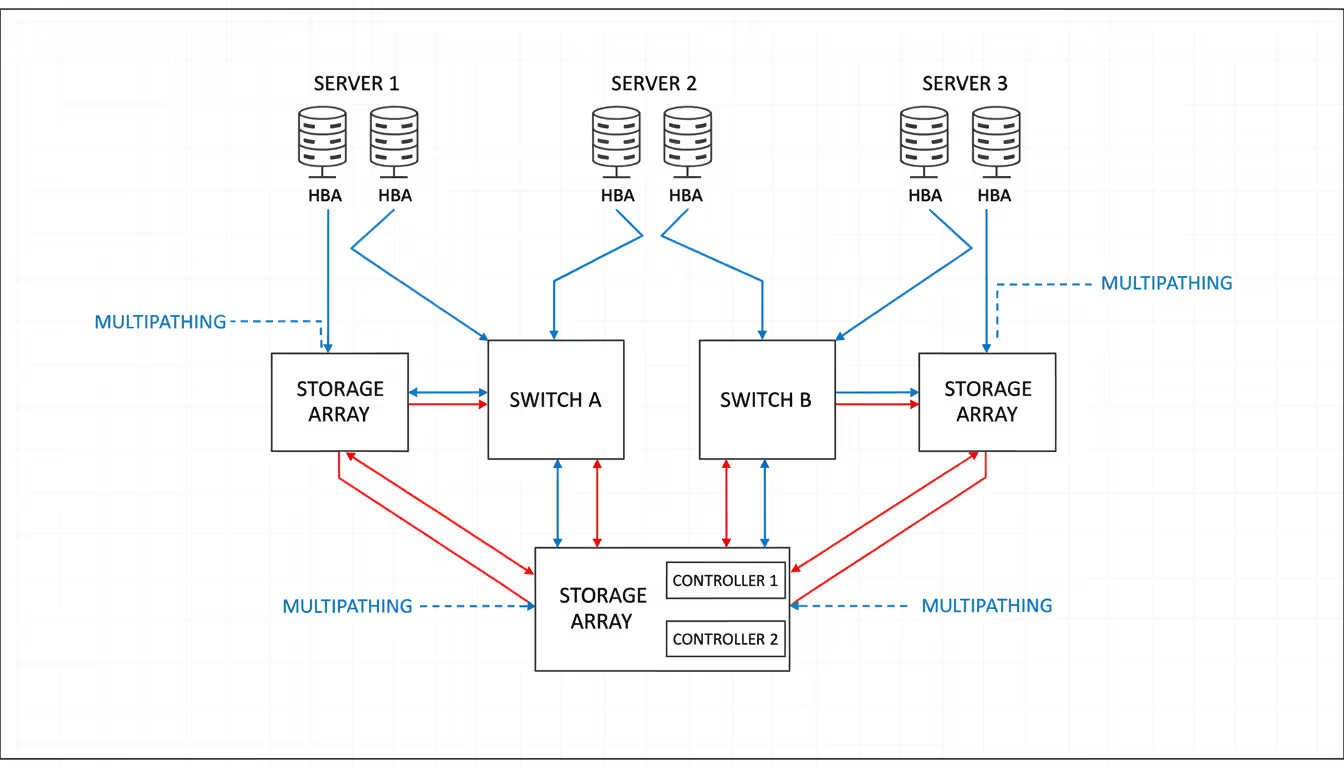
In a fibre channel SAN, host bus adapters (HBAs) installed in servers connect via optical or copper cables to switches. These switches form the fabric, handling frame routing between initiators and targets. Storage arrays connect to the same fabric, presenting logical unit numbers (LUNs) that appear as local disks to connected servers. The entire infrastructure operates independently from TCP/IP networks, eliminating congestion from backup traffic, replication, or general data access.
The switched fabric provides redundancy through multiple paths. A server with dual HBAs connected to separate switches maintains storage access even during switch failures. This multipathing capability, combined with the protocol's lossless nature, makes Fibre Channel suitable for applications intolerant of storage interruptions.
Fibre Channel's deterministic performance and isolation from general network traffic make it irreplaceable for applications where storage latency directly impacts revenue. We see Fortune 500 companies modernizing their FC infrastructure rather than abandoning it
— Marcus Chen
Fibre Channel Protocol Layers and Communication
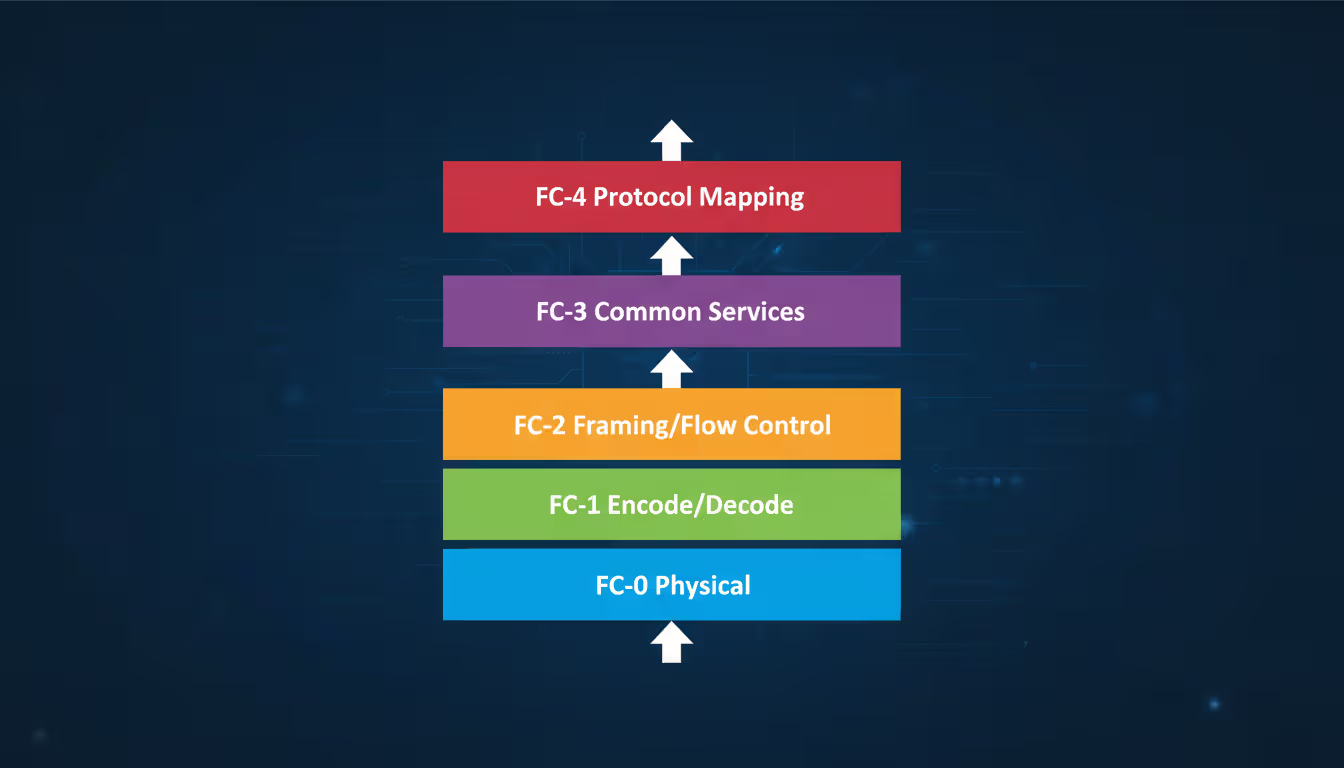
The fibre channel protocol uses a five-layer stack, numbered FC-0 through FC-4, each handling specific transmission aspects. FC-0 defines physical interfaces—cables, connectors, and optical specifications. FC-1 manages encoding and decoding of transmission signals, using 8b/10b encoding (in older generations) or 64b/66b encoding (in 32GFC and higher) to maintain signal integrity.
FC-2 represents the core transport layer, defining frame structure, flow control, and fabric services. This layer packages data into frames—the fundamental transmission unit—and manages ordered sets that control link behavior. FC-3 provides common services like encryption and compression, though many implementations leave this layer minimal. FC-4 maps upper-level protocols onto Fibre Channel, with SCSI being the predominant protocol carried over FC infrastructure.
Author: Trevor Langford;
Source: milkandchocolate.net
How Fibre Channel Handles Data Transmission
Data moves through a fibre channel fabric in frames, each containing up to 2,112 bytes of payload. When an application writes data, the operating system's SCSI layer generates commands that the HBA encapsulates into FC frames. These frames include start-of-frame and end-of-frame delimiters, routing headers, and cyclic redundancy checks for error detection.
The fabric employs credit-based flow control rather than acknowledgment-based protocols. Each port maintains buffer credits representing available receive buffers. Before transmitting, a port verifies sufficient credits exist at the receiving end. This mechanism prevents frame loss due to buffer overflow—a critical difference from Ethernet's best-effort delivery.
Frames travel through the fabric following established routes determined by the Fabric Shortest Path First (FSPF) protocol. Switches calculate optimal paths based on hop count and link cost, automatically rerouting around failures. A typical frame traverses the fabric in microseconds, with modern switches adding only 700-900 nanoseconds of latency per hop.
Fibre Channel Addressing and Zoning
Every device in a fibre channel fabric receives a 24-bit port identifier (Port_ID) assigned during fabric login. This address consists of a domain ID (identifying the switch), an area ID (identifying a switch port group), and a port ID (identifying the specific port). World Wide Names (WWNs)—64-bit identifiers burned into HBAs and storage ports—provide persistent identification regardless of physical connection changes.
Zoning restricts which initiators can discover and access specific targets. Hard zoning enforces restrictions at the switch hardware level, physically blocking frames between unauthorized ports. Soft zoning filters name server queries, hiding targets from initiators outside their zone. Most deployments implement single-initiator zoning, where each server sees only its allocated storage, preventing accidental data access or LUN masking conflicts.
Administrators typically create zones based on WWNs rather than Port_IDs, since WWN-based zones survive device relocations. A zone named "SQL-Server-01" might include the server's two HBA WWNs and the WWNs of storage array ports presenting database LUNs. This configuration persists even if cables get moved to different switch ports during maintenance.
Fibre Channel SAN Architecture and Components
A production fibre channel SAN incorporates multiple component types working together. Servers install HBAs—specialized network adapters optimized for storage traffic. These adapters offload protocol processing from the CPU, handling frame encapsulation, error correction, and fabric communication. Dual-port HBAs connect to separate switches, providing redundant paths to storage.
The fabric itself consists of interconnected switches forming a mesh topology. Smaller deployments might use two switches in a simple redundant pair, while large environments create core-edge designs with director-class switches at the core and edge switches in server racks. Each switch runs fabric services including name servers (tracking device WWNs and Port_IDs), management servers, and time servers for synchronizing fabric-wide operations.
Storage arrays connect to the fabric through multiple ports, typically distributed across controllers for load balancing and redundancy. An array might have eight 32GFC ports—four per controller—each connecting to different switches. This configuration allows simultaneous access from multiple servers while surviving controller or switch failures.
Fibre Channel Switch Functions and Types
Fibre channel switches perform several critical functions beyond basic frame forwarding. They maintain the name server database, register devices during fabric login, and enforce zoning policies. Switches also handle Registered State Change Notifications (RSCNs), alerting devices when fabric topology changes occur.
Edge switches, typically 24 or 48 ports, connect servers and provide access to the core fabric. These switches prioritize port density and cost-effectiveness. Director-class switches offer higher port counts (256+ ports), redundant components (power supplies, fans, management modules), and advanced features like in-flight encryption or protocol conversion. Directors form the fabric core in large deployments, aggregating traffic from edge switches and storage arrays.
Modern switches support virtual SANs (VSANs), partitioning a physical fabric into isolated logical fabrics. Each VSAN maintains separate name servers, zoning databases, and routing tables. Organizations use VSANs to segregate production and test environments on shared infrastructure or to isolate different application tiers.
Fibre Channel Storage Array Connectivity
Author: Trevor Langford;
Source: milkandchocolate.net
Storage arrays present block storage to the fabric through front-end ports connected to fibre channel switches. Each port can present multiple LUNs—logical volumes carved from physical disk pools. The array's storage operating system handles LUN masking, determining which initiator WWNs can access specific LUNs.
Active-active array architectures allow simultaneous I/O through all controller ports, distributing load and maximizing throughput. Active-passive designs designate primary and secondary paths, with failover occurring during controller failures. Asymmetric configurations fall between these extremes, where certain LUNs perform better through specific controllers but remain accessible through alternative paths.
Array connectivity typically follows best practices like spreading connections across multiple switches and controllers. An eight-port array might connect four ports to Switch A and four to Switch B, with two ports from each controller on each switch. This design survives any single component failure without losing storage access.
Fibre Channel Speed Classes and Performance
Fibre Channel has evolved through multiple speed generations, each roughly doubling predecessor throughput. The progression reflects enterprise storage's growing performance demands.
Each generation maintains backward compatibility, allowing mixed-speed fabrics during transitions. A 32GFC switch port automatically negotiates to 16GFC when connecting an older HBA, though the link operates at the lower speed. This compatibility simplifies upgrades, letting organizations replace components incrementally rather than forklift migrations.
Real-world throughput accounts for protocol overhead. A 32GFC link delivers approximately 3,200 MB/s usable bandwidth after encoding overhead. Latency remains consistently low across generations—fabric latency typically stays under 10 microseconds for three-hop paths, with HBA and storage array processing adding another 50-100 microseconds.
The jump to 128GFC in 2024 addressed flash storage arrays capable of millions of IOPS. Earlier FC generations became bottlenecks when multiple servers accessed high-performance all-flash arrays simultaneously. 128GFC links provide headroom for future storage performance increases while supporting higher consolidation ratios—more servers sharing fewer, faster storage systems.
Fibre Channel vs iSCSI vs NVMe over Fabrics
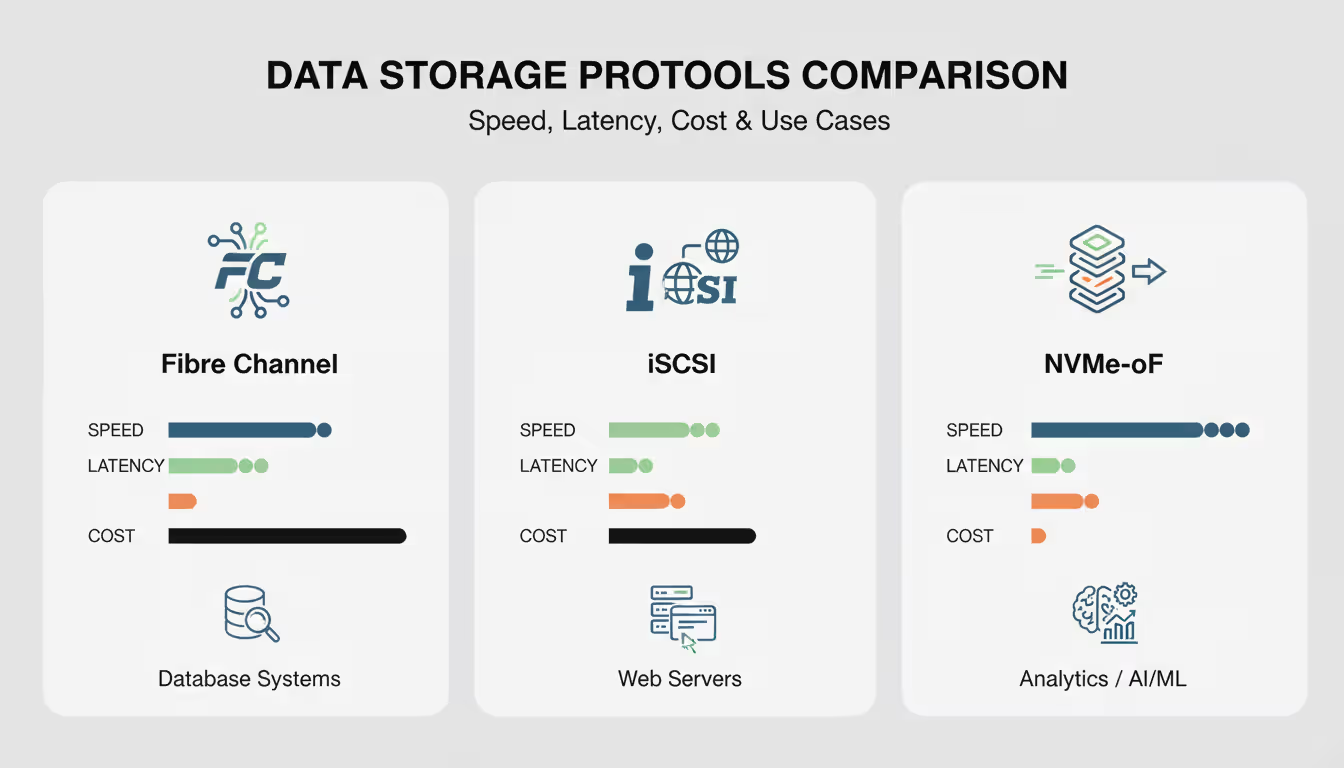
Three primary protocols compete for enterprise storage connectivity, each offering distinct trade-offs:
Fibre Channel excels in predictability. The dedicated infrastructure isolates storage traffic from network congestion, and the lossless protocol guarantees frame delivery without retransmissions. Organizations running Oracle RAC, SAP HANA, or Microsoft SQL Server clusters often choose fibre channel storage for consistent sub-millisecond response times.
iSCSI leverages existing Ethernet infrastructure, reducing capital costs and operational complexity. IT teams familiar with IP networking can deploy iSCSI without specialized FC training. However, iSCSI shares bandwidth with other network traffic unless deployed on dedicated storage networks, and TCP/IP overhead increases latency compared to native block protocols.
NVMe over Fabrics represents the newest approach, designed specifically for solid-state storage. The protocol reduces latency by eliminating SCSI command translation and leveraging parallel queue structures. NVMe-oF over RDMA-capable Ethernet (RoCE) or InfiniBand delivers latencies approaching direct-attached NVMe SSDs. Adoption accelerates in high-performance computing and real-time analytics environments, though fibre channel protocol maturity and operational familiarity keep it dominant in traditional enterprise data centers.
The choice often comes down to application requirements and existing infrastructure. A financial trading platform might require Fibre Channel's deterministic latency, while a web application backend runs adequately on iSCSI. Some organizations deploy hybrid approaches—fibre channel SAN for tier-1 databases, iSCSI for development environments, and NVMe-oF for specialized analytics workloads.
Author: Trevor Langford;
Source: milkandchocolate.net
Common Fibre Channel Deployment Scenarios
Enterprise database servers represent the most common fibre channel deployment. Oracle, SQL Server, and DB2 installations frequently connect to fibre channel storage for transaction log and data file storage. The low, predictable latency directly impacts query response times and transaction throughput. A misconfigured iSCSI network might introduce occasional latency spikes during backup windows; fibre channel switch isolation prevents such interference.
Virtualization clusters running VMware vSphere, Microsoft Hyper-V, or Red Hat Virtualization extensively use fibre channel SAN storage. Shared storage enables live migration, high availability, and centralized management. A cluster of 16 hypervisors might connect via fibre channel to an array presenting a 200TB datastore, with individual VMs unaware they're sharing physical storage. The SAN handles load balancing across multiple paths while the virtualization layer manages VM placement.
Backup and disaster recovery systems leverage fibre channel for high-throughput data movement. Backup servers with multiple 32GFC HBAs achieve sustained write speeds exceeding 6 GB/s to disk-based backup targets. This throughput compresses backup windows, allowing organizations to protect larger datasets within maintenance periods. Replication between primary and secondary data centers often uses fibre channel connectivity to storage arrays, with array-based replication transferring changed blocks over dedicated links.
High-transaction environments like payment processing, order management, and inventory systems depend on fibre channel storage's consistent performance. These applications generate thousands of small, random I/O operations per second. Flash arrays connected via 64GFC or 128GFC links deliver the IOPS and low latency these workloads demand. A payment processor handling 50,000 transactions per second might generate 200,000 storage IOPS—a workload requiring both fast storage media and capable interconnects.
Fibre Channel Limitations and Considerations
Distance constraints affect fibre channel deployment options. Standard short-wave optics support connections up to 500 meters—sufficient for server-to-switch and switch-to-switch links within a data center. Long-wave optics extend reach to 10 kilometers, enabling connections between buildings on a campus. Beyond 10km, organizations deploy FC-over-IP (FCIP) or dense wavelength division multiplexing (DWDM) to tunnel fibre channel over longer distances, though these solutions add complexity and latency.
Cost represents a significant consideration. Fibre channel switches, HBAs, and optical transceivers command premium pricing compared to Ethernet equivalents. A 32-port 32GFC switch might cost $40,000-60,000, while HBAs run $800-1,200 per dual-port card. Optical transceivers add $200-800 per port depending on speed and distance requirements. Small organizations often find these costs prohibitive, choosing iSCSI despite performance trade-offs.
Cabling requirements differ from standard networking. Multimode fiber (OM3 or OM4) serves most intra-rack and intra-row connections, while single-mode fiber handles longer distances. Cable management becomes critical in high-density environments—a 48-port switch fully populated with dual connections requires 96 fiber strands. Poor cable documentation complicates troubleshooting when tracing paths through patch panels.
Vendor interoperability, while improved, still requires validation. Mixing switch vendors in a single fabric can work but often limits advanced features to the lowest common denominator. HBA and storage array combinations occasionally exhibit quirks requiring firmware updates or configuration adjustments. Most organizations standardize on a single switch vendor per fabric to avoid compatibility issues, though this creates vendor lock-in.
Skill requirements shouldn't be underestimated. Fibre Channel administration requires understanding zoning, fabric services, multipathing software, and storage array connectivity. Many IT generalists lack FC experience as newer professionals trained primarily on IP-based technologies. Organizations either invest in training or rely on vendor professional services for complex configurations.
When alternatives make sense: Development and test environments rarely justify fibre channel costs. iSCSI provides adequate performance at lower cost. Cloud-first organizations migrating workloads to AWS or Azure find limited value in expanding on-premises FC infrastructure. Greenfield deployments might evaluate NVMe-oF for future-proofing, especially when building all-flash environments from scratch.
Author: Trevor Langford;
Source: milkandchocolate.net
Frequently Asked Questions About Fibre Channel
What is the difference between Fibre Channel and Ethernet?
Fibre Channel is a dedicated storage protocol designed for lossless, low-latency block storage access, operating on separate infrastructure from general networking. Ethernet is a general-purpose networking technology carrying multiple protocols (IP, iSCSI, NFS) with best-effort delivery. FC uses credit-based flow control preventing frame loss, while Ethernet relies on TCP retransmission to handle dropped packets. Organizations use Ethernet for general data networking and Fibre Channel specifically for storage area networks requiring predictable performance.
Do I need special cables for Fibre Channel?
Yes, fibre channel connections use optical fiber cables (multimode or single-mode) with LC connectors for most implementations. Short-reach copper cables (SFP+ Direct Attach) work for connections under 10 meters, like top-of-rack switch-to-server links. The cables themselves are physically similar to Ethernet fiber, but transceivers must match the FC speed (16GFC, 32GFC, etc.). Using incorrect transceiver types or mixing cable grades can cause link errors or prevent connections from establishing.
How far can Fibre Channel transmit data?
Distance depends on optics and cable type. Short-wave transceivers with multimode fiber reach 150 meters (OM3) to 500 meters (OM4). Long-wave transceivers with single-mode fiber extend to 10 kilometers. Extended-distance solutions using DWDM or FCIP tunneling can span hundreds or thousands of kilometers for disaster recovery scenarios, though these add latency and complexity. Most data center deployments stay within the 500-meter short-wave range, as this covers typical server-to-storage distances.
Is Fibre Channel still relevant in 2026?
Absolutely. While cloud adoption grows, enterprises continue running mission-critical applications on-premises where fibre channel SAN infrastructure provides proven reliability and performance. The 2024 introduction of 128GFC and ongoing development of 256GFC demonstrate vendor commitment to the technology. Organizations with significant investments in FC infrastructure, specialized applications requiring deterministic latency, or regulatory requirements for on-premises data storage maintain and upgrade their fibre channel environments rather than replacing them.
What does a Fibre Channel switch do?
A fibre channel switch creates the fabric connecting servers to storage arrays, routing frames between initiators and targets. It maintains the name server database tracking all connected devices, enforces zoning policies controlling access, and calculates optimal paths through multi-switch fabrics. Switches handle fabric login procedures when devices connect, manage buffer credits for flow control, and generate alerts when topology changes occur. Advanced switches provide analytics, encryption, and protocol conversion features beyond basic frame forwarding.
Can Fibre Channel and IP networks coexist?
Yes, they operate independently on separate infrastructure. Servers typically have both Ethernet NICs for general networking and fibre channel HBAs for storage access. Some technologies bridge the two: Fibre Channel over Ethernet (FCoE) encapsulates FC frames in Ethernet, allowing converged networks, though FCoE adoption has declined. FCIP tunnels FC traffic between sites over IP networks for disaster recovery. In practice, most organizations maintain distinct FC and Ethernet fabrics, as the isolation provides performance predictability and simplifies troubleshooting.
Fibre Channel continues serving enterprise storage needs where performance predictability, low latency, and proven reliability outweigh cost considerations. Understanding the protocol's layered architecture, fabric design principles, and operational characteristics helps IT teams maximize their SAN investments. While alternatives like iSCSI and NVMe-oF address specific use cases, fibre channel storage remains the standard for tier-1 applications and mission-critical workloads in 2026.
The technology's evolution to 128GFC and beyond demonstrates ongoing relevance despite cloud computing growth. Organizations planning storage infrastructure should evaluate application requirements, existing investments, and staff expertise when choosing between fibre channel switch-based SANs and alternative approaches. For workloads demanding consistent sub-millisecond latency and isolation from network congestion, fibre channel protocol delivers unmatched value despite higher initial costs.
Every network device carries a unique MAC address identifier. This guide shows you how to find MAC addresses using command-line tools, system settings, and vendor lookup databases. Includes step-by-step instructions for Windows Command Prompt, macOS, Linux, and mobile devices
Migrating to the cloud doesn't always require reimagining your entire infrastructure. Lift and shift migration moves applications to the cloud with minimal modifications—a pragmatic approach for organizations facing data center deadlines or managing legacy systems
Network failures don't announce themselves politely. For small and medium businesses, disruptions translate directly into lost revenue and damaged reputation. This guide explains IT network support services, when you need professional help, and how to choose between in-house teams and managed providers
Building your own cloud storage gives you complete control over your data while potentially saving money compared to subscription services. This comprehensive guide covers hardware requirements, software platforms like Nextcloud, step-by-step installation, security best practices, and common mistakes to avoid
The content on this website is provided for general informational purposes only. It is intended to offer insights, commentary, and analysis on cloud computing, network infrastructure, cybersecurity, and IT solutions, and should not be considered professional, technical, or legal advice.
All information, articles, and materials presented on this website are for general informational purposes only. Technologies, standards, and best practices may vary depending on specific environments and may change over time. The application of any technical concepts depends on individual systems, configurations, and requirements.
This website is not responsible for any errors or omissions in the content, or for any actions taken based on the information provided. Users are encouraged to seek qualified professional advice tailored to their specific IT infrastructure, security, and business needs before making decisions.