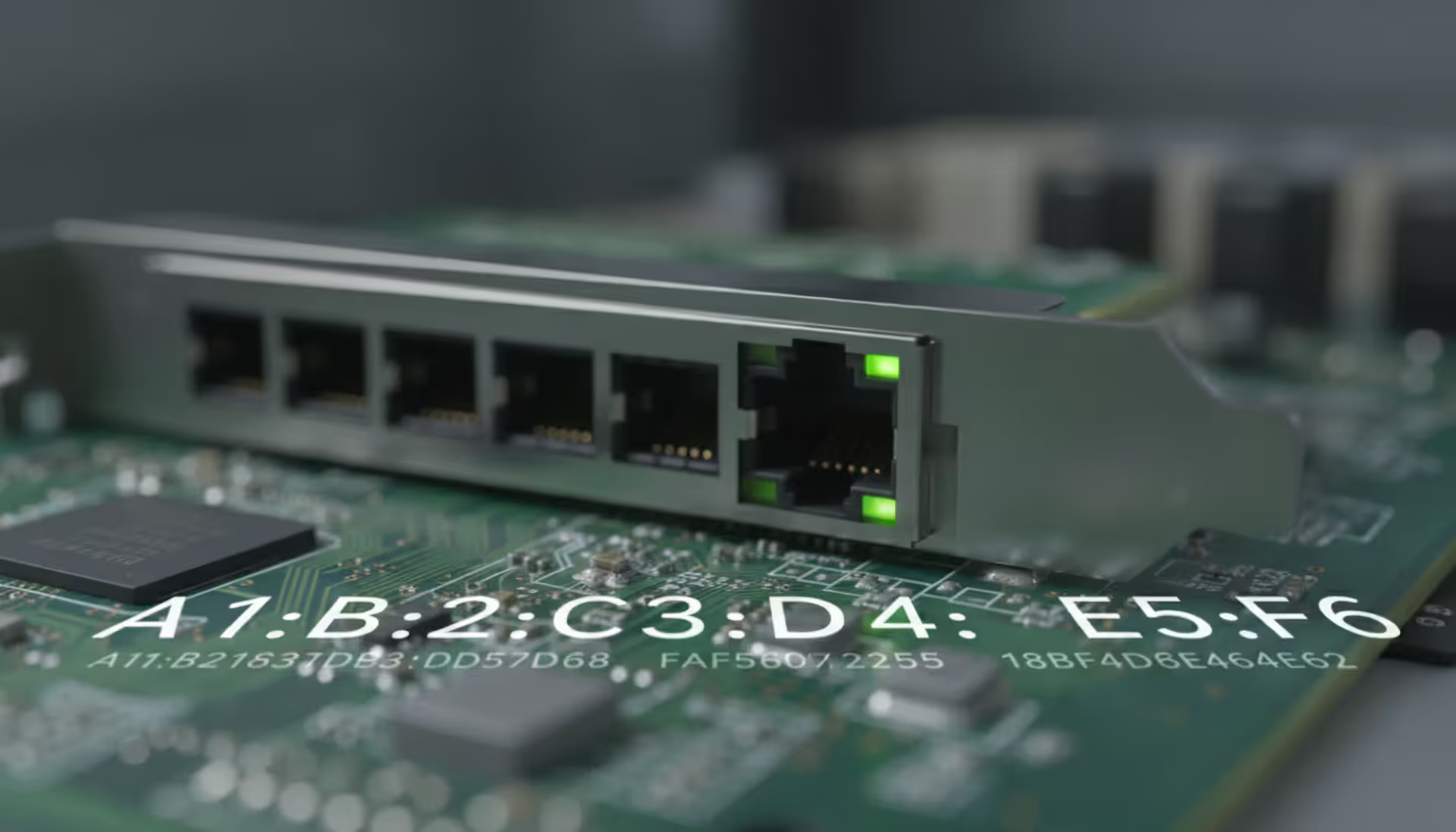
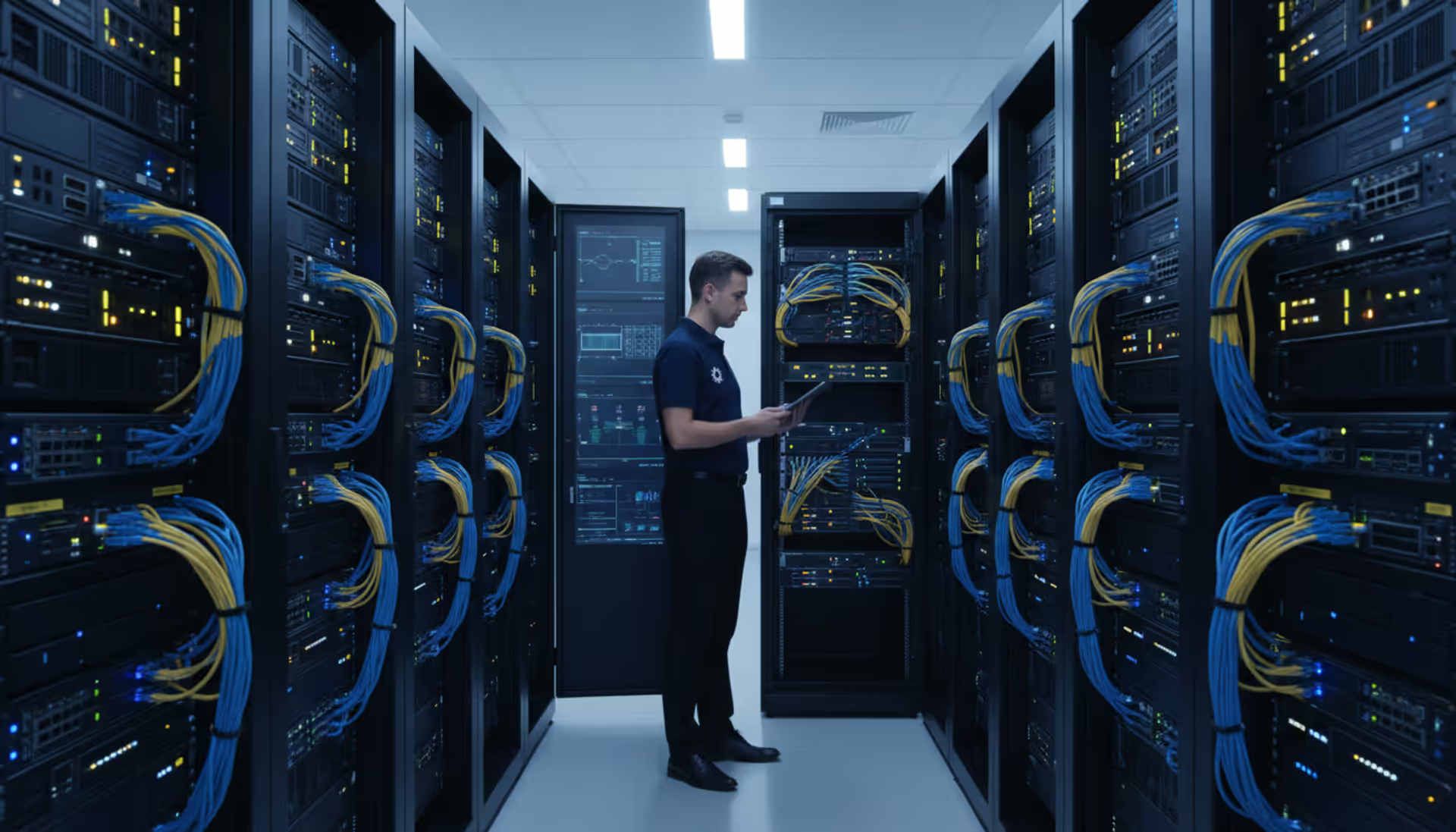
Budget constraints shouldn't mean flying blind on your network. You've got routers dropping packets, switches running hot, and servers you haven't checked in weeks—but monitoring platforms want $10K+ annually. Here's the thing: dozens of capable free SNMP monitoring options exist, and they'll handle most small-to-midsize networks without costing a dime.
What Is SNMP Monitoring and Why Use Free Tools
SNMP stands for Simple Network Management Protocol, though veterans will tell you there's nothing simple about it. Think of it as the universal language network devices use to report their health status. Your Cisco router, Dell server, and Netgear switch all speak SNMP despite coming from different manufacturers.
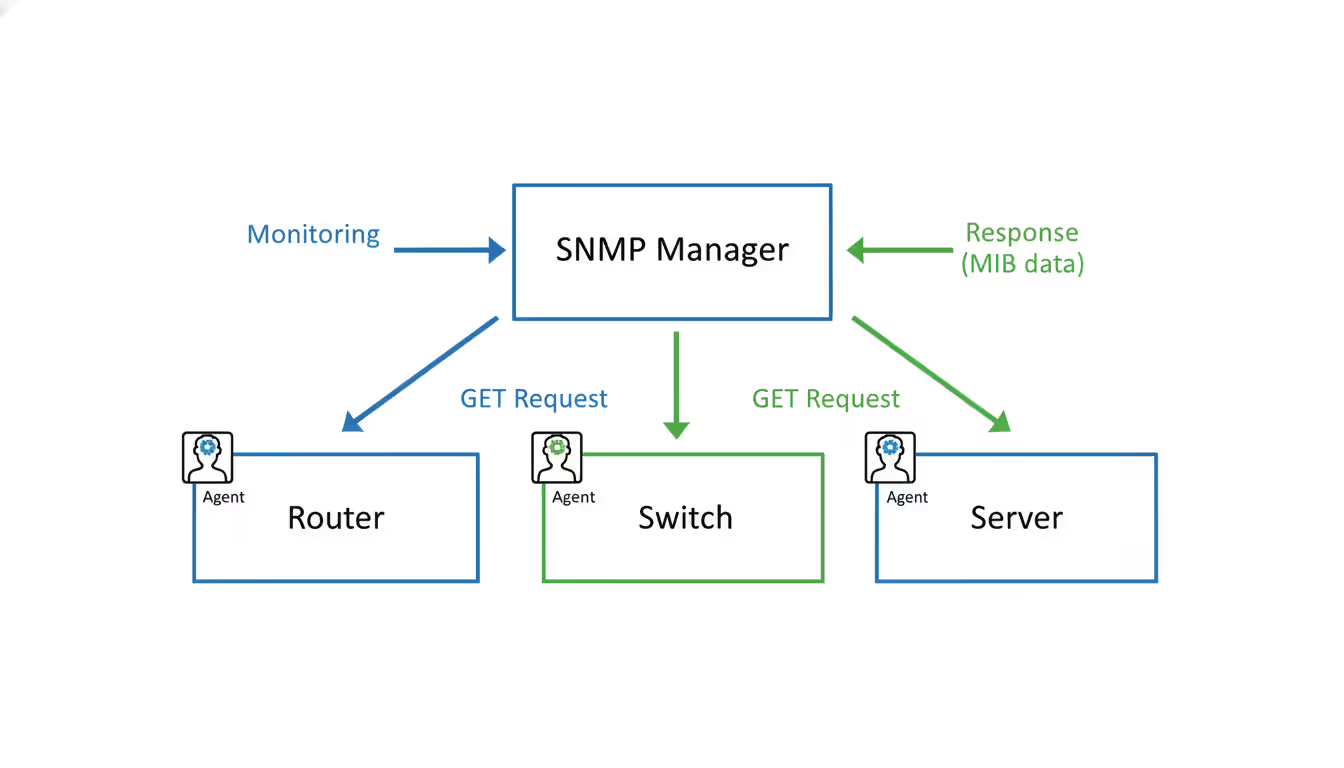
Here's how it actually works: monitoring software (the "manager" in SNMP terminology) sends requests to devices running SNMP agents. These agents maintain databases called MIBs (Management Information Bases) containing everything from CPU temperature to port status. When your manager asks "how's interface GigabitEthernet0/1 doing?", the agent responds with traffic counters, error rates, and operational status.
The architecture handles everything from a 10-device home lab to 5,000-node data centers. But scalability doesn't mean you need enterprise tools for smaller deployments.
Free monitoring makes sense in specific situations. Running a 30-device office network? You don't need distributed polling or machine learning analytics. Testing monitoring workflows before production deployment? Free tools let you experiment without procurement hassles. Teaching network management concepts? Students need hands-on experience, not vendor sales pitches.
Most organizations hit limitations around 150-250 devices, though I've seen shops running 400+ on free platforms. The constraints show up in reporting capabilities, alert sophistication, and support access rather than basic polling functionality. Monitoring uptime and bandwidth on 80 devices requires different tooling than tracking application metrics across six geographic sites with compliance reporting requirements.
Author: Nicole Bramwell;
Source: milkandchocolate.net
How Free SNMP Monitoring Software Works
The manager-agent relationship drives everything. Your monitoring server (acting as manager) initiates GET requests targeting specific data points. A network switch running an SNMP agent responds with values pulled from its MIB database. Each metric gets identified by an OID (Object Identifier)—a numeric string like 1.3.6.1.2.1.2.2.1.10.1 representing "incoming octets on interface 1."
Polling creates the foundation of data collection. Your free SNMP server queries devices every 1-5 minutes (configurable), retrieving OID values for monitored metrics. That same router might report interface traffic, routing table size, and BGP peer status each poll cycle. The monitoring system stores these values, compares them against thresholds, and generates alerts when things go sideways.
But waiting 5 minutes to discover a downed interface isn't always acceptable. That's where trap receivers enter the picture. Instead of passive polling, devices actively push notifications when events occur. Your switch detects a failed port and immediately fires an SNMP trap to the monitoring system—no waiting for the next poll interval. Free snmp trap receiver functionality varies across platforms, with some requiring plugins or modules for full trap support.
The data collection cycle looks like this: poll device → store metrics → compare against baselines → trigger alerts if thresholds breached → repeat. Historical data accumulates in time-series databases, enabling you to answer questions like "when did this interface start saturating?" or "how much has memory usage grown over six months?"
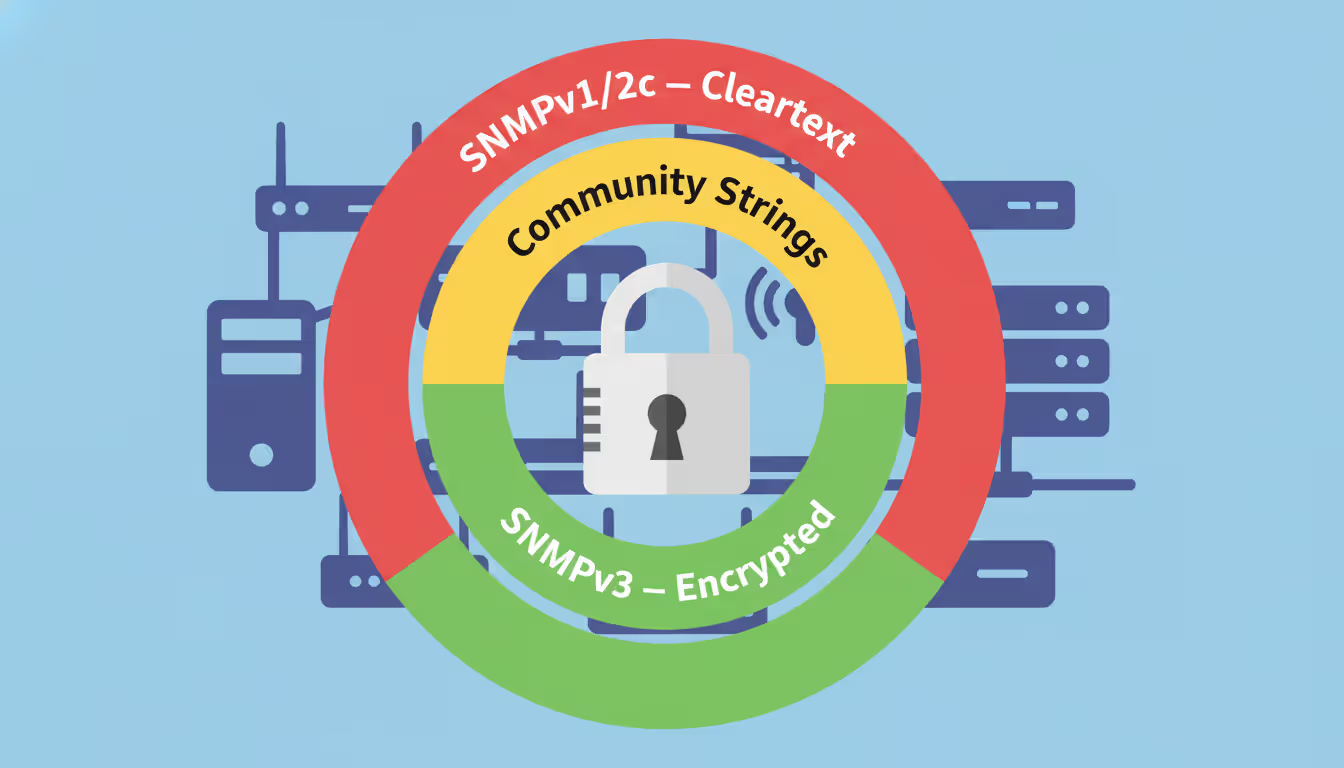
Protocol versions matter more than newcomers expect. SNMPv1 and v2c authenticate with community strings—essentially shared passwords transmitted in cleartext. Anyone sniffing network traffic sees your community string and gains device access. SNMPv3 introduced proper encryption and user-based authentication, but configuration complexity jumps significantly. Every free tool supports all versions, though you'll spend more time wrestling with v3 setup.
Top Free SNMP Monitoring Tools Compared
The free monitoring landscape splits between unlimited platforms requiring setup effort and limited-device options offering easier deployment. Here's what actually works in production environments:
Platform
Device Cap
Protocol Support
Trap Handling
Supported OS
Device Discovery
Major Drawbacks
Zabbix
No limit
v1/v2c/v3
Native
Linux/Windows
Auto-scan
Complex setup; needs 4GB+ RAM
LibreNMS
No limit
v1/v2c/v3
Native
Linux/Docker
Auto-scan
LAMP stack dependency
Observium Community
250 max
v1/v2c/v3
Native
Linux
Auto-scan
Infrequent updates; community support only
PRTG Free
100 sensors
v1/v2c/v3
Native
Windows
Auto-scan
Each metric counts as sensor
Cacti
No limit
v1/v2c/v3
Plugin needed
Linux/Windows
Manual only
Weak alerting; graph-focused
Icinga 2
No limit
v1/v2c/v3
Module required
Linux/Windows
Auto-scan
Configuration learning curve
Nagios Core
No limit
v1/v2c/v3
Plugin needed
Linux
Manual only
Text configs; outdated UI
Zabbix handles enterprise-scale deployments with advanced templating, distributed monitoring across sites, and massive community support. I've seen 2,000+ device implementations running smoothly, but expect to invest serious setup time. The resource requirements aren't trivial either—allocate at least 4GB RAM for 100 devices, more for faster polling.
LibreNMS wins for straightforward deployment and intuitive interfaces. Auto-discovery identifies devices, applies appropriate templates, and gets you monitoring within hours instead of days. The web UI beats configuring text files by miles. Downside? You're running Apache, PHP, and MySQL, which complicates Windows deployments and adds maintenance overhead.
PRTG's 100-sensor free tier works great for small networks until you understand sensor counting. Monitoring one switch's CPU, memory, and five ports consumes seven sensors. Your 100-sensor budget covers maybe 12-15 devices realistically. Still, the Windows-native installation and polished interface attract administrators uncomfortable with Linux.
We tested Nagios, Zabbix, and LibreNMS for our 85-device network. LibreNMS won because pre-configured alert rules and automatic device classification saved us three weeks versus writing Nagios configs manually
— Marcus Chen
Setting Up Your Free SNMP Server and Trap Receiver
Installation Requirements and Prerequisites
You don't need datacenter hardware for smaller networks. A VM with 2 cores, 4GB RAM, and 50GB storage handles 50-100 devices without breaking a sweat. Scale to 8-16GB RAM and SSD storage when monitoring 200+ devices or polling faster than 5-minute intervals.
Ubuntu Server 22.04 LTS or Debian 12 provide rock-solid foundations for most free snmp tools. Windows Server works for PRTG and certain Zabbix deployments, though OS licensing becomes a factor. Docker containers simplify updates and migrations—LibreNMS and Observium both offer official images.
Network placement matters. Your monitoring server needs reachability to all managed devices, typically via a dedicated management VLAN. Firewall rules must permit SNMP traffic (UDP 161 for polling, UDP 162 for traps). Devices also need return paths to your server for trap delivery—this catches people more often than you'd think.
Database choice impacts long-term performance. MySQL and PostgreSQL both handle time-series data, but tuning becomes essential beyond 200 devices. Plan for 1-2GB storage per 100 devices annually with 5-minute polling. Faster polling or longer retention multiplies storage requirements quickly.
Configuring SNMP Agents on Network Devices
Network gear ships with SNMP disabled by default. Configuration varies by vendor, but the pattern stays consistent: enable the SNMP service, configure authentication credentials, restrict management access by IP, and define trap destinations.
Cisco IOS basic setup uses commands like:
snmp-server community ghQ8x!mP2vL9 RO
snmp-server community nR5k@3TzB8wF RW
snmp-server host 10.20.30.100 version 2c ghQ8x!mP2vL9
Never use "public" or "private" in production—generate random 20+ character strings. Read-only (RO) communities allow data retrieval; read-write (RW) permits configuration changes through SNMP, which you rarely want for monitoring purposes.
SNMPv3 requires creating users with proper authentication:
snmp-server group netmon v3 priv
snmp-server user monitoruser netmon v3 auth sha MyAuth2024! priv aes128 MyPriv2024!
Linux servers need net-snmp installed. Edit /etc/snmp/snmpd.conf:
Windows servers get SNMP through the SNMP Service feature in Server Manager. Add the feature, configure community strings under Security tab, specify trap destinations in Traps tab. The GUI makes this painless compared to CLI configurations.
Testing Connectivity and Data Collection
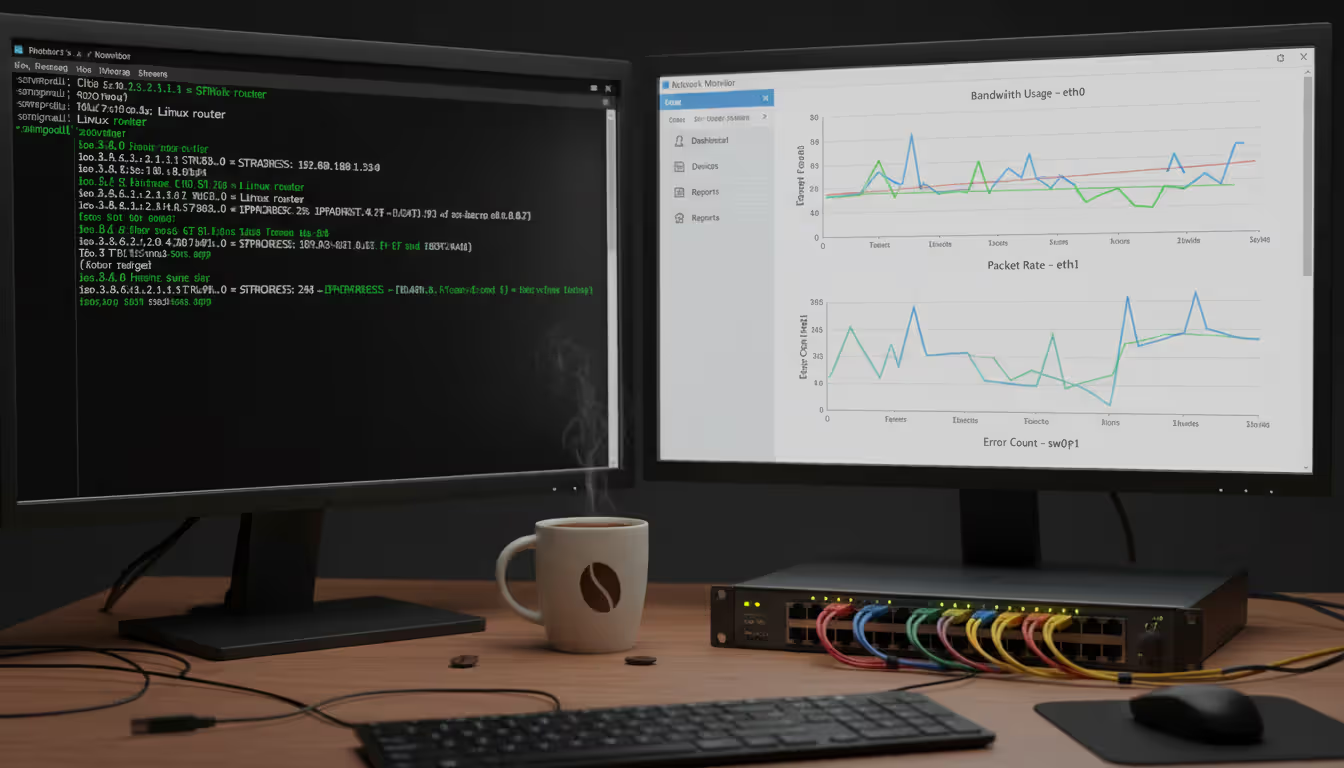
Don't add devices to your monitoring platform until you've verified SNMP connectivity. The snmpwalk command queries all available OIDs:
snmpwalk -v2c -c ghQ8x!mP2vL9 10.20.30.1
Successful output dumps hundreds of lines showing system info, interface stats, and device-specific metrics. No response? Check firewalls, community strings, and verify SNMP is actually enabled.
That OID returns the system name. Getting responses validates basic connectivity before wrestling with monitoring platform configurations.
Trap testing requires triggering actual events. Shut down a monitored interface or restart a service, then verify trap receipt in your free snmp trap receiver logs. Many frustrating hours get wasted assuming traps work because polling succeeds.
Add devices incrementally while monitoring your server's resource usage. CPU spikes during poll cycles indicate aggressive polling intervals or underpowered hardware. Adjust polling frequency or upgrade resources before adding more devices—fixing performance issues with 200 devices already configured is painful.
Author: Nicole Bramwell;
Source: milkandchocolate.net
Key Features to Look for in Free SNMP Tools
Auto-discovery transforms deployment from tedious to manageable. Scan network ranges, identify SNMP-enabled devices automatically, apply monitoring templates based on device type—this saves hours versus manual configuration. Manual device addition works fine for 20 static devices but becomes torture beyond 40-50 endpoints.
Alert customization determines whether your monitoring helps or annoys. Threshold-based alerting seems simple: trigger when bandwidth exceeds 80% or CPU hits 95%. But real networks need more sophistication—alert on three consecutive high readings, not single spikes. Suppress notifications during maintenance windows. Escalate unacknowledged alerts after 30 minutes. Free snmp monitoring tools vary wildly here; basic platforms email every threshold breach while advanced options support dependencies, escalations, and intelligent grouping.
MIB browsers help explore device capabilities beyond standard metrics. Vendor-specific MIBs extend baseline SNMP data with proprietary metrics—storage array capacity utilization, firewall connection table size, UPS battery runtime. A good MIB browser translates cryptic numeric OIDs into readable descriptions, making custom monitor creation possible without memorizing MIB documentation.
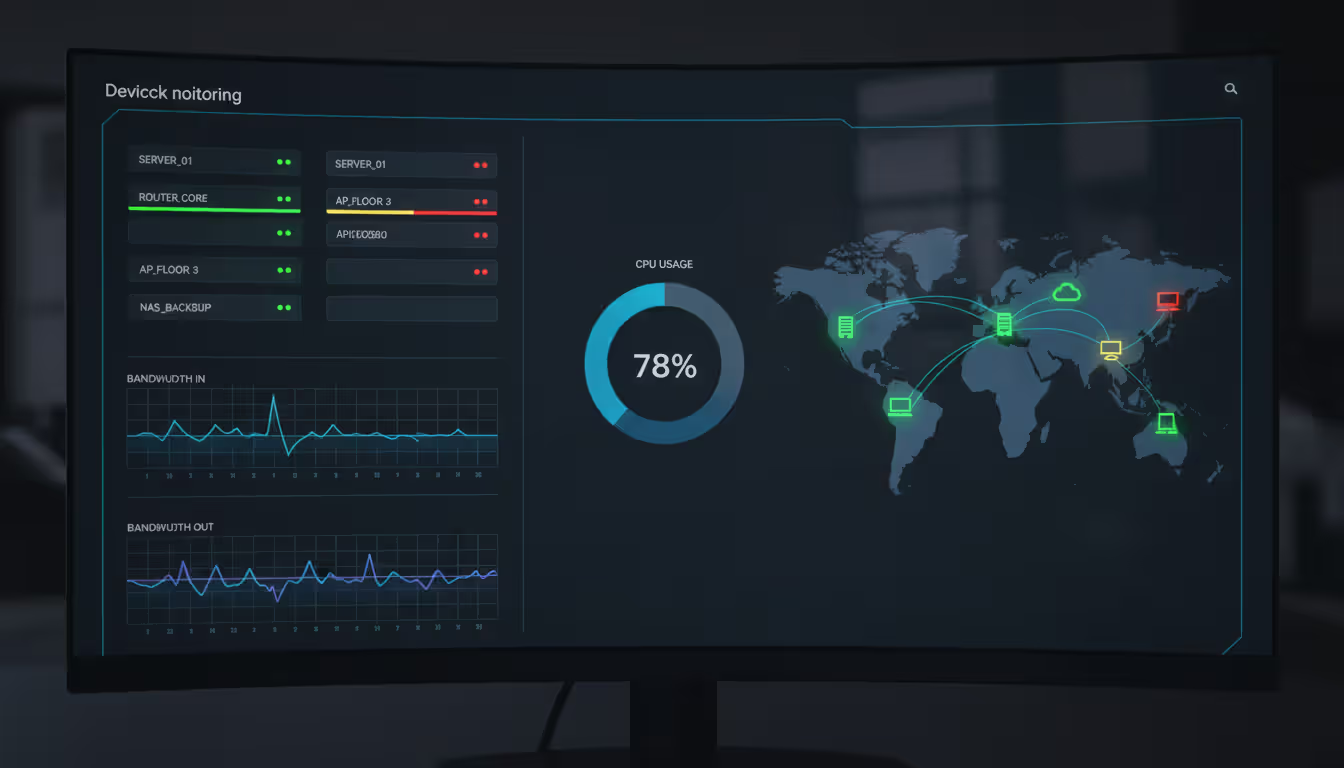
Visualization makes or breaks daily monitoring workflows. Real-time dashboards show current status at a glance; historical graphs reveal trends you'll miss in raw data. Cacti excels at graphing but lacks robust alerting. Zabbix offers comprehensive dashboard builders with maps, custom widgets, and drill-down capabilities. Consider what you'll actually look at daily versus what sounds impressive in feature lists.
Author: Nicole Bramwell;
Source: milkandchocolate.net
Scalability limits manifest differently across platforms. Zabbix and LibreNMS don't cap device counts artificially but demand hardware scaling as you grow. PRTG's sensor limit creates hard ceilings. Observium Community Edition restricts you to 250 devices directly. Understanding these constraints before investing setup effort prevents painful migrations later.
Community support quality impacts troubleshooting speed dramatically. LibreNMS and Zabbix benefit from active forums, extensive documentation, and hundreds of tutorials. Niche tools might leave you googling error messages with zero results, resorting to source code reading.
Common Mistakes When Deploying Free SNMP Monitoring
Security misconfigurations plague SNMP deployments, especially SNMPv1/v2c community strings. Using "public" and "private" means anyone on your network can query devices and potentially modify configurations. Generate complex random strings—ghQ8x!mP2vL9 instead of public.
SNMPv3 solves authentication weaknesses with encryption and user-based access control, but configuration complexity scares administrators away. Many accept the security trade-off for easier deployment, which becomes problematic when monitoring devices across untrusted networks or facing compliance audits requiring encrypted management protocols.
Author: Nicole Bramwell;
Source: milkandchocolate.net
Polling frequency impacts bandwidth more than expected. A 500-device network polled every minute generates sustained SNMP traffic as each poll retrieves dozens to hundreds of OIDs. Start with 5-minute intervals and reduce only for critical devices requiring faster problem detection. Bandwidth-constrained sites (remote offices on 10Mbps links) need especially careful polling configuration.
Trap receiver misconfiguration causes missed alerts despite functioning polls. Firewalls blocking inbound UDP 162 silently drop traps. Devices configured with wrong trap destination IPs send notifications nowhere. Trap delivery uses different network paths than polling, so test explicitly rather than assuming it works.
Incomplete coverage planning leaves monitoring gaps that bite later. Administrators monitor core infrastructure—routers, switches, firewalls—while ignoring servers, UPS systems, environmental sensors, printers, and wireless controllers. Comprehensive monitoring requires identifying all SNMP-capable devices and prioritizing based on business impact, not just what's easy to configure.
MIB dependencies break vendor-specific monitoring. Standard MIBs (IF-MIB, HOST-RESOURCES-MIB) cover basics, but advanced features require loading proprietary MIBs into your platform. That NetApp filer's volume capacity metrics exist only in NETAPP-MIB. Your monitoring tool needs the MIB file loaded to understand those OIDs.
Frequently Asked Questions About Free SNMP Monitoring
Can free SNMP monitoring software handle enterprise networks?
Technically? Yes—Zabbix and LibreNMS support thousands of devices without license restrictions. Practically? It depends. Enterprise networks need more than device polling: distributed monitoring across sites, high-availability configurations, vendor support SLAs, advanced analytics, and compliance reporting. A 600-device single-site network might run beautifully on LibreNMS. That same 600 devices spread across 40 locations with 24/7 uptime requirements? Commercial platforms start justifying their cost through reduced administrative overhead and guaranteed support response times. Evaluate your operational requirements honestly, not just device counts.
What's the difference between SNMP polling and trap receiving?
Polling means your monitoring server actively queries devices at scheduled intervals—every 5 minutes, it asks "what's your CPU usage?" The server controls timing and gets consistent data collection, but might miss events occurring between polls. Traps work oppositely—devices push notifications immediately when events happen. Interface goes down? Device sends a trap instantly rather than waiting for the next poll. Complete monitoring strategies combine both: regular polling for metrics like bandwidth and CPU, plus trap receiving for immediate event notification like link failures or configuration changes.
Do I need a dedicated server for free SNMP monitoring?
Depends on scale. Monitoring 25 devices runs fine on a VM sharing hardware with other services—maybe 2GB RAM allocated. Beyond 100 devices, dedicated hardware improves reliability and simplifies troubleshooting. Your monitoring server becomes critical infrastructure; if it crashes, you lose network visibility completely. Resource contention from shared workloads causes poll delays and missed traps. Budget-conscious deployments start with shared infrastructure, then migrate to dedicated servers as networks grow and monitoring becomes more critical to operations.
Are free SNMP tools secure enough for production environments?
Security depends on configuration, not price tags. Free platforms support SNMPv3 encryption, HTTPS interfaces, role-based access control—identical security features to commercial products. The risk comes from default configurations and update management. Free tools require administrators to actively maintain security: changing defaults, applying patches promptly, restricting network access, monitoring vulnerability announcements. Commercial platforms often provide automated security updates and dedicated security teams, but properly configured free tools achieve comparable security postures. It's work versus money, not secure versus insecure.
How do I upgrade from free to paid SNMP monitoring?
Migration complexity varies dramatically. Some free tools offer commercial support or enterprise editions—Zabbix provides paid support contracts; Observium sells a Professional edition. These transitions keep your existing configuration intact while adding support and features. Switching to entirely different platforms (LibreNMS to SolarWinds, for example) requires exporting device inventories, recreating monitoring templates, rebuilding alert configurations, and reconfiguring integrations. Plan migrations during low-activity periods and run parallel monitoring temporarily to ensure coverage continuity. Historical data export matters if trend analysis is important—most free tools support CSV dumps or direct database access.
What happens when I exceed device limits in free SNMP software?
Platforms with hard limits like PRTG stop monitoring once you hit the cap. You'll remove existing sensors to add new ones or bite the bullet on licensing costs. Unlimited platforms like Zabbix and LibreNMS keep functioning but performance degrades without hardware upgrades. Watch your server's CPU, memory, and disk I/O as device counts climb. Performance issues appear gradually—dashboards load slower, alerts delay, database queries timeout—giving you time to address capacity before complete monitoring failure. I've seen a 180-device Zabbix server brought to its knees by aggressive 1-minute polling on inadequate hardware; bumping to 8GB RAM and adding CPU cores solved it immediately.
Free SNMP monitoring delivers professional-grade network visibility without licensing costs, making it accessible for small businesses, startups, and budget-conscious IT departments. Platforms like Zabbix, LibreNMS, and PRTG Free provide capabilities that cost thousands of dollars a decade ago.
But free doesn't mean effortless. You're trading money for time and expertise. Setup complexity, community-based support instead of vendor SLAs, self-managed updates instead of automated maintenance—these trade-offs favor organizations with technical skills and hours available for configuration and ongoing management.
Start small when deploying free snmp monitoring tools. Monitor critical infrastructure first—core routers, main switches, essential servers. Validate alerting actually works, test trap delivery, confirm performance stays acceptable as you add devices. Incremental approaches prevent overwhelming yourself while building coverage systematically.
Security deserves extra attention beyond basic deployment. Move past default community strings immediately. Implement SNMPv3 where feasible, even though configuration takes longer. Restrict SNMP access to management networks. Free tools provide security features, but they're not enabled by default—you must configure and maintain them actively.
The line between free and paid monitoring shifts based on organizational needs, not absolute metrics. A 45-device network requiring 24/7 vendor support and guaranteed uptime might justify commercial platforms. A 220-device environment with skilled administrators might thrive on free tools indefinitely. Evaluate your requirements honestly, considering growth projections and operational maturity alongside current device counts.
Free SNMP monitoring has matured significantly over the past decade. These aren't hobbyist projects anymore—major platforms like Zabbix power production networks for Fortune 500 companies. Whether you're monitoring a 30-device office or managing a 400-node lab environment, free tools provide solid foundations for network oversight without budget constraints limiting your visibility.
Every network device carries a unique MAC address identifier. This guide shows you how to find MAC addresses using command-line tools, system settings, and vendor lookup databases. Includes step-by-step instructions for Windows Command Prompt, macOS, Linux, and mobile devices
Migrating to the cloud doesn't always require reimagining your entire infrastructure. Lift and shift migration moves applications to the cloud with minimal modifications—a pragmatic approach for organizations facing data center deadlines or managing legacy systems
Network failures don't announce themselves politely. For small and medium businesses, disruptions translate directly into lost revenue and damaged reputation. This guide explains IT network support services, when you need professional help, and how to choose between in-house teams and managed providers
Building your own cloud storage gives you complete control over your data while potentially saving money compared to subscription services. This comprehensive guide covers hardware requirements, software platforms like Nextcloud, step-by-step installation, security best practices, and common mistakes to avoid
The content on this website is provided for general informational purposes only. It is intended to offer insights, commentary, and analysis on cloud computing, network infrastructure, cybersecurity, and IT solutions, and should not be considered professional, technical, or legal advice.
All information, articles, and materials presented on this website are for general informational purposes only. Technologies, standards, and best practices may vary depending on specific environments and may change over time. The application of any technical concepts depends on individual systems, configurations, and requirements.
This website is not responsible for any errors or omissions in the content, or for any actions taken based on the information provided. Users are encouraged to seek qualified professional advice tailored to their specific IT infrastructure, security, and business needs before making decisions.