

SSL TLS Port Guide
Understand SSL and TLS port numbers for secure communication. Covers port 443 for HTTPS, 465/587 for email, 993/995 for IMAP/POP3, plus configuration, troubleshooting, and hardening best practices for system administrators

Modern network operations center room with operators monitoring large display wall showing network performance graphs and status indicators
Content
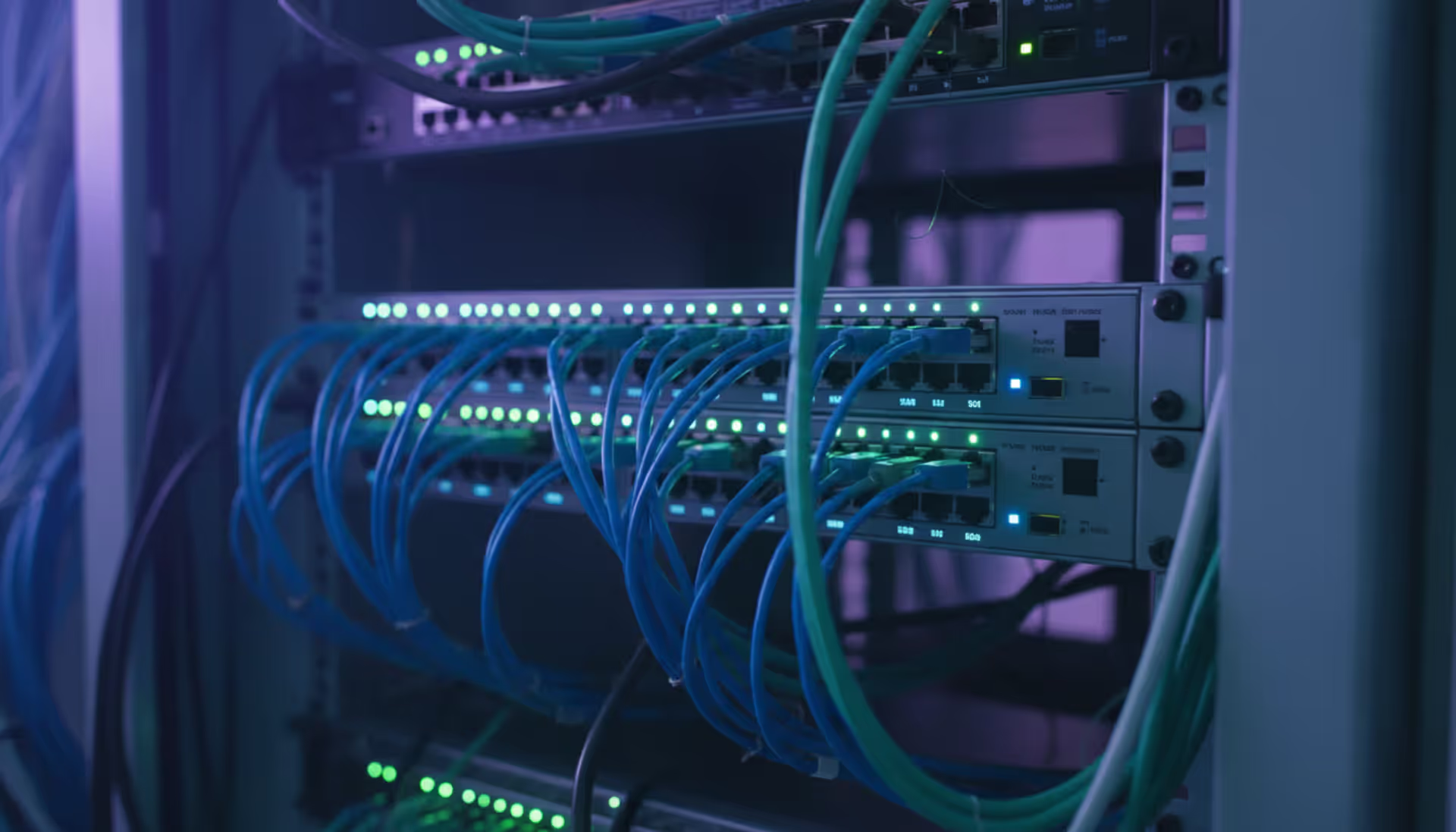
A network operations center (NOC) serves as the central command hub where IT teams monitor, manage, and maintain an organization's network infrastructure around the clock. Think of it as mission control for your digital operations—a dedicated space staffed by technicians who watch over servers, routers, switches, firewalls, applications, and every other component that keeps data flowing across your enterprise.
The NOC exists to prevent downtime, detect issues before users notice them, and respond rapidly when problems occur. Unlike reactive IT support that waits for trouble tickets, NOC teams actively hunt for anomalies: a router showing packet loss in Des Moines, a spike in database queries at 3 AM, or unusual traffic patterns suggesting a potential breach.
Most enterprises run their NOC as a 24/7/365 operation, staffed in shifts to ensure continuous coverage. Financial services firms, healthcare networks, e-commerce platforms, and telecommunications providers depend on NOC teams to maintain service-level agreements (SLAs) that promise 99.9% or higher uptime. A single hour of downtime can cost a mid-sized retailer $300,000 in lost revenue and damaged customer trust.
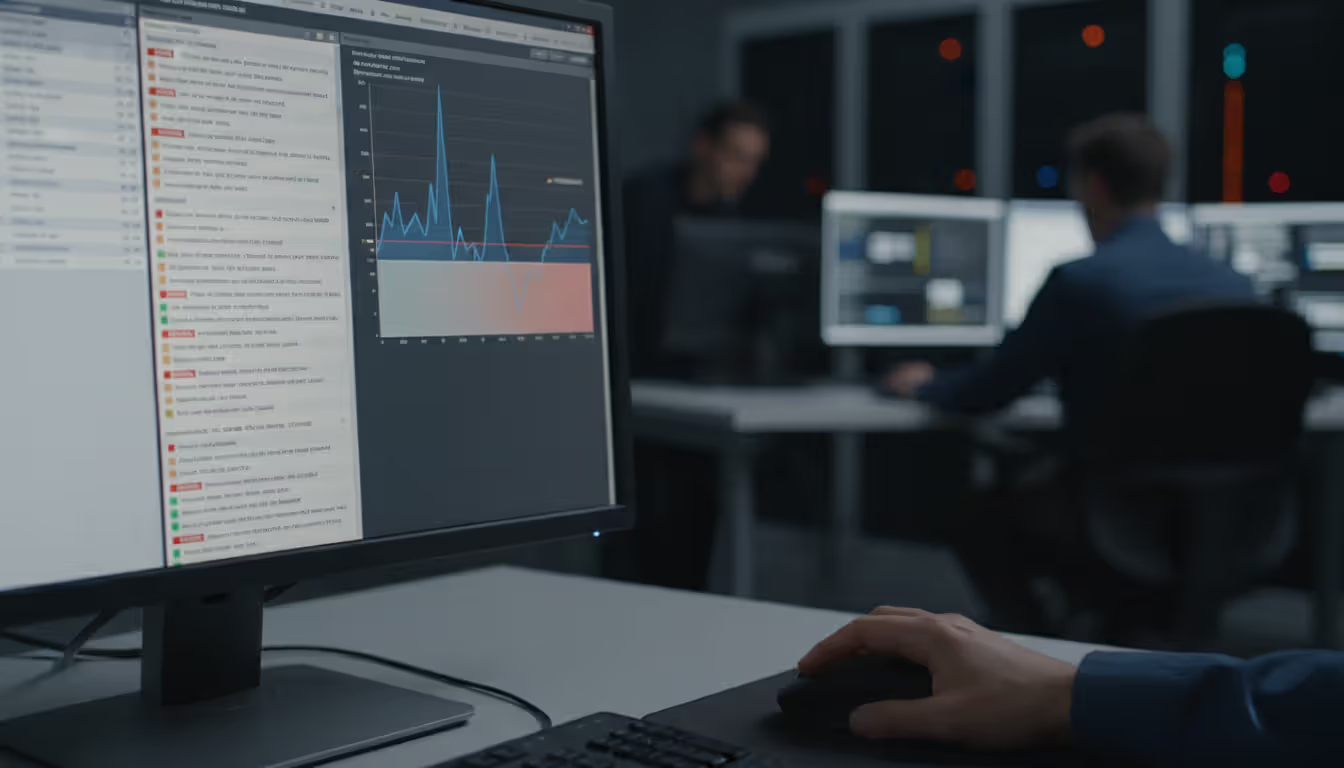
NOC technicians perform several critical functions throughout their shifts. Real-time monitoring forms the foundation—operators watch dashboards displaying network health metrics, bandwidth utilization, device status, and application performance. When thresholds breach, alerts trigger workflows that route issues to the appropriate specialist.
Incident response follows a tiered escalation model. Level 1 technicians handle routine alerts: a backup job that failed, a switch port that went down, or a server approaching memory limits. They follow runbooks—documented procedures that outline step-by-step remediation. If the issue exceeds their authority or expertise, they escalate to Level 2 engineers who possess deeper technical knowledge and can modify configurations or engage vendor support.
Performance management extends beyond firefighting. NOC teams track baseline metrics, identify trends, and flag capacity concerns before they cause outages. A gradual increase in WAN link utilization over three months signals the need for bandwidth upgrades. Database query times creeping upward suggest index optimization or hardware refresh requirements.
Change management coordination ensures that network modifications happen without disrupting operations. When the security team schedules a firewall rule update or the infrastructure group plans a router firmware upgrade, the NOC verifies compatibility, schedules maintenance windows during low-traffic periods, and monitors the changes for unexpected side effects.

Author: Rachel Denholm;
Source: milkandchocolate.net
Documentation and reporting complete the picture. Every incident, change, and performance anomaly gets logged. Weekly reports summarize uptime percentages, mean time to resolution (MTTR), ticket volumes by category, and recurring problems that demand permanent fixes rather than repeated workarounds.
Network operations software provides the technological foundation that enables NOC teams to monitor thousands of devices and services simultaneously. These platforms collect telemetry data, correlate events, generate alerts, and present information through intuitive interfaces that transform raw metrics into actionable intelligence.
A complete NOC software stack typically includes monitoring engines, ticketing systems, configuration management databases (CMDBs), visualization dashboards, and automation frameworks. Integration between these components determines how efficiently teams respond to incidents.
Monitoring platforms continuously poll network devices using protocols like SNMP (Simple Network Management Protocol), WMI (Windows Management Instrumentation), or APIs. They collect metrics every 30 seconds to five minutes depending on configuration: CPU utilization, interface errors, disk I/O, temperature sensors, and hundreds of other data points.
Modern monitoring systems employ multiple detection methods. Threshold-based alerts trigger when metrics exceed predefined limits—CPU above 85% for ten consecutive minutes, for example. Anomaly detection uses machine learning to identify deviations from normal patterns, catching issues that don't breach static thresholds but indicate trouble nonetheless.
Alert fatigue remains a persistent challenge. Poorly tuned monitoring generates hundreds of false positives daily, training operators to ignore notifications. Effective network operations center software incorporates intelligent alert suppression, correlation rules that group related events, and dynamic thresholds that adjust based on time-of-day patterns.
Author: Rachel Denholm;
Source: milkandchocolate.net
Raw monitoring data holds limited value without analysis. Analytics engines process historical data to identify trends, predict capacity needs, and measure SLA compliance. They answer questions like: Which applications consume the most bandwidth? How does network performance vary between branch offices? Are we meeting our 99.95% uptime commitment?
Reporting tools generate scheduled summaries for different audiences. Executive dashboards emphasize uptime percentages and business impact. Technical reports dive into incident root causes, change success rates, and device health scores. Compliance reports demonstrate adherence to regulatory requirements or customer contract terms.
Advanced analytics platforms now incorporate AIOps (Artificial Intelligence for IT Operations) capabilities. They establish behavioral baselines for every monitored component, detect subtle anomalies that human operators miss, and predict failures before they occur. A storage array showing slightly elevated read latency and incrementally longer response times might fail within 72 hours—AIOps flags it for proactive replacement.
Organizations choose monitoring tools based on infrastructure complexity, budget constraints, required integrations, and staff expertise. The market offers dozens of options ranging from open-source projects to enterprise platforms costing hundreds of thousands annually.
| Tool | Key Features | Deployment Type | Pricing Model | Ideal Organization Size |
| Datadog | Unified monitoring, APM, log management, cloud-native focus | SaaS | Per-host/per-month starting at $15 | Mid-size to enterprise with cloud infrastructure |
| Nagios XI | Comprehensive device monitoring, extensive plugin ecosystem, customizable dashboards | On-premises or cloud | Perpetual license from $1,995 for 100 nodes | Small to large enterprises preferring on-premises control |
| SolarWinds NPM | Deep network visibility, NetFlow analysis, automated discovery, wireless monitoring | On-premises or hybrid | Perpetual license from $2,995 for 100 elements | Mid-size to large enterprises with complex networks |
| Zabbix | Open-source, highly scalable, distributed monitoring, template-based configuration | On-premises or cloud | Free (open-source) or commercial support contracts | Budget-conscious organizations with technical expertise |
| PRTG Network Monitor | Auto-discovery, sensor-based licensing, all-in-one monitoring, easy setup | On-premises or cloud | Freeware up to 100 sensors, paid licenses from $1,750 | Small to mid-size businesses seeking simplicity |
Tool selection mistakes cost organizations significant time and money. A common error involves choosing based solely on feature lists without considering integration requirements. A monitoring platform that doesn't feed data into your existing ticketing system creates manual work and delays response times.
Scalability planning prevents expensive migrations. A tool that works beautifully for 200 devices might collapse under the load of 2,000. Cloud-based solutions offer easier scaling but introduce recurring costs that exceed on-premises licensing over five-year periods for stable environments.
The boundary between network operations and security operations has blurred considerably. Many organizations now operate hybrid network operations security centers that combine traditional NOC monitoring with threat detection and incident response capabilities.
This convergence makes practical sense. Network anomalies often signal security incidents: unusual traffic volumes might indicate a DDoS attack, unexpected database connections could mean compromised credentials, and configuration changes outside maintenance windows suggest unauthorized access. Separating network monitoring from security monitoring creates blind spots and delays threat identification.
A fully integrated approach positions NOC analysts as the first line of defense. They monitor the same dashboards but with security context added. When bandwidth spikes on a particular subnet, they see not just a performance issue but also threat intelligence indicating that subnet hosts recently visited known malicious domains.
Security information and event management (SIEM) platforms increasingly feed data into NOC monitoring systems and vice versa. Firewall logs, intrusion detection alerts, authentication failures, and endpoint security events appear alongside network performance metrics. Correlation rules connect the dots: a failed login attempt followed by a successful VPN connection from an unusual geographic location triggers both security and network teams.
Role definition remains critical despite integration. NOC technicians handle network availability and performance; security operations center (SOC) analysts manage threat investigation and response. Clear escalation paths ensure that suspected security incidents immediately involve the appropriate expertise rather than lingering in the wrong queue.
The network operations center has evolved from a reactive monitoring function into a proactive intelligence hub that combines performance optimization with security awareness. Organizations that still operate NOC and SOC as completely separate silos miss critical insights that only emerge when you correlate network behavior with security context. We've seen a 40% reduction in mean time to detect threats simply by giving our NOC analysts visibility into security event data alongside traditional performance metrics. The key is providing the right information without overwhelming operators—intelligent filtering and correlation turn data into decisions
— Marcus Chen
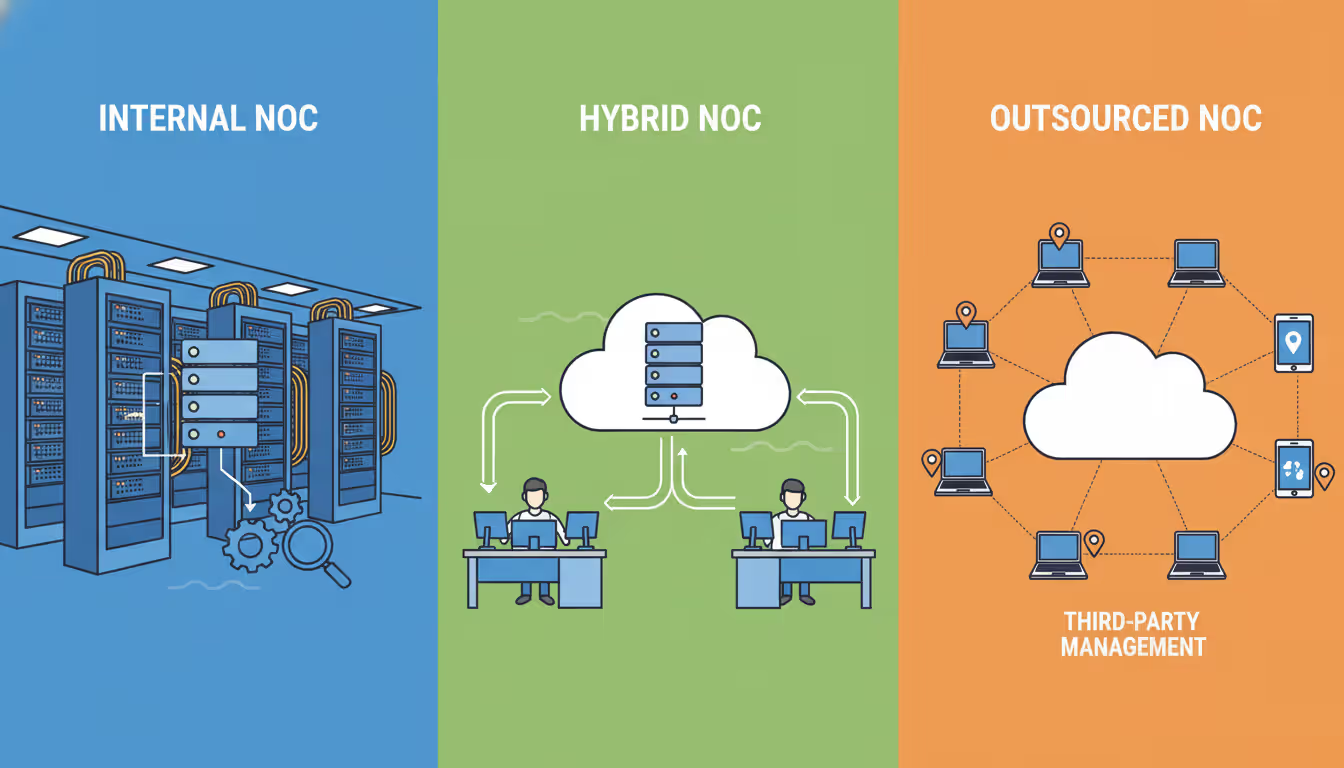
Organizations face a fundamental decision: construct an in-house NOC with dedicated staff and infrastructure, outsource monitoring to a managed service provider, or implement a hybrid model that combines internal oversight with external support.
Building an internal NOC requires substantial upfront investment. Physical space costs vary by location—a dedicated room in a Manhattan office costs far more than equivalent space in Columbus, Ohio. Environmental controls (cooling, power redundancy, physical security) add $50,000 to $200,000 depending on requirements.
Staffing represents the largest ongoing expense. A 24/7 NOC needs minimum five full-time employees to cover all shifts with vacation and sick time factored in. Salary ranges vary by geography and skill level: Level 1 technicians earn $45,000 to $65,000 annually, Level 2 engineers command $70,000 to $95,000, and a NOC manager runs $95,000 to $130,000. Total annual personnel costs for a small team easily exceed $400,000 before benefits.
Tool licensing, training, and ongoing maintenance add another $75,000 to $150,000 yearly. The total first-year cost for a basic internal NOC typically ranges from $600,000 to $900,000, with subsequent years costing $500,000 to $700,000.
Outsourced NOC services flip the cost model. Managed service providers charge monthly fees based on the number of devices monitored, service level requirements, and included capabilities. Typical pricing runs $100 to $300 per device monthly for comprehensive monitoring, incident response, and reporting. An organization with 200 monitored devices might pay $25,000 to $50,000 monthly ($300,000 to $600,000 annually).
The financial comparison seems straightforward, but hidden factors matter. Outsourced providers monitor many clients simultaneously, spreading expertise costs across multiple organizations. They maintain relationships with hardware vendors, often resolving issues faster than internal teams. However, they lack deep knowledge of your specific environment, business context, and custom applications.
Hybrid models offer middle ground. Organizations maintain a small internal team for daytime coverage and strategic planning while outsourcing overnight and weekend monitoring to a managed provider. This approach reduces staffing costs while preserving institutional knowledge and control over critical decisions.
Author: Rachel Denholm;
Source: milkandchocolate.net
Control and customization favor internal NOCs. You define processes, select tools, and adjust priorities instantly. Outsourced providers operate within contract terms that limit customization and may resist frequent workflow changes.
Response time expectations require careful evaluation. Internal teams can physically access equipment within minutes. Outsourced providers work remotely, depending on your staff for hands-on tasks like cable replacement or hardware swaps.
Organizations building or upgrading NOC capabilities encounter predictable obstacles. Awareness of common pitfalls accelerates deployment and improves outcomes.
Tool proliferation creates fragmented visibility. Many NOCs accumulate monitoring systems over years: one platform for network devices, another for servers, a third for applications, plus specialized tools for storage, databases, and cloud services. Operators toggle between six different interfaces, missing correlations and wasting time. Consolidation projects that standardize on fewer platforms with broader capabilities pay dividends in efficiency and insight.
Inadequate documentation cripples incident response. Runbooks that say "restart the service" without specifying which server, which service name, or what verification steps to perform afterward waste time and risk mistakes. Effective runbooks include screenshots, exact command syntax, expected outputs, rollback procedures, and escalation criteria. Treat documentation as a living asset that gets updated after every incident.
Alert tuning deserves continuous attention. New monitoring implementations often start with vendor default thresholds that generate excessive noise. A disk space alert at 80% full might make sense for a database server but creates false alarms for a file server that routinely operates at 75% capacity. Spend time during the first 90 days adjusting thresholds, suppressing non-critical alerts during maintenance windows, and creating correlation rules that group related events.
Shift handoff procedures prevent dropped incidents. When a technician's shift ends, they must communicate active issues, pending tasks, and environmental concerns to the incoming operator. A structured handoff checklist ensures nothing falls through gaps between shifts. Digital handoff logs that both operators sign create accountability and provide an audit trail.
Training programs separate effective NOCs from mediocre ones. New technicians need structured onboarding that covers tool operation, escalation procedures, company-specific infrastructure quirks, and communication protocols. Ongoing training keeps skills current as technologies evolve. Budget 40 hours annually per technician for training—less than that and your team falls behind.
Capacity planning prevents performance degradation as monitoring scope expands. A monitoring platform that handles 500 devices comfortably might struggle at 800. Database growth, metric retention policies, and polling intervals all impact resource consumption. Review capacity metrics quarterly and plan upgrades before you hit limits.
Vendor relationship management often gets overlooked. When a critical device fails at 2 AM, can your team open a severity-1 support case and reach a qualified engineer within 30 minutes? Verify support contract terms, maintain current contact lists, and test escalation procedures annually.

Author: Rachel Denholm;
Source: milkandchocolate.net
Network operations centers have transformed from simple monitoring rooms into sophisticated intelligence hubs that combine performance management, capacity planning, and security awareness. The organizations that extract maximum value from their NOC investments share common traits: they choose tools based on integration requirements rather than feature lists, they invest in comprehensive training that keeps skills current, and they treat documentation as a critical asset that gets updated continuously.
Whether you build an internal NOC, outsource to a managed provider, or implement a hybrid model depends on your organization's size, budget, technical expertise, and control requirements. Small to mid-sized businesses typically achieve better economics through outsourcing, while large enterprises with complex environments and specialized requirements often justify internal operations.
The monitoring tools you select matter less than how you implement them. A basic platform configured thoughtfully with appropriate thresholds, effective correlation rules, and clear runbooks outperforms an expensive enterprise solution deployed with default settings and inadequate customization.
Success requires ongoing attention. Network environments change constantly—new applications deploy, cloud services expand, remote offices open, and traffic patterns shift. Your NOC capabilities must evolve in parallel, with quarterly reviews of monitoring coverage, annual assessments of tool effectiveness, and continuous refinement of processes based on incident retrospectives.
The organizations that treat their NOC as a strategic asset rather than a cost center gain competitive advantages through superior uptime, faster issue resolution, and proactive capacity management that prevents performance degradation before users complain.
Understand SSL and TLS port numbers for secure communication. Covers port 443 for HTTPS, 465/587 for email, 993/995 for IMAP/POP3, plus configuration, troubleshooting, and hardening best practices for system administrators

Self hosted cloud storage puts you in complete control of your data. This guide explains what self hosting means, compares costs against commercial services, reviews popular platforms like Nextcloud and Syncthing, and walks through setup steps for building your own private cloud in 2026

Remote work demands more than enabling RDP. This comprehensive guide covers secure remote desktop implementation, from choosing the right platform to configuring multi-factor authentication, encryption, and monitoring. Learn the differences between remote desktop and VPN, avoid common security mistakes, and follow step-by-step setup procedures

Discover how to scan your network for connected devices and IP addresses. This comprehensive guide covers built-in tools, desktop software, mobile apps, and online scanners with step-by-step instructions for identifying every device on your home or office network
The content on this website is provided for general informational purposes only. It is intended to offer insights, commentary, and analysis on cloud computing, network infrastructure, cybersecurity, and IT solutions, and should not be considered professional, technical, or legal advice.
All information, articles, and materials presented on this website are for general informational purposes only. Technologies, standards, and best practices may vary depending on specific environments and may change over time. The application of any technical concepts depends on individual systems, configurations, and requirements.
This website is not responsible for any errors or omissions in the content, or for any actions taken based on the information provided. Users are encouraged to seek qualified professional advice tailored to their specific IT infrastructure, security, and business needs before making decisions.