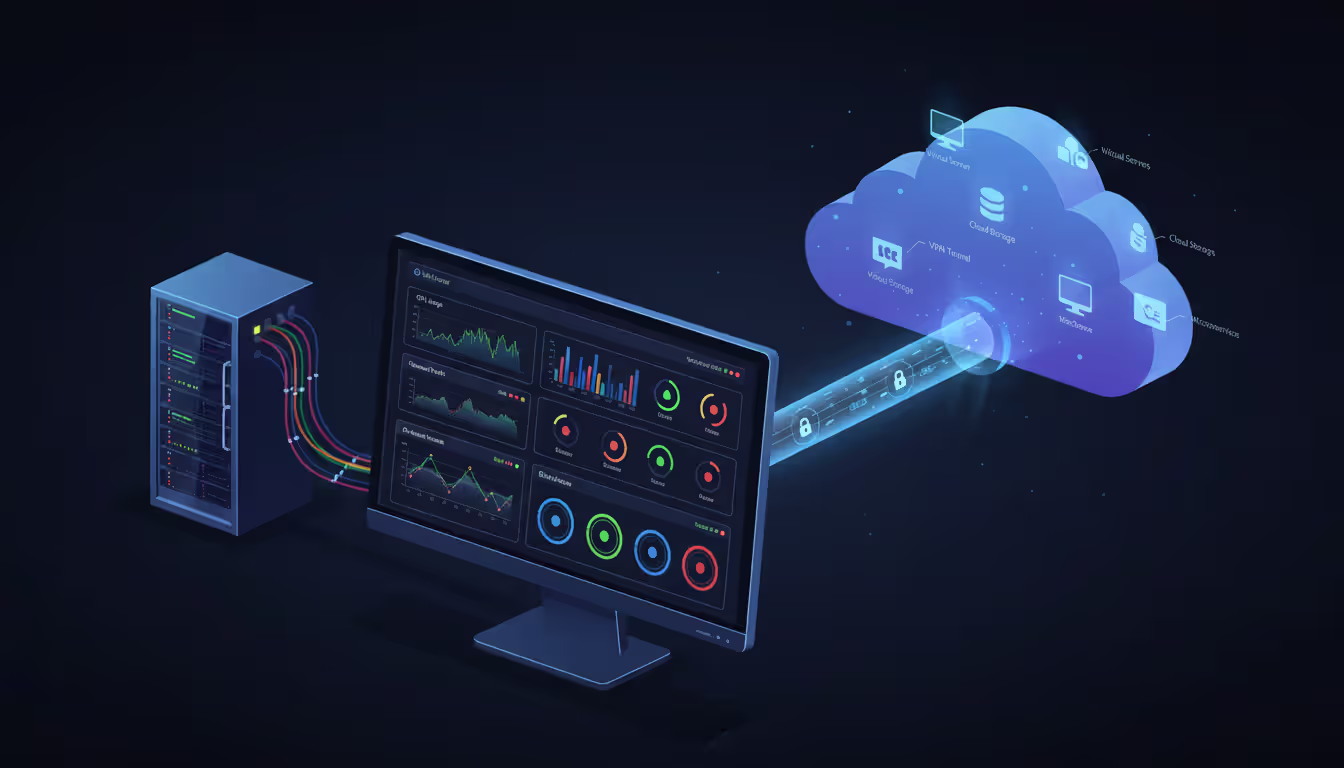
Modern data center server room on the left connected by glowing network lines to an abstract cloud infrastructure visualization on the right, representing hybrid IT infrastructure concept
Where should your applications actually run? It's a question that keeps CTOs up at night, and for good reason. Pick wrong, and you're stuck with either a bloated cloud bill that makes your CFO wince or on-premise gear gathering dust in a data center.
The stakes are real. Your choice between cloud, on-premise, or hybrid infrastructure ripples through every corner of your business—from how much you spend each month to whether you can pass your next compliance audit. It determines if your team can spin up a new environment in ten minutes or waits six weeks for hardware to arrive.
We'll walk through what actually separates these models in practice, show you the real numbers behind the "cloud is cheaper" myth, and help you figure out which setup makes sense for your situation.
What Are Cloud, On-Premise, and Hybrid Models
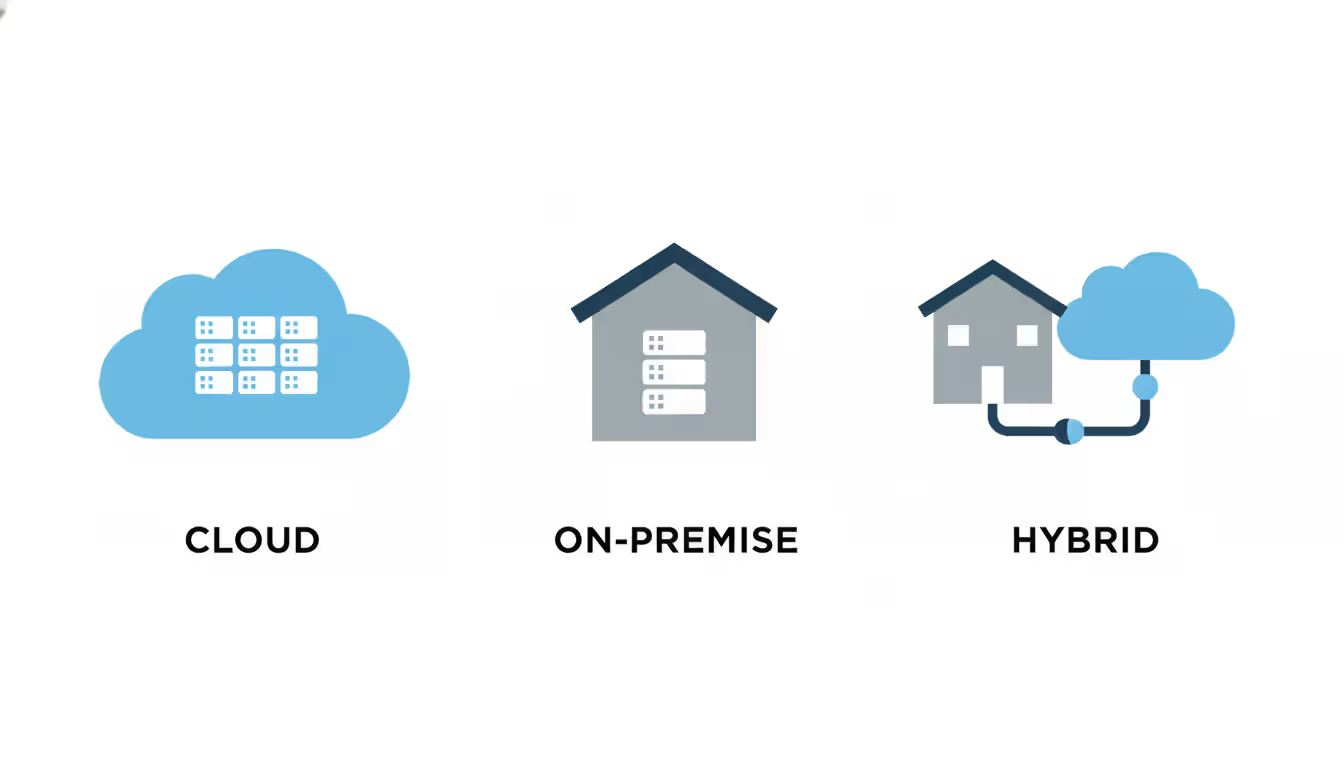
Cloud infrastructure puts your apps and data on someone else's servers—AWS, Azure, Google Cloud, or similar providers. They own the hardware, handle the headaches, and charge you monthly based on usage. Need more capacity? Click a button. Want less? Scale down and watch your bill drop.
What makes cloud distinct? You can provision a 64-core server in five minutes. You're not buying anything—just renting compute power and storage. The provider patches security holes, replaces failed drives, and keeps the lights on. Your credit card gets charged for exactly what you used last month.
Companies use cloud for all sorts of things: hosting their website, running development sandboxes, processing seasonal spikes (think tax software in April), or deploying mobile app backends that need to reach users globally.
On-premise infrastructure means actual servers humming away in your own building or data center. You purchased the equipment. Your team racked and cabled it. When something breaks at 2 AM, your infrastructure engineer drives to the office to fix it.
You decide everything—which firewall rules to configure, what operating system versions to run, exactly where every byte of data sits. Banks often run their core transaction systems this way. Defense contractors definitely do. Sometimes it's about regulatory requirements. Other times, it's legacy apps built in 2005 that would cost millions to rewrite for cloud.
Hybrid infrastructure mixes both approaches, connecting your on-premise gear to cloud platforms through secure networking. Maybe your customer database stays on-premise while your mobile app runs in AWS. Or production lives in your data center, but you burst into cloud capacity when Black Friday traffic hits.
A hospital might store patient records on-premise (HIPAA requirements are brutal) while using cloud-based analytics to spot pneumonia trends across their network. A manufacturer keeps their factory floor systems local—you can't have internet hiccups shutting down an assembly line—but runs their global supply chain dashboard in the cloud where distributors worldwide can access it.
Author: Nicole Bramwell;
Source: milkandchocolate.net
Cloud vs On Premise Comparison Chart
These models differ in ways that matter when you're trying to keep systems running and budgets under control. Here's how they stack up across the factors that actually impact your day-to-day operations.
Criteria
Cloud
On-Premise
Hybrid
Cost Structure
Monthly billing, pay for consumption, no hardware to buy
Big upfront check for equipment, depreciate over 3-5 years
Split personality: buy some servers, rent cloud resources monthly
Scalability
Add capacity in minutes, scale down just as fast
Stuck with what you bought until next budget cycle
Use cloud when you need extra muscle, keep baseline on-premise
Security Control
Provider locks down their layer, you handle yours
You're responsible for the whole stack, top to bottom
Protecting two environments plus the pipes between them
Your team does it all—firmware, OS patches, failed component replacement
Maintain on-premise gear yourself, cloud stuff handled by provider
Data Control
Sits in provider's facility alongside other customers' data
Your data center, your control, nobody else's stuff mixed in
Keep sensitive bits on-premise, everything else wherever makes sense
Compliance
Providers have certifications, but some regulations flat-out prohibit cloud
Easier to satisfy data residency rules and niche industry requirements
Regulated workloads stay on-premise, flexibility for everything else
Deployment Speed
Provision new resources before your coffee gets cold
Order hardware in June, maybe get it running by September
Depends which side you're deploying to
Disaster Recovery
Geographic redundancy built in, automated snapshots
Need a second site, duplicate equipment, replication setup
Cloud makes a cheap DR target for on-premise production systems
Performance differences show up in predictable patterns. Cloud shines when traffic varies—your e-commerce site during holiday sales, or video encoding jobs that spike randomly. On-premise delivers consistent, low-latency access when you're crunching through petabytes stored locally or driving specialized hardware like the GPU farms used for training large language models.
Security isn't better or worse in either model—it's different. AWS probably has better physical security than your office building. They definitely spend more on DDoS mitigation than you could. But you're trusting their controls and sharing infrastructure with who-knows-what other workloads. On-premise means you control every layer, but also means you're solely responsible when something goes wrong.
Cloud vs On Premise Cost Comparison
Let's run the actual numbers for a realistic deployment: 50 virtual machines, 200TB storage, enough to run a mid-sized SaaS application or support a 500-person company's internal systems.
Cost Component
Cloud (3-Year)
On-Premise (3-Year)
Hybrid (3-Year)
Initial Investment
$0 upfront
$180,000 for servers, storage, switches, installation labor
$90,000 for smaller on-premise footprint
Monthly Infrastructure
$12,000/month = $432,000 over three years
Already paid upfront
$6,000/month cloud portion = $216,000 total
Maintenance & Support
Baked into monthly fee
$45,000 (roughly 15% of hardware cost annually)
$30,000 just for on-premise equipment
Staffing
$240,000 for two cloud-focused engineers
$360,000 for three infrastructure specialists
$300,000 for 2.5 engineers managing both
Power & Cooling
Provider's problem
$27,000 at $750 monthly
$13,500 for reduced on-premise load
Disaster Recovery
Geographic replication included
$60,000 for separate DR site plus duplicate gear
$15,000 using cloud as DR target
3-Year TCO
$672,000
$672,000
$664,500
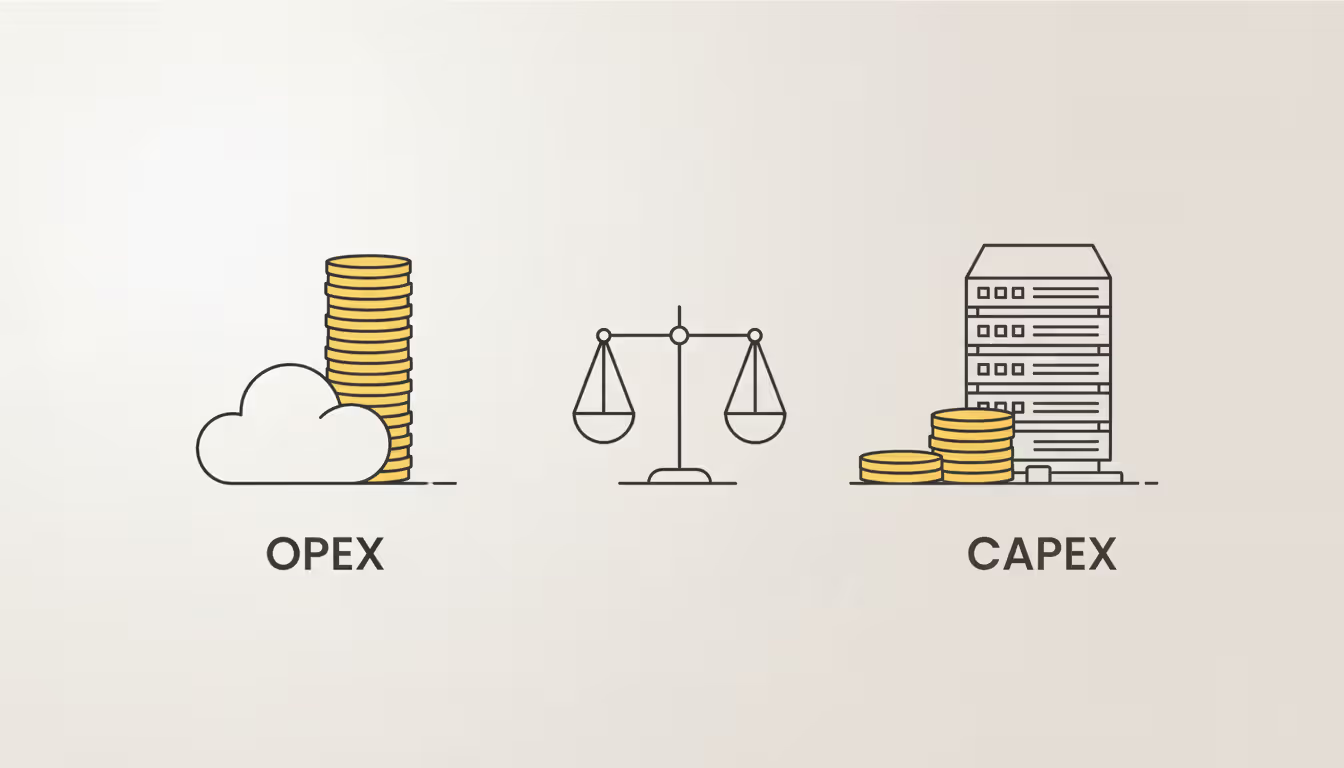
Surprised they're nearly identical? Most people are. The difference isn't total cost—it's when you pay it and how it shows up on financial statements. Cloud means zero upfront but higher monthly expenses forever. On-premise hits your budget hard on day one, then coasts on cheaper operational costs.
Watch out for the gotchas that don't appear in marketing materials. Cloud egress fees bite hard when you're pulling data out regularly. One company I know transfers 10TB monthly from AWS to their on-premise analytics cluster—that's $900/month just for the privilege of accessing their own data. Forgotten test instances left running rack up charges. We've all seen the horror story of someone's weekend side project accidentally spinning up hundreds of instances and generating a $50,000 bill.
On-premise has its own hidden costs. Your building might need HVAC upgrades to handle server heat loads. Compliance audits cost more when you own the infrastructure. And that $180,000 spent on servers could have generated returns in your actual business instead of depreciating at 20% annually.
Think beyond the spreadsheet. Cloud lets you test a new product idea in Singapore without flying someone there to install equipment. You can experiment, fail fast, and shut down the resources without eating sunk costs. On-premise means committing months in advance to capacity decisions you're making with incomplete information.
Author: Nicole Bramwell;
Source: milkandchocolate.net
When to Choose Hybrid Infrastructure
Hybrid makes sense when forcing everything into one bucket creates more problems than it solves. You're not compromising—you're optimizing each workload for its actual requirements instead of applying one-size-fits-all thinking.
Business scenarios where hybrid solves real problems:
A manufacturing company runs their machine control systems on-premise because 50-millisecond latency to a cloud API could halt a production line. But their demand forecasting models run in Azure where they can spin up 500 cores for quarterly planning cycles, then spin them down. Keeping control systems local ensures reliability. Using cloud for analytics means not buying hardware that sits idle 11 months a year.
Retail chains maintain point-of-sale infrastructure in regional data centers. When internet connectivity fails, stores can still process credit cards and complete sales. Meanwhile, their e-commerce platform runs entirely in cloud to handle Black Friday traffic spikes that would require buying 10x more on-premise capacity than needed the rest of the year.
Banks keep their core banking ledger on-premise—regulators want to know exactly where account balances live, and moving billions in transactions to cloud raises questions nobody wants to answer. Their fraud detection system? That's in the cloud, ingesting transaction streams and running machine learning models that would cost a fortune to build on-premise.
A genomics research lab stores patient DNA sequences on-premise to satisfy IRB privacy requirements. But the actual sequence alignment computations that require thousands of CPU cores for a week? Those run in Google Cloud because buying enough hardware for peak analysis loads makes no financial sense.
Industries leaning into hybrid include healthcare (clinical data on-premise, imaging analysis in cloud), government (classified material on-premise, citizen services in cloud), and media companies (content creation on-premise, global streaming distribution through cloud CDNs).
Migrating from purely on-premise to hybrid works best in phases. Start with low-stakes workloads—your dev environment, QA systems, maybe that internal wiki nobody cares about. Your team learns cloud concepts without risking production. Next, move the workloads that obviously benefit from cloud economics: backup storage, disaster recovery, seasonal batch jobs, anything with spiky demand.
Keep the latency-sensitive stuff close. Keep the regulated data wherever your lawyers say it must live. Keep the legacy apps that would cost $2 million to refactor exactly where they are.
Connecting the two sides matters more than most people realize. A single internet connection becomes your single point of failure. We've seen companies spend hundreds of thousands on redundant cloud infrastructure, then have everything grind to a halt because their office internet went down. Pay for redundant network paths. Monitor latency obsessively. Budget for AWS Direct Connect or Azure ExpressRoute if you're passing serious traffic between environments.
Balancing workloads means constantly optimizing. Check your cloud bill monthly—tag everything so you know which department or project is burning money. We've found idle database instances costing $400/month that were spun up for a project abandoned six months ago. Track application performance to catch when cross-environment chattiness creates bottlenecks. Review security settings quarterly because someone always opens port 22 to the world "just for a minute" then forgets to close it.
Author: Nicole Bramwell;
Source: milkandchocolate.net
Implementation Challenges and Solutions
Each approach brings its own headaches. Ignoring them doesn't make them go away—it just makes them surprise you at the worst possible time.
Cloud problems usually revolve around runaway costs and skill shortages. Without governance, cloud spending grows 30-40% yearly as engineers launch resources freely. One startup we worked with had 300+ forgotten EC2 instances—test servers their developers spun up and never terminated. They were burning $8,000 monthly on resources nobody was using.
Fix this with tagging requirements that assign every resource to a cost center and owner. Set up billing alerts at thresholds that matter ($5k, $10k, $25k per month). Require approval workflows for large instance types. Shut down non-production resources nights and weekends—why pay for development servers when developers are asleep?
Vendor lock-in worries are justified. Build your app using AWS Lambda, API Gateway, and DynamoDB, and good luck moving to Azure without a complete rewrite. Container orchestration helps—Kubernetes runs anywhere. So does sticking to standard databases and avoiding proprietary services for core logic. But accept that you'll lock in somewhat. That's the price of using managed services instead of running everything yourself.
On-premise headaches center on long lead times and capacity guessing games. Order servers in January, maybe get them installed by March if nothing goes wrong with shipping or data center scheduling. Need capacity suddenly for a partnership opportunity? Too bad. You're planning next year's capacity based on this year's growth projections, praying you're not too far off.
Build in 20-30% capacity buffers. Yes, you're paying for unused resources. That's just reality when provisioning is measured in months.
Staff retention becomes critical when you're running specialized infrastructure. Lose your senior storage engineer who's the only one who truly understands that EMC array? You're in trouble for months. Document obsessively. Cross-train. Pay market rates for infrastructure talent because replacing these people is painful and expensive.
Hybrid multiplies complexity by forcing you to manage two different operational models simultaneously. Your team needs expertise in both vSphere and Azure, or whatever combination you've chosen. Network connectivity must stay solid and secure. We've seen hybrid implementations where the VPN between on-premise and cloud became the bottleneck for everything.
Identity management gets messy fast. Users need seamless access to both environments. That means directory synchronization, federated authentication, and consistent access policies. Good luck debugging why Susan can access the on-premise file server but not the cloud-based collaboration platform when the problem involves three different authentication systems.
Security policies must stay consistent even though the implementation differs. Your firewall might block RDP on-premise, but if someone misconfigures the Azure network security group to allow it, you've created an inconsistency that will bite you eventually.
Author: Nicole Bramwell;
Source: milkandchocolate.net
Training budgets need to grow. Cloud platforms ship new features weekly. AWS announces something new basically every day. Your team either invests time staying current or falls behind. On-premise teams need deep expertise in specific versions and configurations that don't change as fast but require mastery. Hybrid teams need both. Allocate 5-10% of IT time for training, certifications, and keeping skills fresh.
Security and Compliance Considerations
Where your data physically exists matters in ways that have nothing to do with technology. GDPR says EU citizen data must stay in the EU. Chinese regulations require certain data to stay in China. HIPAA doesn't technically prohibit cloud, but good luck explaining to auditors why patient records are stored on shared infrastructure in a data center you've never visited.
Cloud providers operate data centers globally, but you must configure your applications to honor geographic restrictions. Accidentally replicate EU customer data to a US region? That's a GDPR violation. Most breaches we see aren't provider failures—they're configuration mistakes.
Different industries face different regulatory hurdles. Healthcare organizations deal with HIPAA, which requires specific technical safeguards and business associate agreements with anyone touching patient data. SOC 2 reports verify cloud providers maintain appropriate controls, but passing your audit still depends on how you've configured their services.
The payment card industry's PCI DSS requirements apply to anyone processing credit cards. Cloud providers offer PCI-compliant infrastructure, but your application code must also meet requirements. Smart companies avoid storing card numbers entirely, using tokenization services that handle the compliance burden.
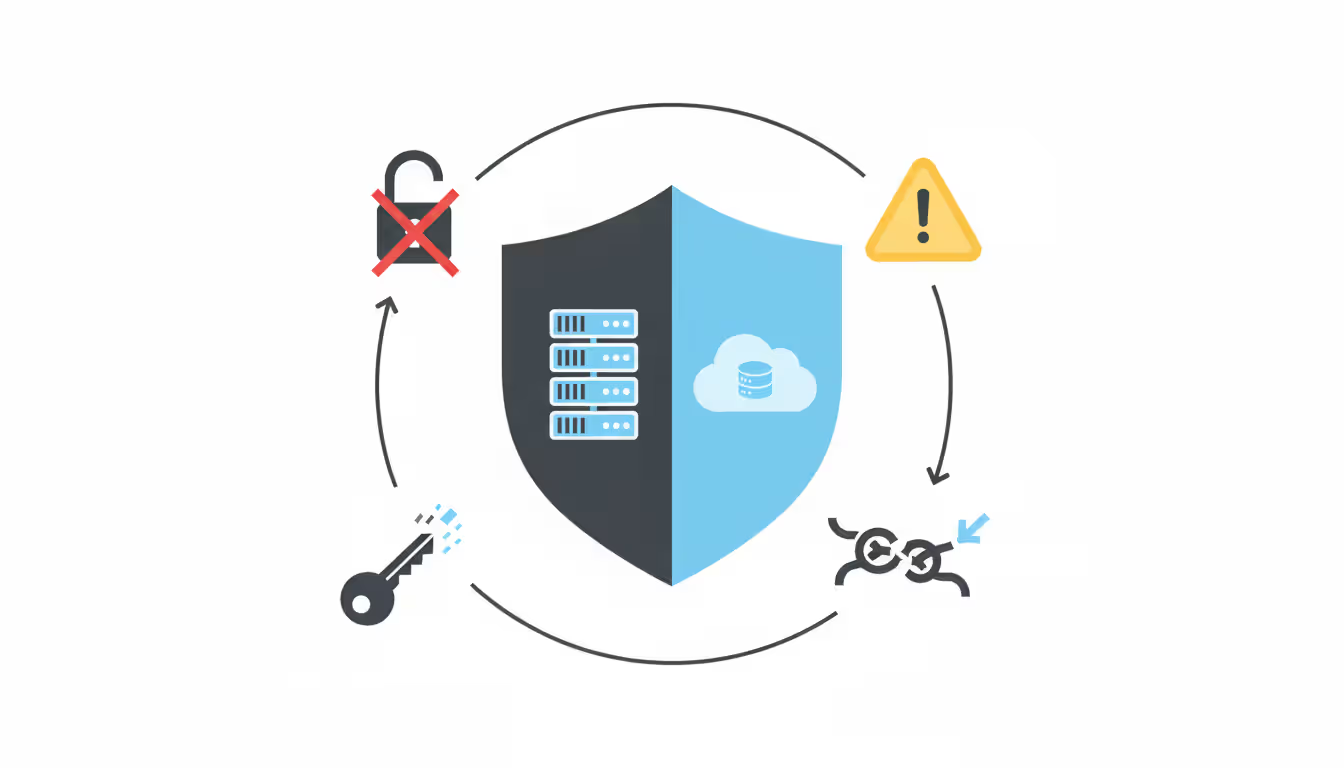
Security responsibilities split differently depending on your model. In cloud, the provider locks down physical facilities, network infrastructure, and the hypervisor running your virtual machines. You're on the hook for OS patches, application security, access controls, and data encryption. Confusion about this division causes most breaches—leaving an S3 bucket world-readable or running databases without encryption because "that's the cloud provider's job."
With on-premise, everything falls on you. Physical access controls, network architecture, intrusion detection, incident response, all of it. Maximum control, maximum responsibility. A determined attacker might compromise you through social engineering, physical break-in, or compromised hardware delivered from manufacturers.
Compliance requirements often make the deployment decision for you in regulated industries.We maintain protected health information on-premise where we control every layer of security—the physical servers, network, storage, everything. But de-identified research datasets and our patient portal? Those run in cloud where we get better scalability and disaster recovery. Hybrid gives us compliance for regulated data while keeping the benefits of cloud innovation for everything else
— Sarah Chen
Hybrid environments triple your attack surface: on-premise infrastructure, cloud resources, and the network connections linking them. Encrypt everything in transit—TLS 1.3 minimum, or IPsec for site-to-site VPNs. Segment networks so a breach on one side can't automatically jump to the other. Feed logs from both environments into a unified SIEM so you can spot attack patterns spanning both platforms.
Frequently Asked Questions
What is the main difference between cloud and on-premise?
Ownership and location are the fundamental splits. On-premise means you bought the physical servers sitting in your facility and you manage everything. Cloud means you're renting compute resources from a provider who owns the hardware in their data centers. This changes how you pay (big upfront purchase versus monthly bills), how much control you have (complete versus shared), and how fast you can scale (limited by what you bought versus virtually unlimited).
Is hybrid cloud more expensive than pure cloud?
Hybrid usually costs a bit less than pure cloud over a three-year window, but more than pure on-premise assuming you already own that equipment. The savings come from running steady workloads on hardware you already bought while using cloud only for variable demand. But hybrid complexity drives up operational costs—you need engineers skilled in both environments and tools to manage multiple platforms. Factor in those hidden costs when you're comparing options.
Can I switch from on-premise to cloud later?
You can, but complexity varies wildly based on how your apps are built. Modern applications using microservices and containers migrate relatively smoothly. Legacy monoliths with tight hardware coupling? Plan on substantial re-architecture work. Realistic timeline for complex enterprise apps: 6-18 months including testing, training, and running both systems in parallel during transition. Many organizations go hybrid as a stepping stone rather than jumping straight to full cloud.
Which model offers better data security?
Security quality depends on implementation, not deployment location. Major cloud providers spend billions on security infrastructure and employ dedicated security teams that most individual companies can't match. But you share responsibility and must configure services correctly—most cloud breaches are customer misconfiguration, not provider failures. On-premise gives complete control but requires serious expertise and investment to do well. Both models can be highly secure or terrible depending on execution.
How long does it take to deploy each infrastructure type?
Cloud resources deploy in minutes. Launch a VM in 5 minutes. Provision a complete application stack in 2 hours. On-premise deployment takes 8-16 weeks: hardware procurement (6-8 weeks), physical installation (1-2 weeks), configuration and testing (2-4 weeks), then finally production deployment. Hybrid timing depends on what you're deploying—cloud components go fast, on-premise additions follow the slow timeline.
What percentage of companies use hybrid infrastructure?
Current industry surveys from 2026 show roughly 72% of large enterprises running hybrid infrastructure that combines on-premise systems with public cloud. That's up significantly from 58% in 2023. Small businesses show lower adoption around 35%, mainly because they never had much on-premise infrastructure to begin with. Heavily regulated sectors like financial services and healthcare push 85-90% hybrid adoption—they're forced to keep certain data on-premise by regulation while business pressures drive other workloads to cloud platforms.
Choosing between cloud, on-premise, and hybrid boils down to matching your actual requirements against each model's strengths. No single answer works for every company or even every application within the same business.
Cloud excels when you need rapid scaling, global reach, or want to avoid capital expenditures. On-premise fits latency-critical applications, strict regulatory environments, or situations where you've already invested heavily in data center facilities. Hybrid lets you optimize placement for each workload—maintaining control where required while grabbing cloud benefits where they make sense.
Start by inventorying what you're actually running. Which applications face variable demand? Which ones fall under regulatory restrictions? Which need millisecond response times? Match these concrete requirements to each model's capabilities instead of forcing everything into one bucket because it sounds simpler.
The infrastructure landscape keeps evolving. Edge computing pushes processing closer to data sources. Kubernetes creates consistent platforms across on-premise and cloud. Confidential computing protects data even during processing. These technologies blur the traditional boundaries, giving you more options for where and how you run workloads.
Build flexibility into whatever you choose today. Avoid deep architectural dependencies on specific platforms. Containerize applications where it makes sense. Document everything thoroughly. Your infrastructure decisions shouldn't paint you into a corner—they should enable business capabilities you'll need tomorrow but can't quite predict today.
Zero trust VPN fundamentally changes remote access security by continuously verifying identity and device posture before granting application-level access. Unlike traditional VPNs that trust authenticated users across entire networks, zero trust solutions enforce micro-segmentation and never assume trust
WiFi 6E adds 59 channels in the 6 GHz band, providing clean spectrum for high-speed connections. Learn how channel allocation works, real-world speed differences versus WiFi 6, tri-band operation, and whether the technology justifies the cost premium for your specific environment
Organizations with distributed locations depend on reliable WAN connectivity. This guide covers monitoring methods, performance metrics, common issues, tool selection, and implementation best practices to maintain network health across geographic distances
Web based and cloud based systems differ fundamentally in infrastructure, scalability, and costs. Web based systems run on fixed servers with predictable expenses, while cloud platforms offer elastic scaling with usage-based pricing. Learn which architecture fits your monitoring, remote access, or enterprise needs
The content on this website is provided for general informational purposes only. It is intended to offer insights, commentary, and analysis on cloud computing, network infrastructure, cybersecurity, and IT solutions, and should not be considered professional, technical, or legal advice.
All information, articles, and materials presented on this website are for general informational purposes only. Technologies, standards, and best practices may vary depending on specific environments and may change over time. The application of any technical concepts depends on individual systems, configurations, and requirements.
This website is not responsible for any errors or omissions in the content, or for any actions taken based on the information provided. Users are encouraged to seek qualified professional advice tailored to their specific IT infrastructure, security, and business needs before making decisions.