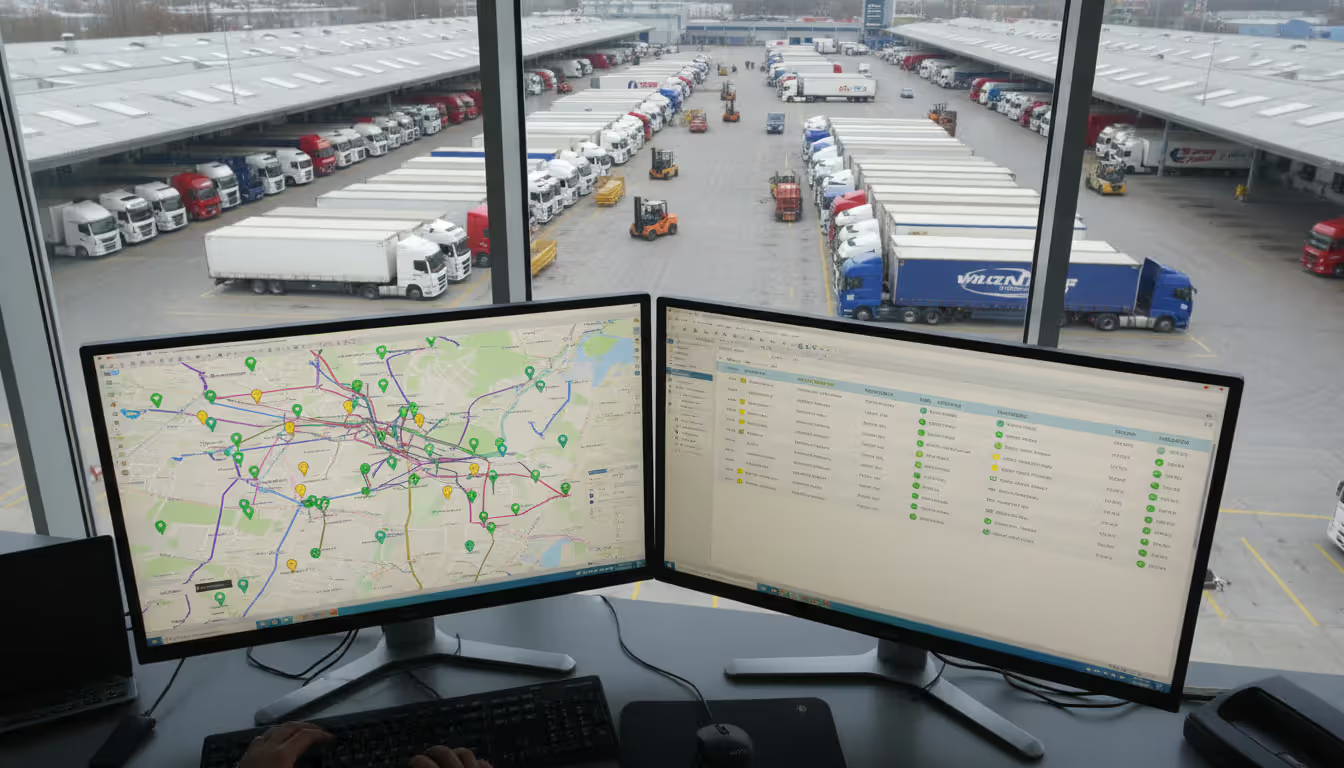
IT operations center with large monitoring screens displaying device dashboards, network maps, and performance graphs, with professionals working at workstations
Picture this: your company runs 3,000 point-of-sale terminals across 200 retail locations. One morning, half of them won't connect to your payment processor. Without remote management, you'd be coordinating site visits, burning through overtime, and watching sales evaporate. With it? Your team identifies a corrupted config file, pushes the fix, and has everything running in 90 minutes.
That's the practical difference we're talking about here.
What Is Remote Management?
Remote management lets you monitor, configure, and fix devices without being in the same room—or even the same country. Think of it as having a direct line into every piece of hardware your organization depends on.
Here's what separates it from basic remote access: Remote desktop tools like TeamViewer give you control over one computer at a time. You're essentially sitting at someone else's desk. Remote management? You're overseeing entire populations of devices simultaneously. Hundreds, thousands, sometimes millions of endpoints reporting status, accepting updates, and following policies you set centrally.
The basic toolkit includes live health monitoring (CPU loads, memory usage, network throughput), configuration pushes that standardize settings across your fleet, software deployment that happens while you sleep, diagnostic log collection when things go sideways, and command execution that touches every device in scope.
Why do organizations actually use this stuff? Four big reasons:
Travel costs money. A field tech visit runs $150-400 depending on location and urgency. Multiply that by hundreds of incidents monthly, and you're bleeding cash. Remote fixes cost essentially nothing beyond the admin's time.
Downtime costs more. Every minute a critical system sits broken, revenue stops or productivity tanks. Remote management cuts your mean time to resolution from hours (or days) to minutes in many cases.
Consistency prevents chaos. When admins manually configure 50 devices, you get 50 slightly different implementations. Push one golden config remotely, and you get actual standardization.
Compliance demands proof. Auditors want evidence that security patches deployed within required timeframes. Remote management platforms generate that documentation automatically.
Real example: A regional hospital network manages 400+ medical devices across six facilities. Their biomedical engineering team gets alerted when an infusion pump's calibration drifts outside acceptable ranges. They can review usage logs, check firmware versions, and sometimes recalibrate remotely—all before the device impacts patient care. Before implementing remote management in 2019, they employed four full-time techs just driving between sites checking equipment. Now? Two techs handle the same workload with better outcomes.
Author: Trevor Langford;
Source: milkandchocolate.net
How Remote Management Systems Work
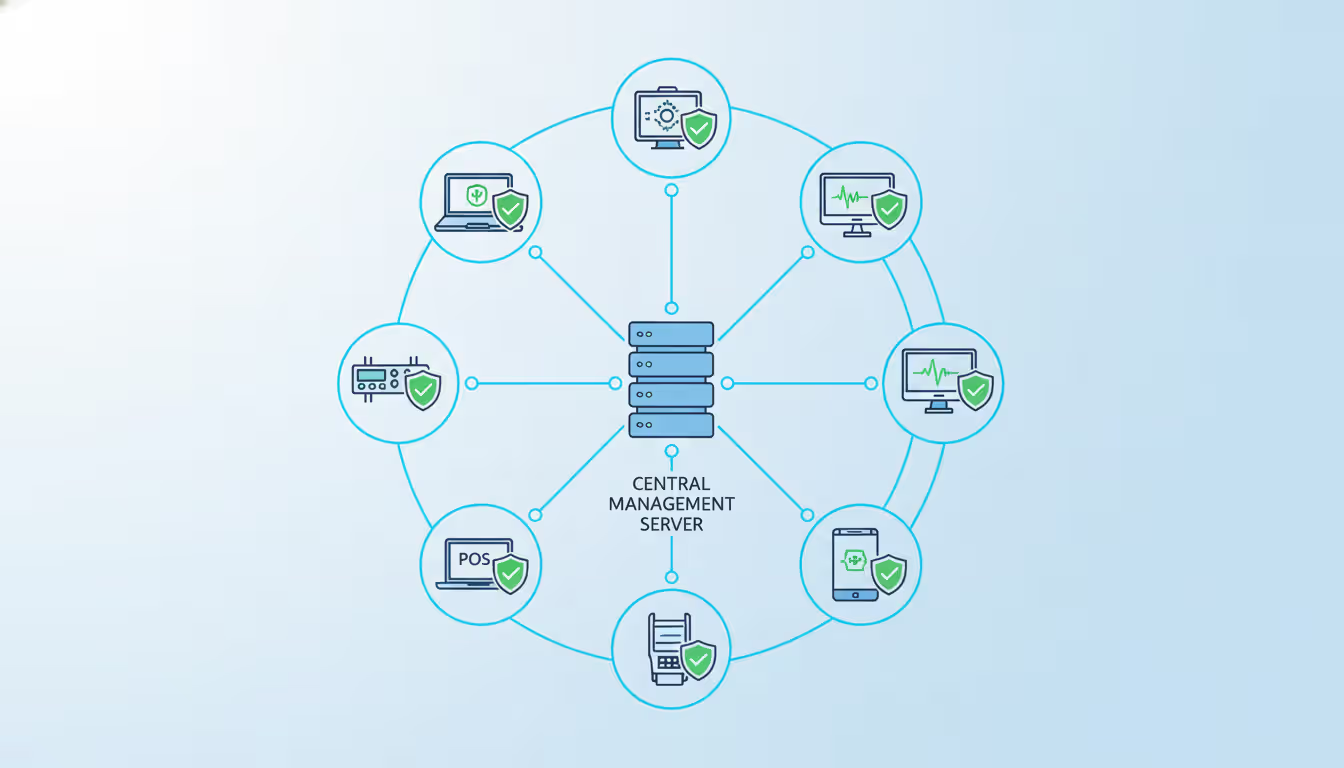
Most platforms use what's called agent-based architecture. You install a lightweight software agent on each device you want to manage. That agent maintains contact with a central management server, phones home with status updates, and executes commands the server sends down.
Connection topology varies based on your network setup. If everything lives on the same corporate network, direct connections work fine—agents talk straight to the server. For distributed deployments (retail chains, remote offices, field equipment), agents typically initiate outbound connections through your firewall. This avoids the security nightmare of punching holes for inbound traffic. Some implementations use relay servers sitting in DMZ zones, acting as middlemen between isolated network segments.
The communication stack has layers. Transport encryption (TLS 1.3 these days) wraps everything. On top of that, you'll find either proprietary binary protocols optimized for speed or REST APIs over HTTPS for broader compatibility. IoT scenarios increasingly use MQTT—it's lightweight, handles spotty connections gracefully, and doesn't waste bandwidth.
Security-wise, think defense in depth. Certificate-based mutual authentication means both sides verify identity before exchanging data. No cert, no conversation. Role-based access control determines who can do what to which devices. Your helpdesk tech can restart services but can't wipe drives. Audit logs capture every action—who did what, when, to which device. Modern platforms increasingly adopt zero-trust models: continuous verification of device health before granting management access, not just one-time authentication.
Data flow follows a rhythm. Agents collect metrics at intervals you define (every 30 seconds for critical systems, every 5 minutes for less important stuff). They compress the payload, encrypt it, and transmit to the server. The server dumps this into time-series databases optimized for fast queries across millions of data points. When you issue a command, the server queues it. Delivery happens either on the next agent check-in or immediately if you're running persistent connections.
The shift toward agent-based architectures with built-in intelligence represents a fundamental change in how organizations think about device management. Modern systems no longer require constant connectivity—they make smart decisions at the edge and synchronize when possible
— Sarah Chen
One detail most people miss: intelligent agents can execute pre-programmed responses to common conditions without server involvement. High CPU usage? Restart the problematic service automatically. Low disk space? Purge temp files and alert if that doesn't help. This local autonomy keeps things running even when connectivity drops.
Types of Remote Management Platforms
Platform choices break down along several axes. Let's walk through the major categories and what they actually mean for your deployment.
Cloud-based platforms put all the server infrastructure in the vendor's data centers. You access the management console through a web browser. Your agents make outbound connections to the cloud service. The appeal? Zero infrastructure headaches. No servers to rack, patch, or replace when they die. Instant scalability—add 1,000 devices tomorrow without ordering hardware. The vendor handles updates, security patches, and keeping everything running.
The downsides? Monthly subscription costs forever. You're dependent on internet connectivity—both for admin access and agent check-ins. Data residency becomes a question: your device telemetry lives in someone else's infrastructure, which creates compliance headaches for regulated industries.
Pricing typically runs $3-12 per device monthly. Sounds cheap until you're managing 10,000 endpoints.
On-premise platforms deploy servers in your own data centers. You control everything: hardware, network architecture, data storage, security policies. Integration with existing authentication systems (Active Directory, LDAP) works seamlessly. Operations continue even during internet outages—critical for manufacturing plants or utilities where uptime trumps everything else.
But you're buying hardware, hiring staff to maintain it, and manually managing upgrades. Year-one costs typically exceed cloud alternatives significantly. Multi-year TCO might favor on-premise at scale (5,000+ devices), but you need the internal expertise to run it properly.
Hybrid platforms split the difference. Core management functions run on-premise while specific features leverage cloud services—maybe mobile access, long-term data archiving, or advanced analytics. This accommodates organizations transitioning from legacy systems or managing devices across both internal networks and remote locations that can't reach corporate infrastructure.
Open-source solutions like Zabbix, Nagios, and OpenNMS give you source code access. No licensing fees. Total customization freedom. Security auditing without vendor black boxes. The catch? You need serious internal expertise. Deployment, customization, troubleshooting, security hardening—that's all on you. Community support exists but varies wildly in quality and speed compared to paid vendor support tickets.
Proprietary platforms from Microsoft, VMware, IBM, and others offer polished interfaces, integrated features, and professional support. You pay licensing fees (sometimes substantial ones), accept vendor lock-in, and live with whatever customization options they provide. The trade-off: faster deployment, less expertise required, someone to call when things break.
Industry-specific solutions address unique requirements. Healthcare platforms include HL7 integration and HIPAA compliance features baked in. Industrial control system platforms support OT protocols (Modbus, PROFINET, EtherNet/IP) that generic IT management tools don't understand. Telecom platforms handle massive scale with specialized features for network equipment.
Platform Type
Deployment Model
Scalability
Cost Structure
Maintenance Requirements
Security Control
Best Use Cases
Cloud-based
Vendor's data centers, web console access
Add capacity instantly, no hardware limits
$2-15/device/month, scales with fleet size
Vendor handles patches, updates, infrastructure
Shared responsibility—vendor secures infrastructure, you manage access
Small to mid-size businesses, distributed workforces, organizations wanting fast deployment
On-premise
Your servers, your network
Constrained by hardware you purchase
Upfront license ($10k-100k+) plus hardware investment
Internal IT team required for updates, patches, troubleshooting
Complete control over every security layer
Large enterprises, regulated industries, air-gapped facilities, compliance-heavy environments
Hybrid
Mix of local servers and cloud components
Flexible design allows targeted scaling
Combined upfront and subscription costs
Split between internal and vendor based on architecture
Customize per component and data sensitivity
Multi-site organizations, companies in transition, mixed connectivity scenarios
Key Features to Look for in a Remote Management Device
Evaluating remote management means looking at both the platform software and the device hardware. Certain capabilities matter more than vendors admit during sales pitches.
Out-of-band management separates the heroes from the pretenders. Technologies like Intel AMT (Active Management Technology) or server BMC (Baseboard Management Controller) operate independently from the main operating system. The OS crashes hard? Blue screen of death? Kernel panic? Doesn't matter—you can still power cycle the device, access BIOS settings, or view console output. This turns "send a tech with a car" situations into "fixed it from my desk" wins.
Without out-of-band access, you're blind when devices fail catastrophically. With it, you're resolving issues that competitors would need site visits to address.
Monitoring depth determines whether you're actually preventing problems or just documenting failures. Simple up/down status monitoring ("is it pingable?") barely scratches the surface. You want CPU utilization, memory consumption, disk I/O patterns, network throughput, and application-specific metrics. Temperature sensors. Fan speeds. Power supply status.
Threshold-based alerting with escalation policies ensures the right people get notified at appropriate urgency levels. Disk 70% full? Email the team. Disk 90% full? Page the on-call admin. Historical trending reveals gradual degradation—maybe memory usage creeps up 2% monthly, signaling a slow leak that'll cause an outage in six months if unaddressed.
Automation frameworks eliminate repetitive grunt work. Script execution engines triggered by specific conditions create self-healing systems. High CPU usage on a device? Automatically restart the service consuming resources, collect diagnostic logs, and notify support if the restart doesn't resolve it. All without human intervention.
The best platforms support multiple scripting languages (PowerShell for Windows environments, Python for cross-platform work, Bash for Linux fleets). This flexibility accommodates whatever expertise your team already has.
Reporting engines transform raw telemetry into actionable intelligence. Compliance reports prove patch deployment met regulatory timeframes. Performance summaries identify underutilized resources or capacity constraints. Inventory audits track software licenses. Scheduled delivery puts reports in stakeholder inboxes automatically—no one remembers to generate them manually every month.
Custom report builders matter more than pre-built templates. Your organization has unique metrics and formatting requirements that vendors didn't anticipate.
Scalability determines your growth ceiling. Can the platform handle 500 devices? 5,000? 50,000? Architecture choices impact these limits: database performance, network bandwidth requirements, server resource consumption. Test at 150% of your anticipated device count. Growth always exceeds projections, and hitting platform limits at awkward times creates expensive emergency migrations.
Integration options extend platform value into your existing ecosystem. REST APIs enable custom integrations with ticketing systems (ServiceNow, Jira), configuration management databases, business intelligence tools, and communication platforms (Slack, Teams). Pre-built connectors accelerate deployment. Building integrations from scratch works but burns time you probably don't have.
Credential management protects sensitive authentication data. Secure vaults store passwords, API keys, certificates with encryption at rest. Rotation policies force regular updates, reducing exposure from compromised credentials. Privilege escalation controls let agents run with minimal permissions until specific tasks require elevated access—principle of least privilege in action.
Here's a feature most evaluations skip: bandwidth optimization. Devices on cellular connections or satellite links pay for every megabyte transmitted. Platforms with intelligent compression, differential updates (only sending what changed), and configurable sync schedules can slash bandwidth consumption 70-80% compared to naive implementations. For IoT deployments with thousands of devices on metered connections, this drives real cost savings.
Author: Trevor Langford;
Source: milkandchocolate.net
Common Use Cases for Remote Management of Devices
Remote management applications span wildly different industries. Each brings distinct challenges and requirements.
IT infrastructure management remains the most mature application. Sysadmins manage servers, workstations, network switches, storage arrays across data centers and branch offices. A financial services firm running 15,000 endpoints across forty locations pushes security patches overnight, monitors compliance with hardening standards, and troubleshoots user issues without dispatching techs. After-hours maintenance happens without overtime costs or business disruption.
The financial impact? One large bank calculated their remote management platform saved $4.2M annually in avoided truck rolls and reduced MTTR for critical systems.
IoT deployments involve managing massive device populations—sometimes millions of sensors, controllers, and edge devices. A smart city initiative deploying air quality sensors across urban infrastructure needs remote oversight to monitor sensor health, adjust sampling rates based on conditions, and update firmware when bugs surface or features get added.
These deployments challenge traditional approaches. Constrained devices with 2MB flash storage and 512KB RAM can't run heavyweight agents. Intermittent connectivity (devices sleeping to conserve battery, spotty cellular coverage) requires resilient protocols that handle gaps gracefully. MQTT and similar pub/sub messaging systems fit these scenarios better than traditional client-server architectures.
Fleet management extends beyond GPS tracking into comprehensive device oversight. A logistics company managing 2,000 trucks oversees GPS trackers, electronic logging devices, dash cameras, telematics units, and refrigeration monitors (for temperature-sensitive cargo). Remote management enables firmware updates during scheduled maintenance, diagnostic data collection for predictive maintenance, and immediate response to device failures impacting regulatory compliance.
Specific example: A national freight company discovered their ELD provider's firmware had a memory leak causing crashes every 72 hours. Their remote management platform let them monitor uptime across the fleet, confirm the pattern, push a firmware rollback in six hours, and collect evidence for their vendor dispute—all while drivers continued operating normally.
Author: Trevor Langford;
Source: milkandchocolate.net
Healthcare equipment management keeps critical medical devices operational and compliant. Biomedical engineering teams monitor infusion pumps, ventilators, patient monitors, imaging equipment across hospital networks. Real-time alerts signal when devices need calibration, usage-hour tracking triggers maintenance scheduling, and audit trails satisfy regulatory inspections.
During the 2023 Baxter infusion pump recall, organizations with robust remote management identified affected devices and pushed corrective updates within 48 hours. Hospitals relying on manual tracking took weeks, impacting patient care availability.
Industrial systems in manufacturing, energy, and utilities depend on remote management for operational technology environments. A utility managing substations across a regional grid monitors SCADA systems, programmable logic controllers, and remote terminal units. The platform provides visibility into equipment status, enables remote configuration changes, and alerts operators to anomalies signaling equipment failure or potential security incidents.
Air-gapped networks (physically isolated for security) require specialized architectures. Unidirectional data gateways allow telemetry out for monitoring while preventing any inbound control—an acceptable trade-off for high-security environments where observation matters more than remote manipulation.
Digital signage networks illustrate a niche but common application. Retail chains deploy screens for advertising and wayfinding across hundreds of locations. Remote management lets marketing teams push content updates coordinated with promotional campaigns, monitor display health, adjust brightness based on ambient light sensors, and troubleshoot playback issues without store visits. One administrator manages thousands of displays—impossible manually.
Common mistake: treating remote management purely as reactive incident response. The real value emerges from proactive monitoring and automation. Waiting for users to report problems wastes the platform's predictive capabilities. Establish baseline performance metrics, alert on deviations, and you'll catch issues in early stages when fixes are simple and non-disruptive.
How to Choose the Right Remote Management System
Selecting the right platform requires systematic evaluation. Organizations that rush this decision face expensive migrations or operational limitations within months.
Organization size and structure fundamentally shape requirements. Small businesses (under 100 devices) benefit from cloud-based solutions with simple per-device pricing and minimal internal expertise requirements. Multi-national corporations need platforms supporting multiple administrative domains, delegated management across regions, and localization for compliance requirements varying by country.
Mid-size organizations (500-5,000 devices) face the toughest choices. Cloud platforms scale easily but subscription costs add up. On-premise solutions require dedicated staff but offer better long-term economics. Many land in hybrid territory, running core infrastructure on-premise with cloud components for specific features.
Device types and diversity determine compatibility requirements. Homogeneous environments simplify selection—if you're 100% Windows, Microsoft's ecosystem provides deep integration. Heterogeneous environments with mixed operating systems, IoT devices, and specialized equipment demand platforms with broad protocol support and flexible agent architectures.
Confirm the platform explicitly supports your specific device models, not just general categories. "Supports Linux" doesn't guarantee compatibility with your obscure industrial Linux variant running kernel 2.6 for legacy application support.
Budget constraints extend beyond sticker price. Calculate total cost of ownership: implementation services, training, ongoing support contracts, infrastructure requirements (servers, network upgrades, backup systems for on-premise deployments), and internal staff time.
Cloud platforms shift costs to operational expenditure with predictable monthly fees. Budgeting is straightforward: devices × price × months. On-premise involves upfront capital expenditure (licenses, hardware, implementation) but potentially lower long-term costs at scale.
Get detailed pricing at your current device count AND 2x growth scenarios. Tier pricing structures sometimes create ugly surprises when you cross thresholds.
Compliance and regulatory requirements impose non-negotiable constraints. Healthcare organizations need HIPAA-compliant platforms with comprehensive audit logging and data encryption both in transit and at rest. Financial services require SOC 2 Type II attestations and support for regulatory reporting. Government contractors must meet CMMC or FedRAMP requirements depending on classification levels.
Verify vendors provide documentation and features supporting your specific compliance obligations, not generic security marketing claims. Request attestation reports. Talk to references in your industry dealing with identical regulations.
Network architecture impacts technical feasibility. Platforms requiring inbound connectivity to managed devices won't work in environments with strict firewall policies blocking unsolicited inbound traffic. Air-gapped networks need on-premise solutions with unidirectional gateway support. Bandwidth-constrained locations (satellite offices, remote industrial sites) benefit from platforms with aggressive data compression and configurable synchronization intervals.
Vendor stability and support matter for long-term success. Evaluate the vendor's financial health (publicly traded companies file reports; private companies you'll need to research), product roadmap (are they actively developing or maintenance mode?), and customer base size (more customers typically correlates with better support infrastructure).
Startups offer innovation but carry higher risk of acquisition or discontinuation. Established vendors provide stability but sometimes lag in adopting new technologies. Support quality varies dramatically—test responsiveness during evaluation by asking complex technical questions. Note response times and answer depth. If pre-sales support is terrible, post-sales won't improve.
Integration ecosystem determines how well the platform fits existing tools. Organizations invested heavily in Microsoft ecosystems prefer solutions with native Azure AD integration and robust PowerShell support. Linux-centric environments benefit from platforms built on open-source components with strong CLI tools.
Evaluate API documentation quality. Comprehensive, clear API docs with working examples signal vendors who expect (and support) integration work. Sparse documentation suggests afterthought APIs that'll frustrate your developers.
Author: Trevor Langford;
Source: milkandchocolate.net
Trial and proof-of-concept phases prove capabilities before commitment. Deploy in a controlled environment with representative device types and realistic use cases. Test edge cases: How does the platform behave when devices lose connectivity mid-task? Can it handle peak device check-in rates without degrading? Does reporting scale to your data volumes, or does generating a 10,000-device report timeout?
Document every issue encountered and vendor responsiveness. Bug discovered during POC? Watch how fast they acknowledge it, communicate status, and deliver fixes. That preview your ongoing support experience.
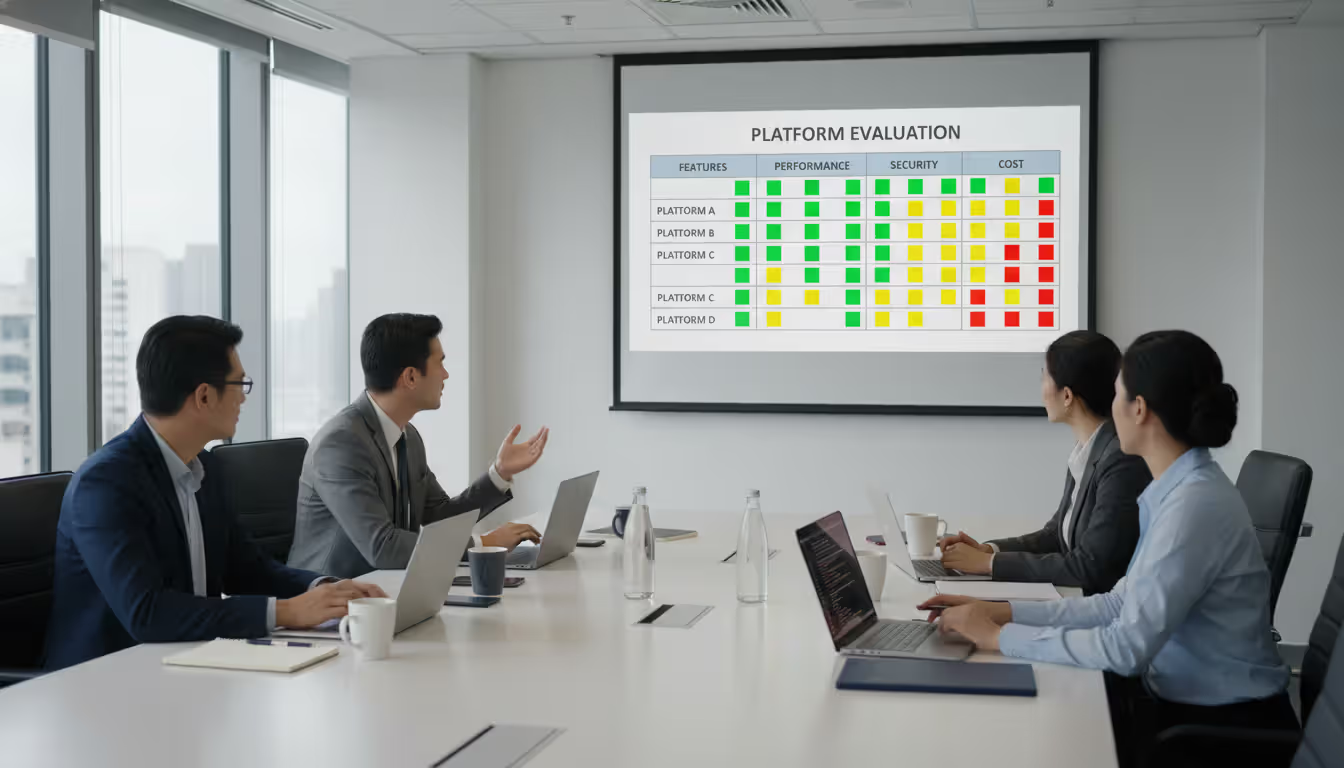
Practical approach: create a weighted scorecard listing your requirements, assign importance values (1-10), and score each candidate. This structured method prevents emotional decisions and provides documentation for stakeholder approval. Use specific requirements ("supports automated patch deployment to Windows 10/11 endpoints within 4-hour maintenance windows") rather than vague criteria ("good patch management").
Frequently Asked Questions About Remote Management
What's the difference between remote management and remote access?
Remote access tools (RDP, VNC, TeamViewer) give you control over a single computer's interface. You're seeing their desktop, moving their mouse, typing on their keyboard. It's like sitting at their desk remotely. Remote management platforms provide administrative oversight of many devices simultaneously. You're not controlling individual desktops—you're monitoring fleet health, pushing configuration changes, deploying software, and enforcing policies across hundreds or thousands of endpoints at once. Many management platforms include remote access as one capability among many, but their core value lies in population-level visibility and control, not one-off desktop sessions.
Is remote management secure?
Security depends entirely on implementation quality, not the concept itself. Well-architected platforms use encrypted communications (TLS 1.3), certificate-based authentication, role-based access controls limiting who can perform which actions, and comprehensive audit logging. Security risks emerge from poor configurations: default passwords left unchanged, management servers running unpatched software, overly permissive firewall rules, or weak credential management. The right question isn't "is remote management secure?" but "what specific security architecture does this platform use, and how are we implementing it?" Platforms requiring inbound firewall openings carry higher risk than those using outbound-only agent connections. Cloud platforms introduce shared responsibility models where vendors secure infrastructure but you're responsible for access management.
Can remote management work without internet connectivity?
Yes, but architecture determines feasibility. On-premise platforms managing devices on the same local network operate completely independently of internet connectivity. Everything stays within your four walls. Cloud-based platforms require internet access for the management console, though some support offline caching where agents continue executing existing policies during connectivity loss and synchronize changes when connection restores. Hybrid architectures with local relay servers provide middle ground, maintaining local management capabilities while periodically syncing to cloud services for advanced features, mobile access, or long-term data storage. For air-gapped or highly secure environments, on-premise is your only viable option.
How much does a remote management platform typically cost?
Pricing models vary wildly across vendors and deployment types. Cloud-based platforms charge $2-15 per device monthly depending on feature tiers (basic monitoring vs. advanced automation), commitment length (month-to-month vs. annual contracts), and volume discounts. Enterprise platforms sometimes charge per administrator seat ($500-2,000 annually) with unlimited device management. On-premise solutions involve upfront licensing ($10,000-$100,000+ based on device count tiers and module selection) plus annual maintenance fees (typically 18-22% of license cost) covering updates and support. Open-source platforms eliminate licensing costs but require internal expertise—budget for staff time, training, and professional services if needed. Calculate total cost of ownership including hidden expenses: implementation services, training, integration development, support contracts, and infrastructure costs for on-premise deployments.
What devices can be managed remotely?
Nearly any network-connected device with sufficient processing power to run agent software qualifies for remote management. Common categories: servers (Windows Server, RHEL, Ubuntu, Unix variants), workstations (Windows, macOS, Linux desktops), mobile devices through MDM platforms, network equipment (switches, routers, wireless access points), IoT sensors and controllers, industrial PLCs and SCADA systems, medical equipment, digital signage displays, point-of-sale terminals, security cameras, and building automation systems. Constraints include proprietary devices from vendors blocking third-party management agents (looking at you, certain consumer electronics manufacturers) and extremely resource-constrained devices lacking memory or processing power for agent software. Some specialized devices support agentless management through standard protocols (SNMP, IPMI) offering limited functionality compared to full agents.
Do I need special hardware for remote device management?
Standard network-connected devices work fine with software-based management agents—no special hardware required for basic functionality. Special hardware enhances capabilities in specific scenarios: out-of-band management cards (IPMI, iDRAC, iLO, Intel AMT) enable access when the operating system crashes or hangs, cellular modems provide backup connectivity when primary networks fail, hardware security modules (HSMs) protect cryptographic keys in high-security environments, and dedicated management network interfaces isolate management traffic from production workloads. Most organizations start with software-only approaches and add specialized hardware where specific use cases justify the additional cost. Servers and enterprise network equipment often include out-of-band management built-in; desktops and IoT devices typically don't.
Remote management fundamentally changes how organizations handle device administration. It shifts IT operations from reactive firefighting to proactive system oversight. Instead of dispatching techs when problems occur, you're identifying issues before they impact operations and resolving them from central locations.
The financial impact is measurable. Organizations implementing effective remote management consistently report 60-80% reductions in truck roll expenses, 40-50% improvements in mean time to resolution, and compliance audit preparation time cut by half or more. These aren't aspirational numbers—they're documented outcomes from organizations that actually deployed these systems properly.
Success requires matching platform capabilities to organizational realities, not vendor marketing promises. Small businesses benefit from cloud-based simplicity and predictable pricing. Enterprises with complex compliance requirements often need on-premise control and customization. The optimal solution balances current requirements against anticipated growth, integration needs with existing tools, and budget constraints across multi-year timeframes.
The technology continues evolving. Edge computing pushes more intelligence into agents, enabling autonomous decision-making based on local conditions rather than requiring constant server connectivity. Machine learning integration promises predictive maintenance that identifies failing components before they cause outages—analyzing patterns invisible to rule-based monitoring. As device populations grow and diversify (IoT adoption shows no signs of slowing), organizations without robust remote management capabilities face escalating operational costs and increasing risk exposure.
Implementation success depends less on platform selection than on operational discipline. Establish baseline performance metrics for your device populations. Define clear escalation procedures so everyone knows who handles what. Train staff thoroughly—platforms with powerful automation can cause real damage in untrained hands. Continuously refine automation workflows based on what actually happens in your environment, not vendor best practices designed for generic scenarios.
Organizations viewing remote management as ongoing operational discipline rather than one-time technology deployment realize the greatest value from their investments. The platform is a tool. How you use it determines whether you're cutting costs and improving reliability or just adding another underutilized system to your already complex environment.
Zero trust VPN fundamentally changes remote access security by continuously verifying identity and device posture before granting application-level access. Unlike traditional VPNs that trust authenticated users across entire networks, zero trust solutions enforce micro-segmentation and never assume trust
WiFi 6E adds 59 channels in the 6 GHz band, providing clean spectrum for high-speed connections. Learn how channel allocation works, real-world speed differences versus WiFi 6, tri-band operation, and whether the technology justifies the cost premium for your specific environment
Organizations with distributed locations depend on reliable WAN connectivity. This guide covers monitoring methods, performance metrics, common issues, tool selection, and implementation best practices to maintain network health across geographic distances
Web based and cloud based systems differ fundamentally in infrastructure, scalability, and costs. Web based systems run on fixed servers with predictable expenses, while cloud platforms offer elastic scaling with usage-based pricing. Learn which architecture fits your monitoring, remote access, or enterprise needs
The content on this website is provided for general informational purposes only. It is intended to offer insights, commentary, and analysis on cloud computing, network infrastructure, cybersecurity, and IT solutions, and should not be considered professional, technical, or legal advice.
All information, articles, and materials presented on this website are for general informational purposes only. Technologies, standards, and best practices may vary depending on specific environments and may change over time. The application of any technical concepts depends on individual systems, configurations, and requirements.
This website is not responsible for any errors or omissions in the content, or for any actions taken based on the information provided. Users are encouraged to seek qualified professional advice tailored to their specific IT infrastructure, security, and business needs before making decisions.