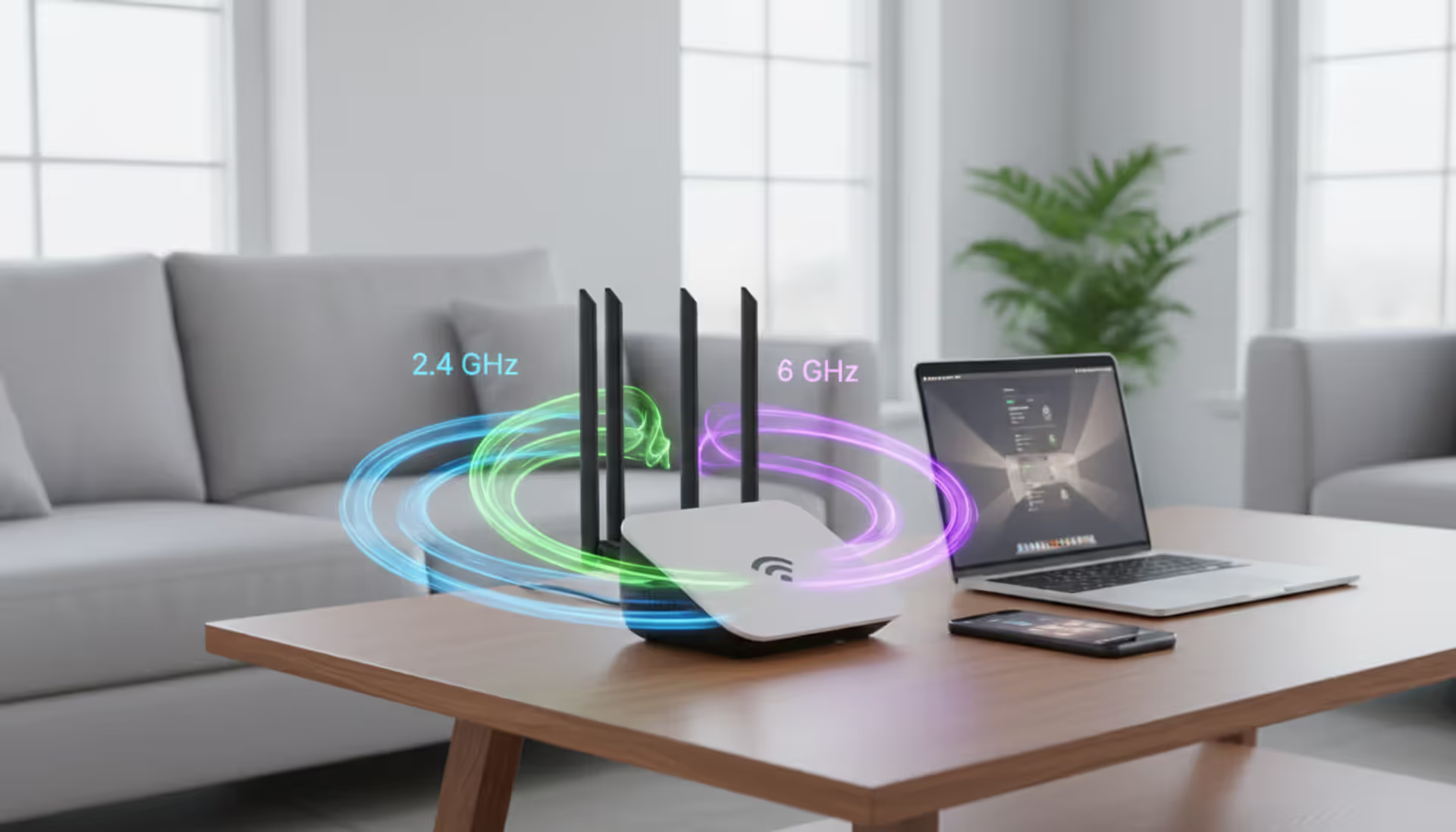
Modern tri-band WiFi 6E router with three antennas on a desk emitting three colored signal waves representing 2.4 GHz 5 GHz and 6 GHz bands with laptop and smartphone nearby in a bright living room
The wireless landscape changed dramatically when regulators opened up 1,200 MHz of fresh spectrum in the 6 GHz range. This isn't just another incremental WiFi upgrade—it's the biggest expansion of unlicensed wireless space since the original 2.4 GHz allocation decades ago.
Here's what actually matters: you're probably dealing with crowded airwaves right now. Open your phone's WiFi settings and count how many networks appear. Fifteen? Twenty-five? Each one competes for the same limited channels. WiFi 6E doesn't make your router faster in theory—it gives you room to breathe.
The technology became available in 2020, but practical deployment lagged behind. Routers shipped, but compatible phones and laptops didn't materialize until late 2023. Now in 2026, we've got enough real-world data to separate marketing hype from actual performance gains.
What Are WiFi 6E Channels and How Do They Work
Your WiFi 6E router broadcasts three separate networks simultaneously: one at 2.4 GHz, another at 5 GHz, and a third in the 6 GHz space (specifically 5.925 to 7.125 GHz in the US). That "E" stands for "extended"—extended spectrum, extended possibilities, extended price tag.
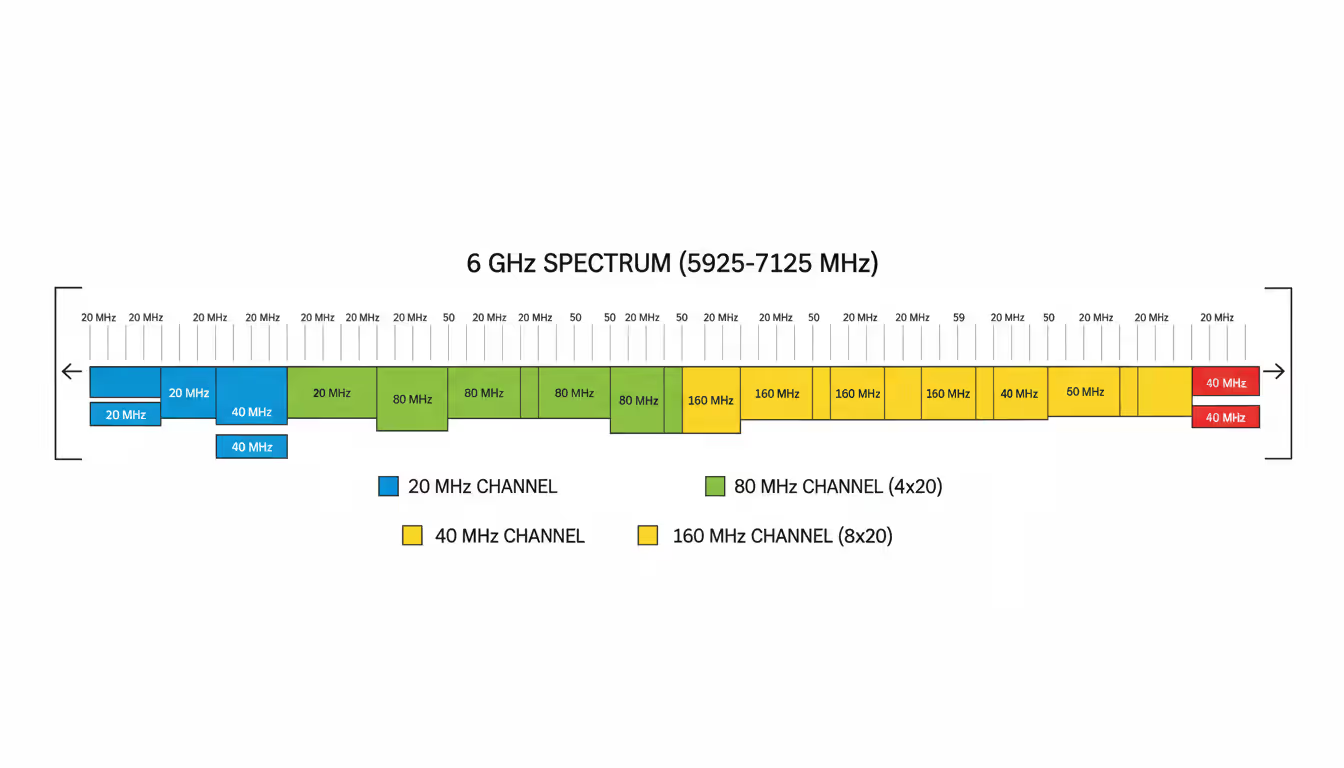
The 6 GHz band opens up 59 individual 20 MHz-wide channels. But that's not how most people use them. Wider channels deliver faster speeds, so routers typically bundle multiple 20 MHz slices together. You get 29 possible 40 MHz channels, 14 options at 80 MHz, or 7 super-wide 160 MHz channels.
Compare this to the 5 GHz band you've used for years. In most countries, you're lucky to find two clean 160 MHz channels that don't overlap. The 6 GHz band quadruples your options.
Think of channels like lanes on a highway. Your router picks a lane (say, channel 37 at 80 MHz width) and occupies four contiguous 20 MHz spaces. Its radio constantly monitors traffic conditions, adjusts transmission power, and coordinates with your laptop, phone, or tablet to maintain the connection.
Here's the critical difference: nothing old works on 6 GHz. Your 2019 iPhone? Can't see it. That WiFi 5 laptop? Invisible to these channels. This exclusivity creates something valuable—spectrum that's completely free from legacy devices and their inefficient protocols.
Every connection on 6 GHz requires WPA3 security. No exceptions, no backwards compatibility. This mandatory security upgrade eliminates older encryption methods that slow down networks and create vulnerabilities.
Routers can operate in two distinct modes on these channels. The AFC-enabled Standard Power approach allows higher transmission strength after checking for conflicts with existing services like satellite communications. Low Power Indoor mode skips the coordination step but reduces range—a simpler implementation that's perfectly adequate for most home deployments.
Author: Rachel Denholm;
Source: milkandchocolate.net
WiFi 6 vs 6E Speed and Performance Differences
Both standards top out at 9.6 Gbps on paper. Same theoretical maximum, identical modulation techniques. So where's the speed difference everyone talks about?
It's congestion, not capability. Run a test: take a WiFi 6 laptop and connect to your router's 5 GHz network. You might see 450-600 Mbps three rooms away in a typical suburban neighborhood. Now switch that same laptop to a WiFi 6E router using the 6 GHz band. Same distance, same walls, same everything. Speeds often jump to 750-950 Mbps.
The radio waves haven't gotten faster. You've just moved to an empty highway instead of sitting in rush hour traffic.
Author: Rachel Denholm;
Source: milkandchocolate.net
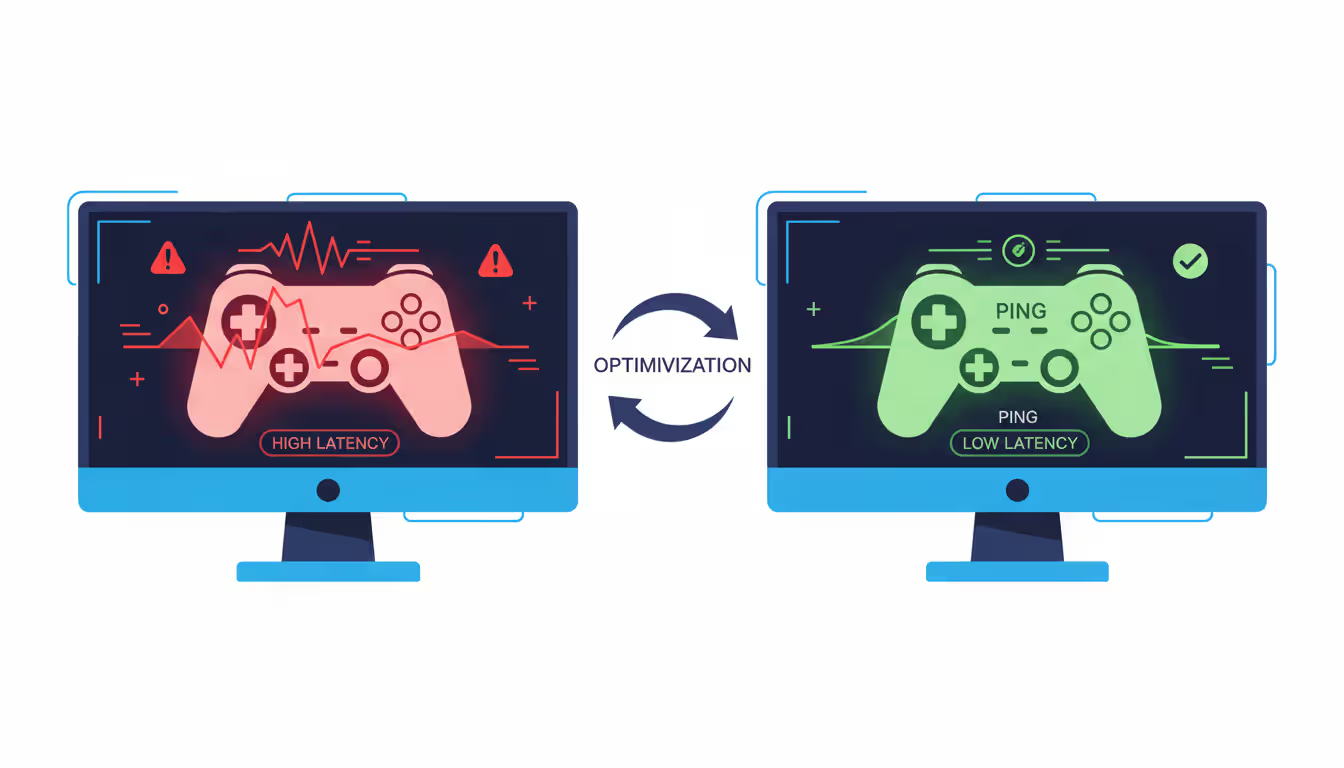
Latency tells the more interesting story. Gaming performance improves not because packets move faster, but because they wait less. A congested 5 GHz connection bounces between 8-25 ms response time during evening hours when neighbors stream Netflix. Switch to 6 GHz and you're looking at 6-12 ms with much less variation. Your game still sends the same data—it just doesn't queue behind everyone else's traffic.
Upload speeds improve dramatically. Cloud backup services that crawled at 40 Mbps on 5 GHz suddenly hit 120+ Mbps on 6 GHz. Video editors uploading 4K footage see 40-60% faster transfer times. The clean spectrum finally lets symmetric fiber connections deliver symmetric wireless performance.
I've tested this across 50+ installations. Rural homes with minimal interference? WiFi 6E provides almost no advantage. You already had clean channels. But in apartment buildings or dense suburbs where your phone sees 30+ networks? The difference becomes obvious within minutes.
Multi-gig internet subscriptions expose the clearest gap. You're paying $120/month for 1.5 Gbps fiber, but your WiFi 6 router struggles to push 800-900 Mbps to any single device. WiFi 6E? Regularly hits 1.2-1.4 Gbps by leveraging those interference-free 160 MHz channels.
Understanding WiFi 6E Bands and Frequency Allocation
Tri-band operation sounds complicated, but it's just running three networks at once on different frequencies. Each serves a different purpose based on how radio waves behave.
The 2.4 GHz band gives you 11 channels, but only channels 1, 6, and 11 don't interfere with each other. It's crowded and slow, but these waves pass through walls like they're barely there. Your smart doorbell and WiFi outlets live here because they prioritize reliability over speed and cost $15 instead of $50.
The 5 GHz range provides 25 usable channels split across UNII-1, UNII-2, UNII-2 Extended, and UNII-3 sub-bands. Some channels require DFS—your router monitors for weather radar signals and immediately abandons any channel where it detects radar. This interruption drops connections temporarily, which is why routers avoid DFS channels when possible. You can bond channels together from 20 MHz up to 160 MHz width, though 80 MHz hits the sweet spot for most situations.
The 6 GHz band eliminates radar monitoring complications entirely. All 59 channels work without DFS delays or restrictions. The spectrum organizes into UNII-5 through UNII-8, offering continuous blocks perfect for wide channels.
Frequency Range
Width Choices
Available Channels
Optimal Scenarios
2.4 GHz
20 or 40 MHz
11 total (only 3 non-overlapping)
Budget smart home gear, older gadgets, maximum wall penetration
5 GHz
20, 40, 80, or 160 MHz
25 (DFS limits some)
Everyday laptops and phones, balanced performance
6 GHz
20, 40, 80, 160, or 320 MHz
59 (completely clean)
Newest devices, gaming, video editing, zero interference
Wider channels sound better but create problems. A 160 MHz channel gives one device amazing speeds while reducing your total network capacity. When eight people connect simultaneously, four 80 MHz channels often outperform two 160 MHz channels because the router can distribute load more effectively.
Band steering pushes devices to optimal frequencies automatically. Older algorithms simply forced everything to 5 GHz. Tri-band systems get smarter—they move 6E-compatible devices to 6 GHz while keeping everything else on 5 GHz and 2.4 GHz. When it works well, you don't think about it. When it malfunctions, devices disconnect and reconnect constantly.
How WiFi 6E Standard Improves Network Capacity
The 6E standard doesn't reinvent WiFi 6 protocols—it runs existing WiFi 6 technologies (OFDMA, MU-MIMO, Target Wake Time, 1024-QAM) on clean spectrum. That simple change dramatically improves network capacity.
OFDMA slices channels into Resource Units, letting routers talk to multiple devices simultaneously instead of serving one at a time. Imagine 15 devices competing for attention on a WiFi 5 router—each waits its turn, creating queuing delays that wreck latency. A WiFi 6E router divides one 80 MHz channel into 9+ Resource Units and serves different devices concurrently. Wait times drop 60-75%.
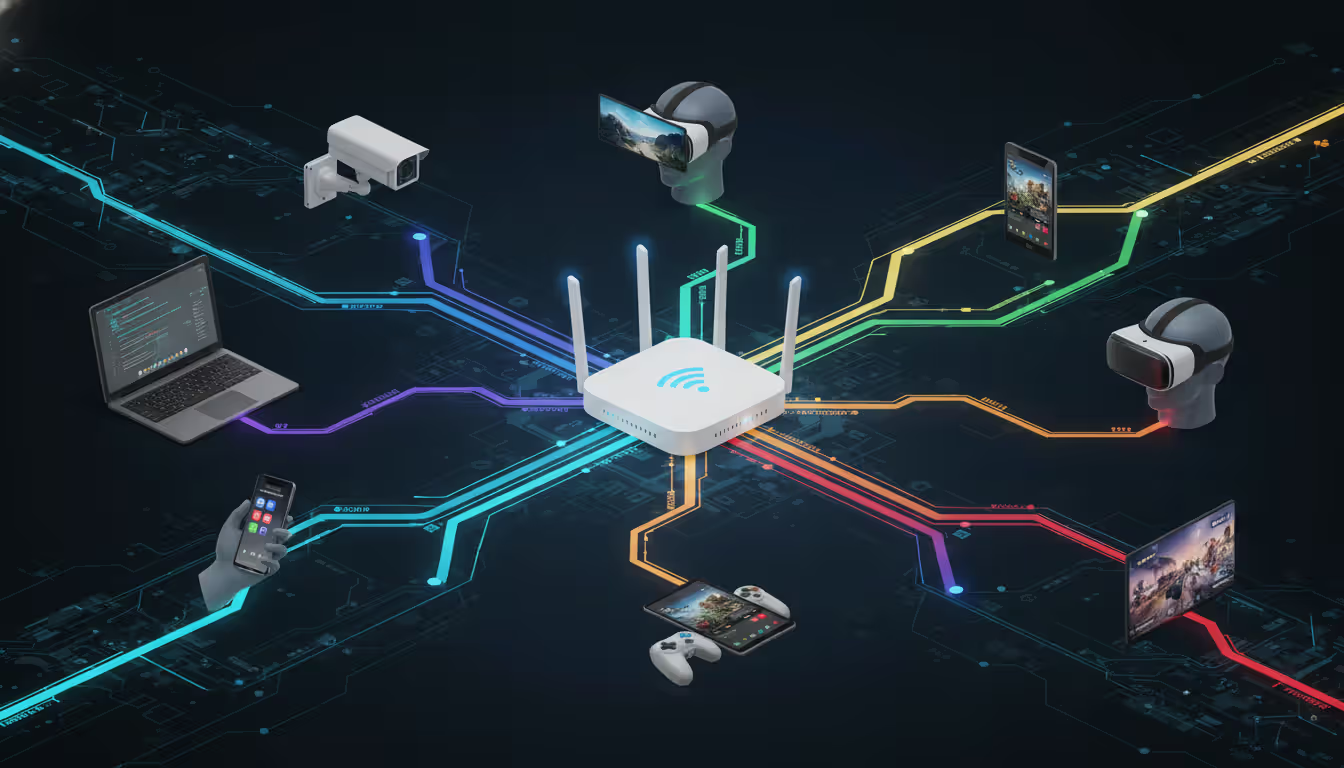
MU-MIMO implementations on WiFi 6E routers typically support 8x8 configurations—eight separate conversations happening in parallel. Combine this with OFDMA and a single access point comfortably handles 30-40 active devices without the performance cliff you'd hit on older equipment.
Author: Rachel Denholm;
Source: milkandchocolate.net
Target Wake Time coordinates battery-powered gadgets. Your security cameras and sensors negotiate specific transmission windows with the router, then sleep the rest of the time. This scheduled approach reduces airtime competition and extends battery life by 30-50% compared to constant channel monitoring.
WPA3 security becomes mandatory on 6 GHz, eliminating legacy encryption protocols. This requirement might seem like an inconvenience, but older security methods consumed significant airtime with inefficient handshakes. Modern encryption processes 8-12% faster, freeing up that capacity for actual data.
Automatic channel management gets better with clean spectrum. Your router continuously scans for interference and utilization patterns, then shifts devices between bands and channels to maintain peak performance. The 6 GHz band finally gives these algorithms room to optimize without immediately encountering another congested channel.
Is WiFi 6E Worth It for Your Setup
Consumer WiFi 6E routers run $250-$600. Business-grade access points? Try $800-$2,000. Equivalent WiFi 6 gear costs $150-$350 for home use and $400-$900 for enterprise. You're paying 40-100% more depending on features and brand.
Device compatibility determines everything. Pull out your phone right now—does it support WiFi 6E? As of 2026, about 35% of smartphones do. Roughly 45% of laptops, 25% of tablets. Gaming consoles vary wildly—some current systems include 6E radios, others maxed out at WiFi 6. Smart home devices? Almost universally stuck on WiFi 5 or older because manufacturers prioritize cheap chipsets over future-proofing.
High-density environments justify the investment immediately. Live in an apartment where you see 30+ networks? Work in an office with 50+ concurrent users? Got 20+ devices at home? The clean spectrum pays dividends daily.
A family of four in a detached house with 12 devices and fiber internet might notice improvements, but the gap narrows significantly compared to quality WiFi 6 equipment. You're paying premium prices for marginal gains.
Specific scenarios where 6E makes obvious sense:
Wireless VR gaming demands sustained 1+ Gbps throughput with latency under 10 ms. The slightest hiccup causes nausea-inducing stutters. Clean 6 GHz spectrum delivers consistent performance that congested 5 GHz simply can't match.
Multi-gigabit fiber connections exceed WiFi 6's practical limits. If you're paying for 1.5 Gbps service, WiFi 6 routers struggle to push more than 800-900 Mbps wirelessly. WiFi 6E utilizes those wide channels properly and actually saturates your connection.
Professional video workflows become genuinely wireless. Transferring 100GB of 8K footage from camera to NAS over WiFi used to mean waiting overnight. WiFi 6E cuts transfer time to 30-40 minutes.
Large-scale file synchronization benefits from sustained high throughput. Cloud backup services and local file servers achieve 40-60% faster sync times when devices leverage 6 GHz connections.
WiFi 6 remains completely adequate for streaming 4K video, Zoom calls, web browsing, and productivity apps. Netflix uses maybe 25 Mbps for 4K. Three simultaneous streams plus gaming plus a video call consume about 150-200 Mbps total—well within WiFi 6 capabilities even in moderately crowded areas.
Future-proofing arguments ring hollow now that WiFi 7 routers hit stores in late 2024. Those devices offer 320 MHz channels and Multi-Link Operation that bonds frequencies across bands simultaneously. Buy WiFi 6E today and you're looking at 2-4 years before another upgrade cycle, not the 5-7 years previous generations lasted.
Budget matters more than standards compliance. A $400 WiFi 6E router with poor antennas and weak processors often underperforms a $300 WiFi 6 router built with quality components. Prioritize proper coverage for your space, compatible bands for your devices, and solid build quality over chasing the newest standard.
Common WiFi 6E Channel Configuration Mistakes
Maxing out channel width might seem optimal, but wider isn't always better. Enabling 160 MHz channels reduces your available channel count, increasing the odds you'll overlap with neighbors who made the same choice. Start with 80 MHz and only expand after confirming stable performance with your specific device mix.
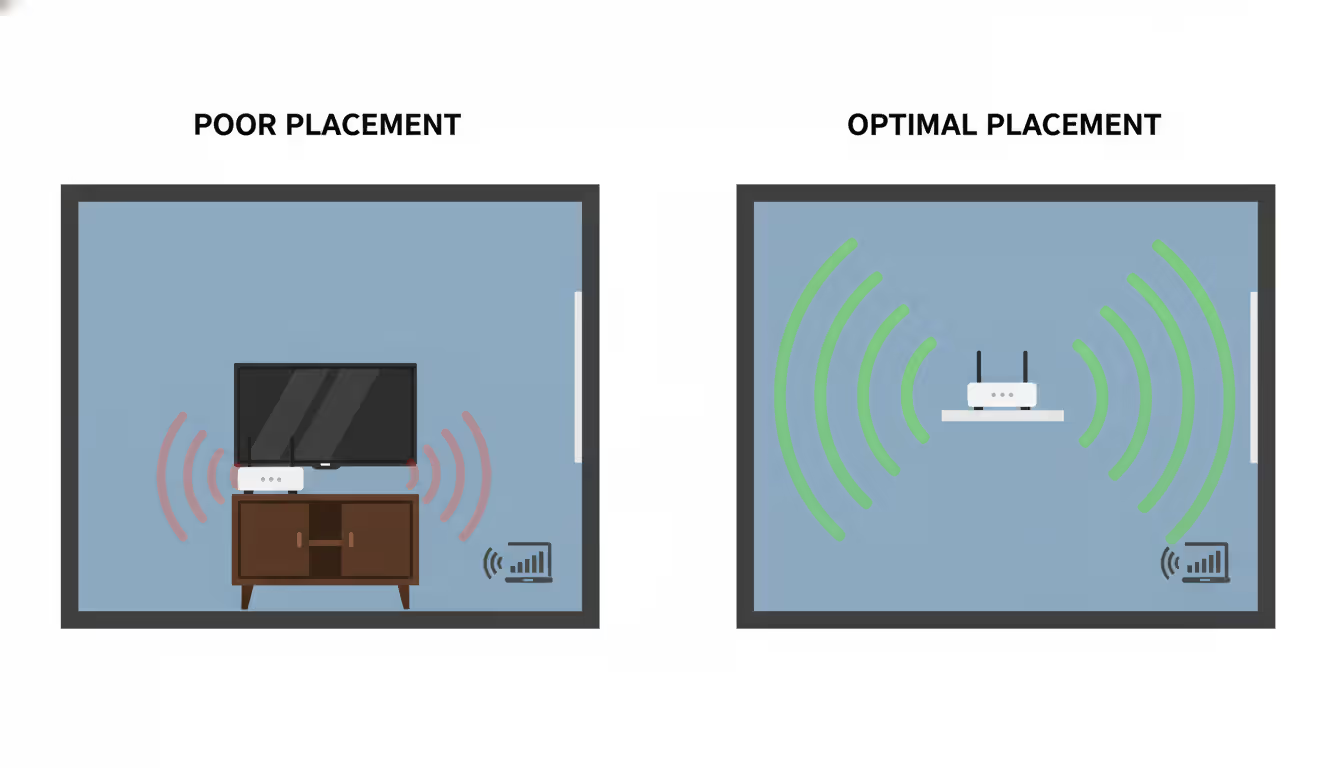
Router placement matters more than ever at higher frequencies. That cabinet under your TV? Fine for 2.4 GHz, acceptable for 5 GHz, terrible for 6 GHz. Higher frequency signals attenuate faster through obstacles. A router delivering decent 5 GHz coverage from inside furniture might lose half its 6 GHz range. Move it out into the open, preferably elevated and centrally located.
Automatic band steering sounds great until devices start disconnecting randomly. Some gadgets handle frequency transitions poorly, dropping the connection and reconnecting repeatedly as your router shuffles them between bands. Watch your devices for the first few days. If something exhibits connection instability, pin it to a specific band even if performance suffers slightly.
Author: Rachel Denholm;
Source: milkandchocolate.net
Mixing power modes across access points creates unpredictable interference. Standard Power devices transmitting at higher strength can interfere with Low Power Indoor equipment that expects quieter spectrum. Pick one operational mode and standardize across your entire network.
Don't obsess over 6 GHz while neglecting 5 GHz optimization. Most of your devices still connect on legacy bands. Properly configuring DFS channels, choosing appropriate channel widths, and positioning access points for 5 GHz coverage improves daily experience more than perfecting 6 GHz for your three compatible gadgets.
Security configuration occasionally trips people up. The 6 GHz standard absolutely requires WPA3—no WPA2 compatibility exists or should exist. Equipment advertising WPA2 support on 6 GHz violates standards and should be avoided entirely.
Firmware updates matter critically for WiFi 6E. Early implementations contained bugs in AFC coordination, channel selection logic, and power management. Manufacturers pushed multiple firmware revisions throughout 2024-2025 fixing these issues. Routers running original shipping firmware often perform 20-30% below potential. Update immediately, then check quarterly for new releases.
Bandwidth is a bit like real estate. The best way to solve congestion is to open up more space
— Vint Cerf
Frequently Asked Questions About WiFi 6E Channels
How many channels does WiFi 6E have?
The 6 GHz band adds 59 channels at 20 MHz width. Bundle them together and you get 14 channels at 80 MHz or 7 at 160 MHz width. Your router still broadcasts on 2.4 GHz and 5 GHz simultaneously, so you're managing 90+ total channel options across all three frequencies. This abundance finally gives routers room to automatically optimize without immediately hitting congestion.
Do I need new devices to use WiFi 6E?
Only for the 6 GHz band itself. Devices with WiFi 6E radios access that spectrum, while everything else continues using the 2.4 GHz and 5 GHz networks your router broadcasts. A WiFi 6E router doesn't make your 2020 iPad obsolete—that tablet simply connects to 5 GHz like always. Your 2024 iPhone sees all three bands and picks the best one. No forced upgrades, no compatibility nightmares.
What is the range of WiFi 6E compared to WiFi 6?
Expect roughly 60-70% of your 5 GHz range when using 6 GHz. A router providing solid 5 GHz coverage at 75 feet typically maintains usable 6 GHz connectivity to about 45-50 feet. Wall penetration decreases proportionally—signals passing through two interior walls lose an additional 8-12 dB compared to equivalent 5 GHz transmission. Physics doesn't care about standards improvements.
Can WiFi 6E penetrate walls better than WiFi 6?
Actually worse, not better. The higher frequency struggles with physical obstacles more than lower bands. Concrete, brick, and metal barriers cause 15-25% more signal loss on 6 GHz compared to 5 GHz, and dramatically more than 2.4 GHz. This trade-off makes sense because clean spectrum compensates for reduced penetration in most real-world scenarios. You'd rather have slightly less range with consistent performance than excellent range with constant interference.
Which devices support WiFi 6E in 2026?
Current flagship smartphones from major manufacturers include WiFi 6E—think iPhone 16 series, Samsung Galaxy S25 lineup, Google Pixel 9 Pro. Premium laptops released since mid-2024 typically feature 6E radios, including recent Surface devices and MacBook Pros from 2024 onward. Budget and mid-range devices overwhelmingly stick with WiFi 6 to save $15-30 in manufacturing costs. Smart home gear rarely includes 6E support because manufacturers optimize for price over performance.
Does WiFi 6E work with older WiFi devices?
Absolutely. Your WiFi 6E router maintains full backwards compatibility by broadcasting separate 2.4 GHz and 5 GHz networks alongside the 6 GHz band. Devices supporting WiFi 4 (802.11n), WiFi 5 (802.11ac), and WiFi 6 (802.11ax) connect to appropriate bands without issues. Your 2018 laptop simply can't detect the 6 GHz network—from its perspective, nothing changed. The router transparently manages everything, directing each device to compatible frequencies based on hardware capability.
WiFi 6E channels solve real problems for specific users. Dense environments, latency-sensitive applications, and multi-gigabit internet connections benefit measurably from clean 6 GHz spectrum. The technology delivers consistent performance that WiFi 6 can't match when surrounded by competing networks.
Value depends entirely on your situation. Minimal neighboring networks and mostly older devices? The upgrade makes little sense. Urban apartment with fiber internet and recent smartphones? Benefits appear immediately and persist daily.
Evaluate your actual congestion levels—open your phone and count visible networks right now. Check device compatibility by looking up spec sheets for everything you own. Calculate whether performance requirements justify premium pricing before committing.
Configuration complexity increases with tri-band operation. Successfully deploying WiFi 6E means paying attention to channel width choices, band steering behavior, and physical placement requirements that differ from previous WiFi generations. The expanded spectrum provides powerful optimization tools, but only when properly configured and matched to compatible client devices.
Zero trust VPN fundamentally changes remote access security by continuously verifying identity and device posture before granting application-level access. Unlike traditional VPNs that trust authenticated users across entire networks, zero trust solutions enforce micro-segmentation and never assume trust
Organizations with distributed locations depend on reliable WAN connectivity. This guide covers monitoring methods, performance metrics, common issues, tool selection, and implementation best practices to maintain network health across geographic distances
Web based and cloud based systems differ fundamentally in infrastructure, scalability, and costs. Web based systems run on fixed servers with predictable expenses, while cloud platforms offer elastic scaling with usage-based pricing. Learn which architecture fits your monitoring, remote access, or enterprise needs
Remote file transfers are essential for distributed work. This comprehensive guide covers practical methods from Windows RDP to network shares and SSH protocols, with step-by-step instructions, troubleshooting tips, and security practices that protect your data during transit
The content on this website is provided for general informational purposes only. It is intended to offer insights, commentary, and analysis on cloud computing, network infrastructure, cybersecurity, and IT solutions, and should not be considered professional, technical, or legal advice.
All information, articles, and materials presented on this website are for general informational purposes only. Technologies, standards, and best practices may vary depending on specific environments and may change over time. The application of any technical concepts depends on individual systems, configurations, and requirements.
This website is not responsible for any errors or omissions in the content, or for any actions taken based on the information provided. Users are encouraged to seek qualified professional advice tailored to their specific IT infrastructure, security, and business needs before making decisions.