Network failures happen at the worst possible moments. A misconfigured firewall rule locks you out of critical servers at 2 AM. A power surge disrupts your primary network infrastructure during peak business hours. A ransomware attack isolates your management plane. In these scenarios, traditional remote access methods fail completely, leaving administrators helpless unless they have an alternative pathway into their systems.
Out-of-band management provides that essential backup channel. This independent access method operates separately from your production network, ensuring you can reach critical infrastructure even when primary communication paths are down. For organizations managing distributed data centers, remote branch offices, or mission-critical systems, this technology has become a fundamental component of resilient IT operations.
What Is Out of Band Management
Out of band management refers to a dedicated administrative channel that operates independently from the primary data network. Unlike standard remote access methods that rely on your production network infrastructure, out-of-band access uses separate physical connections, communication pathways, or network segments to reach devices.
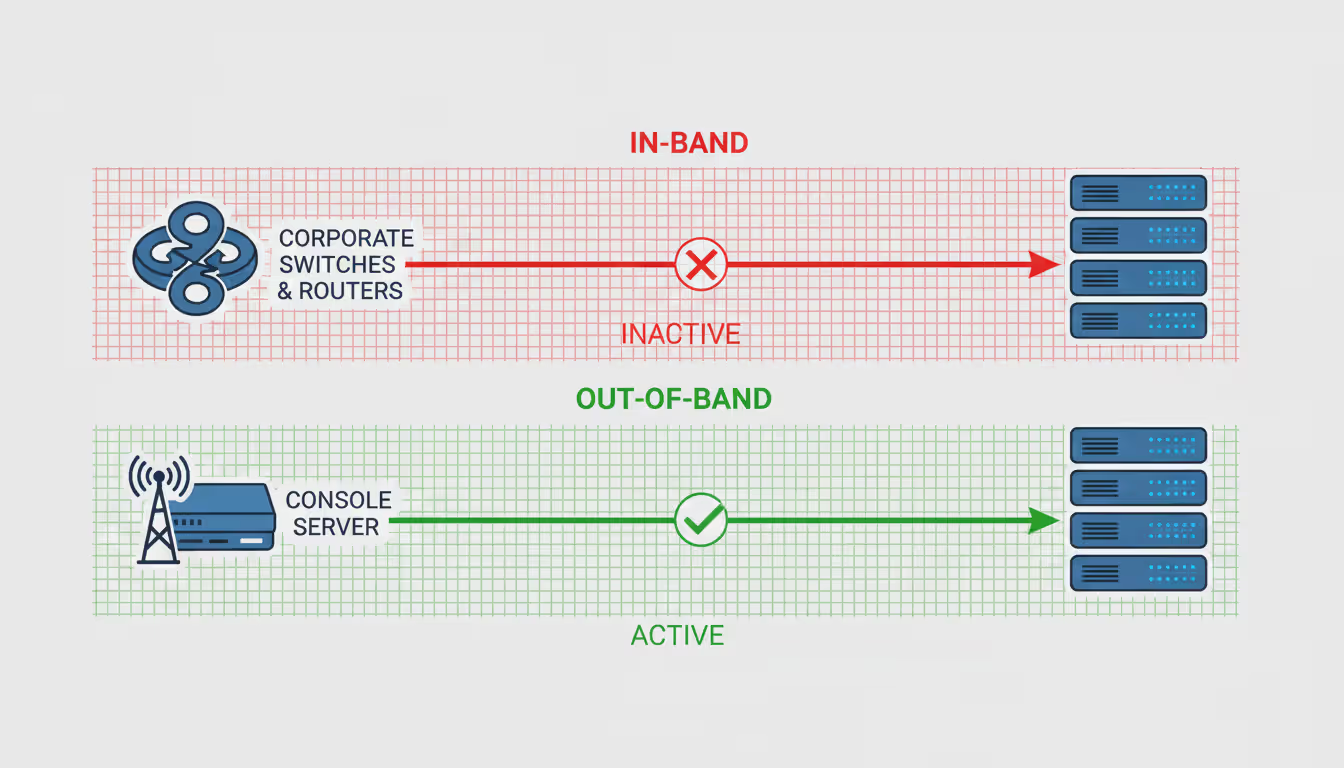
The core distinction lies in network separation. When you connect to a server through SSH over your corporate LAN, you're using in-band management—your administrative traffic travels alongside production data through the same switches, routers, and network paths. If that network experiences problems, you lose access. Out-of-band management establishes a parallel channel that remains functional regardless of production network status.
This separation manifests in several forms. A dedicated console server connected via cellular modem provides completely independent connectivity. A separate management VLAN with its own internet gateway offers logical isolation. An IPMI interface with a dedicated network port creates physical separation at the hardware level. Each approach achieves the same goal: ensuring administrative access survives network failures.
Author: Trevor Langford;
Source: milkandchocolate.net
Common scenarios where out-of-band access proves essential include remote site management where on-site technical staff aren't available, recovery from configuration errors that break network connectivity, security incidents that compromise the production network, and troubleshooting network equipment failures. A network engineer who accidentally applies a wrong ACL to a remote router can recover through out of band management rather than dispatching someone for a two-hour drive.
The difference between in-band and out-of-band approaches becomes clear during actual outages. In-band management requires the production network to function properly. If a BGP misconfiguration breaks routing, if a spanning tree loop floods your switches, or if someone physically disconnects the wrong cable, in-band access disappears. Out-of-band access remains available because it doesn't depend on those same infrastructure components.
How Out of Band Management Works
The technical architecture of out-of-band management systems centers on creating redundant communication pathways that bypass normal network infrastructure. At its simplest, this might involve a modem connected to a server's serial console port, allowing dial-in access through the telephone network. More sophisticated implementations use dedicated management networks with separate internet connections, cellular gateways, or satellite links.
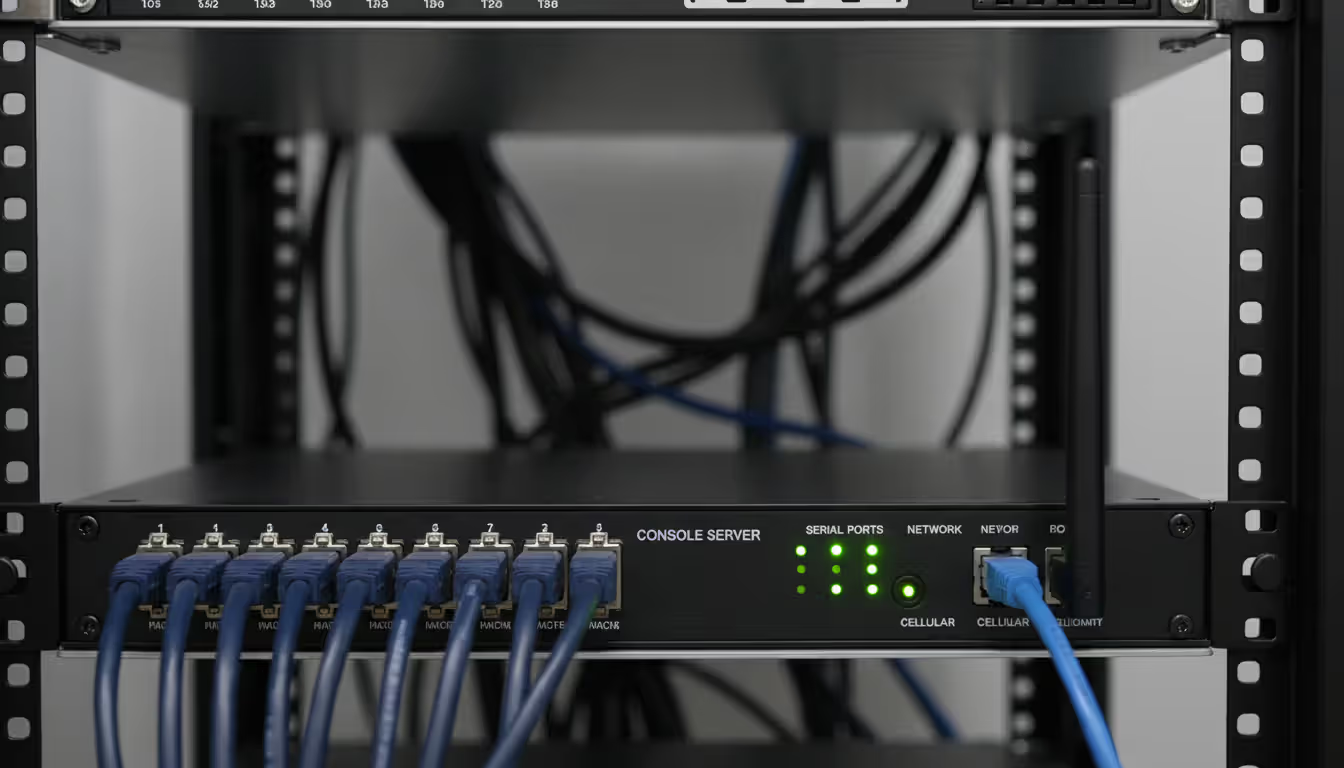
Serial console connections represent the most basic form. Nearly all enterprise servers and network equipment include console ports—typically RS-232 serial interfaces that provide direct access to the device's command-line interface. A console server aggregates these connections, making multiple device consoles accessible through a single access point. When the production network fails, administrators connect to the console server through its independent link and access any connected device.
Modern implementations frequently use cellular connectivity for the independent channel. A console server or management appliance equipped with a 4G or 5G modem can reach the internet through cellular networks rather than the site's primary ISP connection. This approach provides true independence—a fiber cut that takes down your main internet connection won't affect cellular access. The cellular link handles only management traffic, keeping bandwidth requirements and costs manageable.
Author: Trevor Langford;
Source: milkandchocolate.net
Communication protocols vary depending on the specific technology. Serial console access typically uses terminal protocols like SSH or Telnet to the console server, then direct serial communication to the target device. Network-based out-of-band solutions might use dedicated management protocols like IPMI (Intelligent Platform Management Interface) for servers or vendor-specific management interfaces for network equipment. Some solutions tunnel encrypted SSH or HTTPS sessions through the out-of-band channel.
Satellite connections serve locations where terrestrial connectivity options are limited. While latency makes satellite unsuitable for primary connectivity, it works adequately for out-of-band management where you're primarily accessing command-line interfaces and making configuration changes. An oil rig or remote mining operation might rely entirely on satellite for their out-of-band access.
The pathway from administrator to managed device typically involves several hops. An administrator connects to a central management platform (often cloud-based), which maintains persistent connections to distributed out-of-band appliances at each site. These appliances connect to local infrastructure through console ports, management network interfaces, or direct hardware connections. When an administrator needs access, the platform establishes a secure session through this chain, bypassing the site's production network entirely.
Power management integration adds another dimension. Many out-of-band solutions include network-controlled power distribution units (PDUs) or integrate with intelligent PDUs. This allows remote power cycling of equipment—essential when a server hangs completely or network equipment needs a hard reset. You can't reboot a frozen server through software if you can't reach it, but you can cut and restore power through the out-of-band channel.
Key Benefits of Out of Band Access
Business continuity stands as the primary driver for implementing out-of-band management. Network outages directly impact revenue for most organizations. An e-commerce site losing connectivity loses sales. A SaaS provider experiencing downtime violates service level agreements and damages customer trust. The ability to diagnose and resolve issues quickly, regardless of network state, directly reduces downtime duration.
The financial impact of reduced downtime often justifies implementation costs within months. Consider a retail company with distributed point-of-sale systems. A network issue at a store location might require dispatching a technician for a 90-minute drive, resulting in four hours of lost sales while the store operates cash-only. With out of band management, the same issue gets diagnosed and resolved remotely in 15 minutes. Across dozens or hundreds of locations, the savings accumulate rapidly.
Security improvements come from multiple angles. During a security incident, attackers often compromise the production network. If your only administrative access runs through that compromised network, you're working on hostile territory. An out-of-band channel provides a clean pathway for incident response, forensics, and remediation. You can isolate compromised systems from the production network while maintaining your ability to investigate and repair them.
The separation inherent in out-of-band access also reduces attack surface. Management interfaces exposed on the production network create targets for attackers. Moving administrative access to a separate channel with restricted access points limits exposure. A console server accessible only through a cellular connection with strong authentication presents a much smaller attack surface than management interfaces exposed to the corporate network.
Remote troubleshooting capabilities extend beyond simple access. Many out-of-band solutions include features like remote KVM (keyboard, video, mouse) that let administrators see exactly what's displayed on a server's physical console and interact as if they were sitting at the keyboard. This proves invaluable for troubleshooting boot failures, BIOS configuration issues, or operating system problems that occur before network services start.
Reduced truck rolls deliver both cost savings and faster resolution times. The industry rule of thumb suggests that dispatching a technician costs $200-500 per incident when factoring in travel time, labor, and vehicle expenses. For organizations with distributed infrastructure, eliminating even a few monthly truck rolls can offset out-of-band management costs. More importantly, remote resolution typically happens in minutes rather than the hours required for on-site response.
Maintenance windows become more flexible. Risky changes like firmware updates or major configuration modifications feel less dangerous when you know you have guaranteed access if something goes wrong. This confidence often leads to better maintenance practices—administrators are less likely to defer necessary updates when they know they can recover from problems quickly.
The question isn't whether you'll experience a network failure that locks you out of critical systems—it's when. Organizations that treat out-of-band management as optional rather than essential are gambling with their operational resilience. We've seen companies lose six-figure revenue during outages that could have been resolved in minutes with proper out-of-band access. It's the infrastructure equivalent of a fire escape: you hope you never need it, but when you do, nothing else matters
— Marcus Chen
Out of Band Management Solutions and Technologies
The market offers diverse approaches to implementing out-of-band access, each with distinct trade-offs in capability, complexity, and cost. Selecting the right solution requires matching technology characteristics to your specific infrastructure, operational requirements, and budget constraints.
Hardware Components
Dedicated console servers form the foundation of many implementations. These appliances provide multiple serial ports for connecting to device console interfaces, combined with independent network connectivity through Ethernet, cellular, or both. Enterprise-grade console servers might offer 48 or more serial ports, allowing a single appliance to manage an entire equipment rack. They typically include features like port authentication, session logging, and integration with centralized authentication systems.
KVM over IP devices provide remote keyboard, video, and mouse access to servers. Unlike software-based remote desktop tools that require a functioning operating system, KVM over IP operates at the hardware level. The device sits between a server and its peripherals, capturing video output and keyboard/mouse input. Administrators can access the server's console exactly as if they were physically present, including accessing BIOS settings, watching boot processes, or working with systems that have completely failed at the OS level.
Intelligent PDUs with network management capabilities enable remote power control. When combined with console servers or KVM devices, they complete the out-of-band toolkit. You can access a frozen server through its console interface and, if software commands don't work, power cycle it through the PDU. Some advanced PDUs include environmental monitoring, reporting temperature and humidity issues that might affect equipment.
Integrated server management interfaces like Intel's AMT (Active Management Technology) or AMD's DASH provide out-of-band capabilities built into server hardware. These technologies allow remote management functions including power control, hardware monitoring, and console access without requiring separate appliances. However, they typically require their own network connection to function independently, and implementation varies by server manufacturer.
Software Platforms
Management software coordinates out-of-band infrastructure, providing centralized access to distributed devices. These platforms maintain inventories of managed equipment, handle authentication and authorization, provide session recording for compliance, and often include automation capabilities for common tasks.
Cloud-based management platforms have become increasingly popular. Rather than hosting management software on-premises, these solutions provide web-based interfaces for accessing out-of-band infrastructure. The cloud platform maintains persistent connections to on-premises appliances, creating a hub-and-spoke architecture. Administrators access the cloud platform from anywhere, and it proxies connections to specific devices through the appropriate out-of-band appliance.
On-premises software suits organizations with strict data sovereignty requirements or those preferring to maintain complete control over management infrastructure. These solutions run on local servers and provide similar functionality to cloud platforms but keep all management traffic within the organization's infrastructure boundaries.
Cloud-Based vs. On-Premises Options
The choice between cloud and on-premises deployment involves several considerations. Cloud-based solutions reduce operational overhead—the vendor handles platform updates, security patches, and infrastructure scaling. They also simplify access from multiple locations since administrators connect to a single cloud platform rather than maintaining VPN access to each site.
On-premises deployments offer greater control and potentially better compliance alignment for regulated industries. Organizations handling sensitive data may prefer keeping all management access within their own infrastructure. On-premises solutions also avoid dependencies on external services—your out-of-band management system remains functional even if the vendor's cloud platform experiences issues.
Hybrid approaches combine elements of both models. Core management infrastructure might run on-premises while using cloud services for features like mobile access or multi-region coordination. This balances control with convenience.
Solution Type
Use Case
Reliability
Cost Range
Best For
Dedicated Console Servers
Serial console aggregation for network equipment and servers
Very High (independent hardware with cellular backup)
$2,000-8,000 per appliance
Data centers, remote sites, network operations centers
KVM over IP
Remote server console access with video and keyboard control
High (hardware-based, requires power and network)
$300-1,500 per port
Server management, BIOS configuration, OS recovery
Serial Console Servers
Basic command-line access to network devices
Very High (simple, reliable technology)
$500-3,000 per appliance
Network equipment management, basic server access
Cellular-Based Solutions
Complete network independence for remote locations
Successful implementation starts with thorough planning. Begin by inventorying all infrastructure that requires out-of-band access. This typically includes core network equipment (routers, switches, firewalls), servers hosting critical applications, storage systems, and any other infrastructure whose failure would significantly impact operations. Not every device requires out-of-band access—focus on components where remote recovery capability justifies the implementation cost.
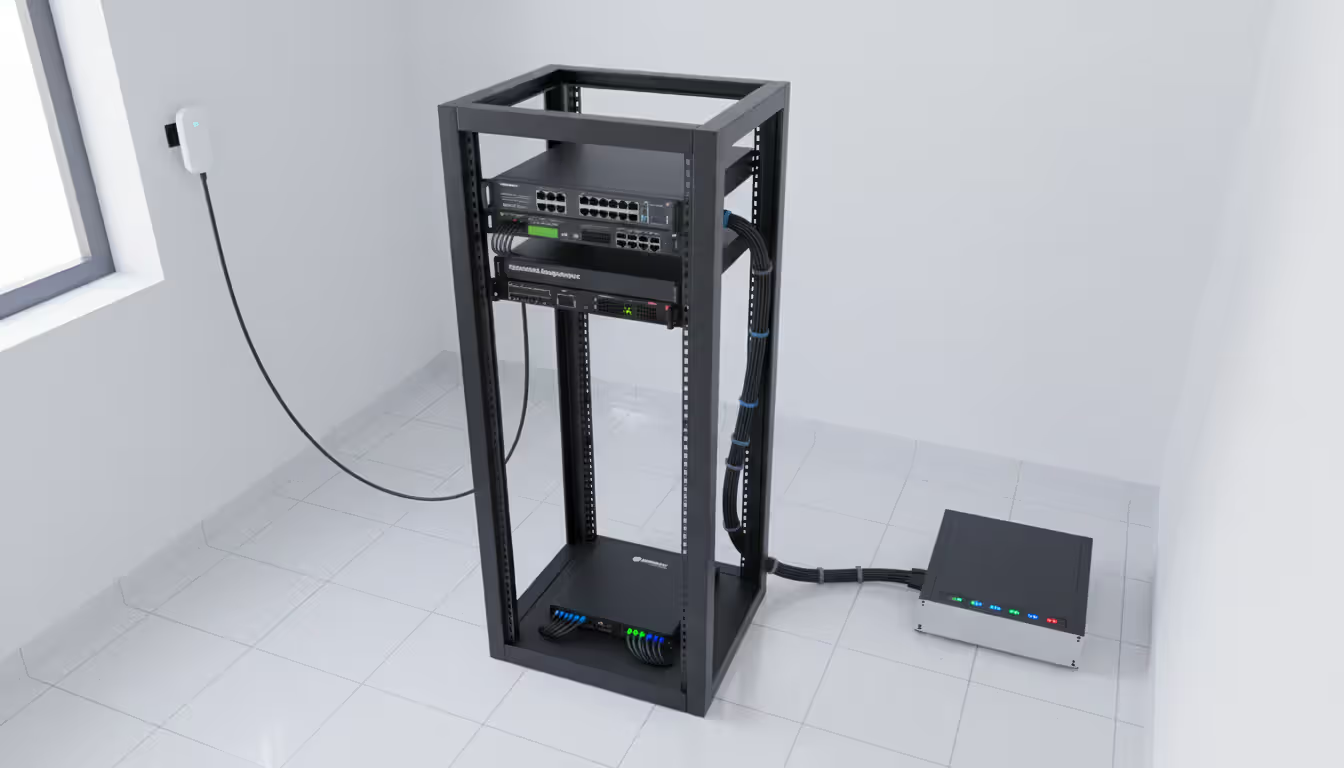
Infrastructure requirements vary by solution type but generally include physical connectivity to managed devices, independent network access for the out-of-band channel, and power for management appliances. For console server deployments, you'll need console cables appropriate for each device type—not all equipment uses the same console port pinout. Cellular-based solutions require adequate signal strength at each location; conducting site surveys before deployment prevents unpleasant surprises.
Network architecture decisions affect both functionality and security. A dedicated management VLAN with its own internet gateway provides logical separation while using existing network infrastructure. This approach costs less than completely separate physical networks but offers less isolation—a catastrophic switch failure might still affect the management VLAN. Truly independent networks using separate switches and cabling provide maximum isolation but increase costs substantially.
Integration with existing systems requires attention to authentication and access control. Most organizations already use centralized authentication through Active Directory, LDAP, or similar systems. Configuring out-of-band management solutions to integrate with these systems maintains consistent access control and simplifies user management. Session logging integration with SIEM (Security Information and Event Management) platforms provides audit trails for compliance and security monitoring.
Author: Trevor Langford;
Source: milkandchocolate.net
Best practices for deployment include:
Start with a pilot implementation covering critical infrastructure at a single location. This allows you to refine processes and configurations before broader rollout. Document everything—cable connections, network configurations, authentication settings, and operational procedures. When you need out-of-band access during an emergency, you won't have time to figure out how things are configured.
Implement redundancy for the out-of-band channel itself. A console server with both wired Ethernet and cellular connectivity provides two independent paths. If the site's internet connection fails, cellular takes over automatically. For maximum resilience, some organizations deploy redundant console servers with different cellular carriers—protecting against both equipment failure and carrier outages.
Test regularly. Out-of-band infrastructure that sits unused for months may fail when you finally need it. Monthly testing of access procedures, power control functions, and failover mechanisms ensures everything works when it matters. Include out-of-band access procedures in incident response runbooks and disaster recovery plans.
Common implementation mistakes include insufficient port capacity (requiring expensive expansion later), inadequate cellular signal strength (rendering cellular backup useless), poor cable management (making it difficult to trace connections during troubleshooting), and overly complex authentication configurations (that lock out administrators during emergencies). Another frequent error is failing to secure the out-of-band channel itself—while it provides emergency access, it shouldn't become a security weakness.
Budget for ongoing costs beyond initial hardware. Cellular data plans, software licenses, and support contracts represent recurring expenses. These typically run $50-200 per site monthly, depending on solution sophistication and vendor pricing. Factor these into total cost of ownership calculations.
Out of Band vs In-Band Communication Comparison
Understanding when to use each approach optimizes both operational efficiency and cost-effectiveness. In-band management suffices for routine administrative tasks under normal operating conditions. Daily monitoring, configuration changes, software updates, and similar activities work well through standard network connections. In-band access offers higher bandwidth, lower latency, and simpler implementation.
Out-of-band access becomes essential for recovery scenarios, high-risk changes, and situations requiring guaranteed access. Network equipment firmware updates carry risk—if something goes wrong mid-update, the device may become unreachable through normal network paths. Performing such updates with out-of-band access available provides a safety net. Similarly, making routing or firewall changes that could potentially break connectivity should always happen with out-of-band backup access confirmed working.
Author: Trevor Langford;
Source: milkandchocolate.net
Security considerations differ significantly. In-band management traffic flows through your production network, potentially exposed to the same threats affecting regular data. Network segmentation and access controls mitigate these risks, but the fundamental exposure remains. Out-of-band channels, when properly implemented, exist outside the production network's threat landscape. An attacker who compromises your corporate network doesn't automatically gain access to out-of-band management channels.
However, out-of-band channels require their own security measures. A poorly secured console server accessible through cellular connection becomes an attractive target. Strong authentication, encryption for all management sessions, IP whitelisting where practical, and regular security audits all apply to out-of-band infrastructure just as they do to production systems.
Performance and reliability characteristics favor different approaches for different tasks. In-band connections typically offer higher bandwidth—useful when transferring large files or working with graphical interfaces. Out-of-band connections prioritize reliability over performance. A cellular-based console connection might only provide 1-2 Mbps bandwidth, but that connection stays up when everything else fails.
The cost equation balances implementation and maintenance expenses against downtime reduction. In-band management costs essentially nothing beyond standard network infrastructure. Out-of-band management requires dedicated hardware, ongoing service fees, and maintenance effort. For small organizations with limited infrastructure and good on-site support, in-band management alone might suffice. For distributed enterprises, critical infrastructure operators, or organizations where downtime carries severe consequences, out-of-band access quickly justifies its costs.
Many organizations adopt a tiered approach. Core infrastructure and critical systems get full out-of-band access with redundant connectivity. Important but less critical systems might share access through console servers with single-path connectivity. Non-critical systems rely on in-band management only. This balances protection against costs, focusing resources on infrastructure that matters most.
Frequently Asked Questions About Out of Band Management
What is the difference between out of band and in-band management?
In-band management uses your production network infrastructure for administrative access—the same switches, routers, and network paths that carry regular data traffic. Out-of-band management establishes a separate, independent channel that doesn't rely on production network functionality. Think of in-band as your front door and out-of-band as a side entrance with its own key. If something blocks the front door (network failure), you can still get in through the side entrance. In-band works fine for routine tasks, but out-of-band ensures you maintain access during network problems, configuration errors, or security incidents that affect the primary network.
Do I need out of band management for my network?
The decision depends on your infrastructure criticality, geographic distribution, and downtime tolerance. Organizations with remote locations lacking on-site technical staff benefit significantly—out-of-band access eliminates expensive truck rolls for many issues. If your business loses substantial revenue during network downtime, out-of-band management pays for itself by reducing outage duration. Companies managing critical infrastructure (healthcare systems, financial services, utilities) often consider it mandatory. Smaller organizations with local infrastructure and staff might reasonably decide that occasional on-site recovery visits cost less than implementing comprehensive out-of-band access. Ask yourself: what happens if a configuration error locks you out of critical systems at 3 AM? If the answer concerns you, you probably need out-of-band management.
How much does out of band management cost?
Initial hardware costs range from $500-8,000 per site depending on solution sophistication and the number of devices requiring access. A basic console server with cellular connectivity for a small branch office might cost $1,500-2,500. A comprehensive data center implementation with redundant console servers, KVM over IP devices, and intelligent PDUs could run $10,000-30,000. Ongoing costs include cellular data plans ($50-200 monthly per site), software licenses for management platforms ($500-5,000 annually depending on scale), and support contracts (typically 15-20% of hardware costs annually). Cloud-based management platforms often use per-device or per-site pricing models ($10-50 monthly per managed device). Total cost of ownership over five years typically runs $3,000-15,000 per site for small to medium deployments.
Can out of band management improve security?
Yes, when implemented properly. Out-of-band access provides a secure channel for incident response that remains available even if attackers compromise your production network. This separation allows you to investigate and remediate security incidents without working through potentially hostile network infrastructure. Out-of-band channels also reduce attack surface by moving management interfaces off the production network where they're exposed to broader threats. However, the out-of-band channel itself requires strong security measures—weak authentication or unencrypted sessions create new vulnerabilities. Implementation should include multi-factor authentication, encrypted connections, session logging, and regular security audits. The security benefit comes from thoughtful implementation, not simply from having out-of-band access.
What happens if my out of band connection fails?
This depends on your implementation architecture. Solutions with redundant connectivity (both wired and cellular, or multiple cellular carriers) provide backup if one path fails. The management platform automatically fails over to the working connection. If all out-of-band paths fail simultaneously—unlikely but possible—you're back to requiring on-site intervention, the same situation you'd face without out-of-band access at all. This risk drives the importance of testing and maintaining out-of-band infrastructure. Many organizations discover their out-of-band connection has failed only when they desperately need it during an emergency. Regular testing and monitoring of out-of-band channel health prevents this scenario. Some advanced implementations include automated testing that verifies connectivity and alerts administrators to failures.
How do I choose the right out of band management solution?
Start by mapping your requirements: which devices need access, where they're located, what management functions you need (console only, KVM, power control), and your budget constraints. For network equipment management, console servers with cellular backup typically suffice. Server-heavy environments might prioritize KVM over IP capabilities. Consider whether cloud-based or on-premises management platforms better fit your operational model and compliance requirements. Evaluate cellular coverage at your locations if planning cellular-based solutions—a perfect solution on paper fails if cellular signals don't reach your equipment rooms. Factor in integration requirements with existing authentication systems and monitoring tools. Many vendors offer trial programs or proof-of-concept deployments; taking advantage of these reduces the risk of choosing a solution that doesn't meet your needs. Finally, consider vendor viability and support quality—out-of-band infrastructure needs to work reliably for years, making vendor stability important.
Out-of-band management transforms network administration from a reactive scramble during outages into a controlled recovery process. The investment in parallel management infrastructure pays dividends through reduced downtime, faster problem resolution, and improved operational confidence. Organizations that implement robust out-of-band access rarely regret the decision—usually they wish they'd done it sooner.
The technology has matured significantly, with solutions available for every scale from single-site deployments to global enterprise networks. Modern implementations balance sophistication with reliability, providing enterprise-grade capabilities without excessive complexity. Cellular connectivity has particularly changed the landscape, making truly independent access practical and affordable even for smaller organizations.
Success requires more than purchasing hardware. Thoughtful planning, proper integration with existing systems, regular testing, and documented procedures all contribute to effective out-of-band management. The goal isn't simply having the capability—it's ensuring that when you need it during a crisis, everything works exactly as intended.
For organizations evaluating whether to implement out-of-band access, the question ultimately comes down to risk tolerance and business impact. Network failures will happen. Configuration mistakes will occur. Security incidents will require response. The only question is whether you'll have the tools necessary to respond effectively when those situations arise. Out-of-band management provides those tools, transforming potential disasters into manageable incidents.
Ethernet remains the backbone of reliable network connectivity in homes, offices, and data centers. This guide explains how wired connections work, compares Ethernet vs WiFi performance, covers cable types and speeds, and provides practical troubleshooting advice for common connection problems
Network segmentation divides networks into isolated zones with controlled access, limiting lateral movement during breaches. This guide covers implementation strategies, tools comparison, design approaches, and common mistakes to help organizations improve security and performance through proper segmentation
Network discovery automates the process of identifying and cataloging devices connected to your infrastructure. This guide covers discovery methods, compares leading tools, and provides practical solutions to common challenges IT teams face when implementing network visibility
Master Kubernetes cluster monitoring with comprehensive guidance on tools, metrics, architecture, and implementation. Compare Prometheus, Grafana, Datadog, and other solutions while learning setup procedures, best practices, and disaster recovery strategies for production environments
The content on this website is provided for general informational purposes only. It is intended to offer insights, commentary, and analysis on cloud computing, network infrastructure, cybersecurity, and IT solutions, and should not be considered professional, technical, or legal advice.
All information, articles, and materials presented on this website are for general informational purposes only. Technologies, standards, and best practices may vary depending on specific environments and may change over time. The application of any technical concepts depends on individual systems, configurations, and requirements.
This website is not responsible for any errors or omissions in the content, or for any actions taken based on the information provided. Users are encouraged to seek qualified professional advice tailored to their specific IT infrastructure, security, and business needs before making decisions.